Key Takeaways
This guide explores the best AI CLI tools for 2026, helping developers and DevOps choose the right solution. The sections below compare options, use cases, and practical selection criteria.
- AI CLI tools fall into two execution models: agentic (autonomous multi-step) and copilot (suggest-then-approve). Choosing the right model depends on your risk tolerance and workflow preferences.
- Compare Claude Code, Gemini CLI, Codex CLI, Groq Code, Qwen Code, and CodeRabbit CLI for model capability, execution model, security posture, and MCP ecosystem integration.
- Key selection criteria include agentic vs copilot preference, MCP extension needs, local vs cloud execution, shell dialect support, CI/CD integration, and security/approval granularity.
- Understand the full CLI tool landscape — from standalone agents to CI headless runners — and how MCP turns the terminal into an agent orchestration hub.
What Are AI CLI Tools
AI CLI tools bring artificial intelligence capabilities directly into the terminal — the command-line interface that developers use daily for file operations, system administration, version control, and deployment. Their core value lies in keeping developers in their flow state by eliminating context switches to web browsers or ChatGPT for quick coding questions, error explanations, and shell command generation. Modern AI CLI platforms support natural-language-to-command translation, inline code explanations for piped commands, automated error diagnosis from terminal output, REPL-style multi-turn conversations, and session-aware context that understands your project structure.
AI CLI tools span a spectrum of product morphologies. Standalone agents (Claude Code, Codex CLI, Gemini CLI) run as dedicated CLI applications with full agent loops — they read files, execute commands, check outputs, and iterate autonomously. Shell-embedded tools (Warp AI, early Fig AI) inject AI into existing terminal emulators without replacing the shell experience. IDE-embedded terminals (Cursor Terminal) link AI assistance to the editor context for cross-surface workflows. CI headless runners (CodeRabbit CLI) operate in unattended pipelines for automated PR review and lint fixing. Web-wrapped terminals (Codespaces, Gitpod) serve browser-based development with cloud-managed AI. DevOps-oriented tools target kubectl, terraform, and Docker workflows specifically. Understanding this landscape helps you match the tool type to your actual workflow rather than picking by brand name alone.
In the developer productivity ecosystem, AI CLI tools complement AI IDEs by covering terminal-specific workflows — shell scripting, server management, and build tooling — while IDEs cover the code editing and debugging experience. For broader AI-assisted coding across development workflows, AI coding tools span the full software development lifecycle.
How AI CLI Tools Work
AI CLI (command-line interface) tools bring LLM capabilities to the terminal, automating shell commands, script generation, and system operations through natural language. The architecture captures terminal context — current directory, recent command history, file listings, environment variables — and sends it to an LLM that generates shell commands or scripts. Key technical features include: command sandboxing for safety (previewing before execution with risk-level labels like read-only vs file-write vs network-call), multi-step task planning (breaking complex operations into sequential commands with failure recovery), and integration with common CLI tools (git, npm, docker) for domain-specific expertise. Beyond local context, tools that implement the Model Context Protocol (MCP) — such as Claude Code — can connect to external data sources (Slack, Linear, databases) and SaaS tools, effectively turning the terminal from a command executor into an agent orchestration hub that spans organizational context.
- Natural language to shell: Translate natural language descriptions into executable shell commands, handling pipes, redirects, and shell-specific syntax across bash, zsh, fish, and PowerShell.
- Shell to natural language: Explain existing or piped-in command sequences in plain language, flagging risky operations and suggesting safer alternatives.
- Codebase understanding: Understand entire codebase structure and relationships, providing intelligent code analysis and suggestions based on project context.
- Multi-step orchestration: Plan and execute complex task sequences autonomously, with visible planning, failure retry, and state passing between steps.
- Security grading: Label each operation by risk level (read, write, network, system), with configurable approval gates and audit logging for agentic actions.
- MCP & tool extension: Connect to external data sources and SaaS tools via Model Context Protocol, expanding terminal context beyond local files to organizational knowledge.
CLI tools differ fundamentally in their execution model: agentic tools (Claude Code, Codex CLI in agent mode, Gemini CLI) autonomously plan and execute multi-step workflows — reading files, running commands, checking output, and deciding next actions — while copilot-style tools (Warp AI suggestions, early Copilot for CLI) suggest commands or scripts that users review and explicitly approve before execution. Agentic tools are suited for complex, multi-file tasks where you trust the tool to orchestrate; copilot tools are safer for high-stakes environments where every command needs human sign-off. Some tools operate as shell plugins (transparent, integrated), while others are standalone terminal applications (richer TUI, more isolation). For full IDE-based development rather than terminal workflows, AI IDE tools provide the complete development environment.
2026 Best AI CLI Tools: Command Line & Efficiency
Here are the most recommended AI CLI tools for 2026, bringing intelligent code generation and automation directly to the terminal. Each tool offers unique strengths across execution models, MCP integration, CI/CD readiness, and security posture — choose based on your workflow preferences.
1. Claude Code: Anthropic AI Agentic CLI
Claude Code is Anthropic's agentic coding tool running in your terminal, understanding codebases and helping you code faster through autonomous multi-step execution. It improves development efficiency by executing routine tasks, explaining complex code, and handling Git workflows, all through natural language commands. Claude Code suits developers needing high-quality code generation and complex code understanding. Its powerful capabilities based on Claude model understand entire codebase structure and relationships, providing accurate code modification suggestions. Terminal-first experience designed for command-line environments; action-oriented features directly edit files, run commands, create commits; enterprise-grade security with risk-level labeling and approval gates; MCP support connects to Slack, Linear, databases and more; Git workflow integration automates Git operations and conflict resolution.
2. Gemini CLI: Google AI Agentic CLI
Gemini CLI is Google's open-source AI agent tool bringing Gemini 2.5 Pro's powerful capabilities directly to your terminal. It uses ReAct (Reasoning and Acting) loop architecture, understanding complex development contexts, executing commands, operating files, and interacting with external services. Gemini CLI suits developers needing multimodal code understanding and rapid code generation. Its multimodal capabilities based on Gemini model simultaneously process code, documentation, and natural language. Terminal-first experience for command-line developers; powerful Gemini 2.5 Pro model with 1M token context window; built-in developer tools including Google search, file operations, shell commands, web scraping; GitHub integration supports automated PR review and issue classification.
3. Codex CLI: OpenAI Local Agentic CLI
Codex CLI is OpenAI's lightweight open-source coding agent designed to run entirely on your local machine, reading, modifying, and executing code in your chosen directory with configurable permission levels. Codex CLI suits developers needing local execution and complete privacy control — no cloud dependencies for agent execution (model inference may still call API). Local coding agent runs on your machine; configurable approval modes from read-only to full access; multimodal support accepts image input directly in terminal; flexible permission levels let you control exactly what the agent can do.
4. Groq Code: High-Speed AI CLI

Groq Code CLI is a highly customizable, lightweight, open-source coding CLI powered by Groq, enabling instant iteration. It serves as a blueprint for developers to create custom AI coding assistants. Groq Code suits developers needing rapid code generation and low-latency interaction. Its custom LPU (Language Processing Unit) silicon chip provides lightning-fast inference speeds, making coding feel instant. Highly customizable architecture for building bespoke CLI assistants; multi-model support with instant switching between Groq models; extensible tool system for adding custom slash commands.
5. Qwen Code: Alibaba AI CLI Tool

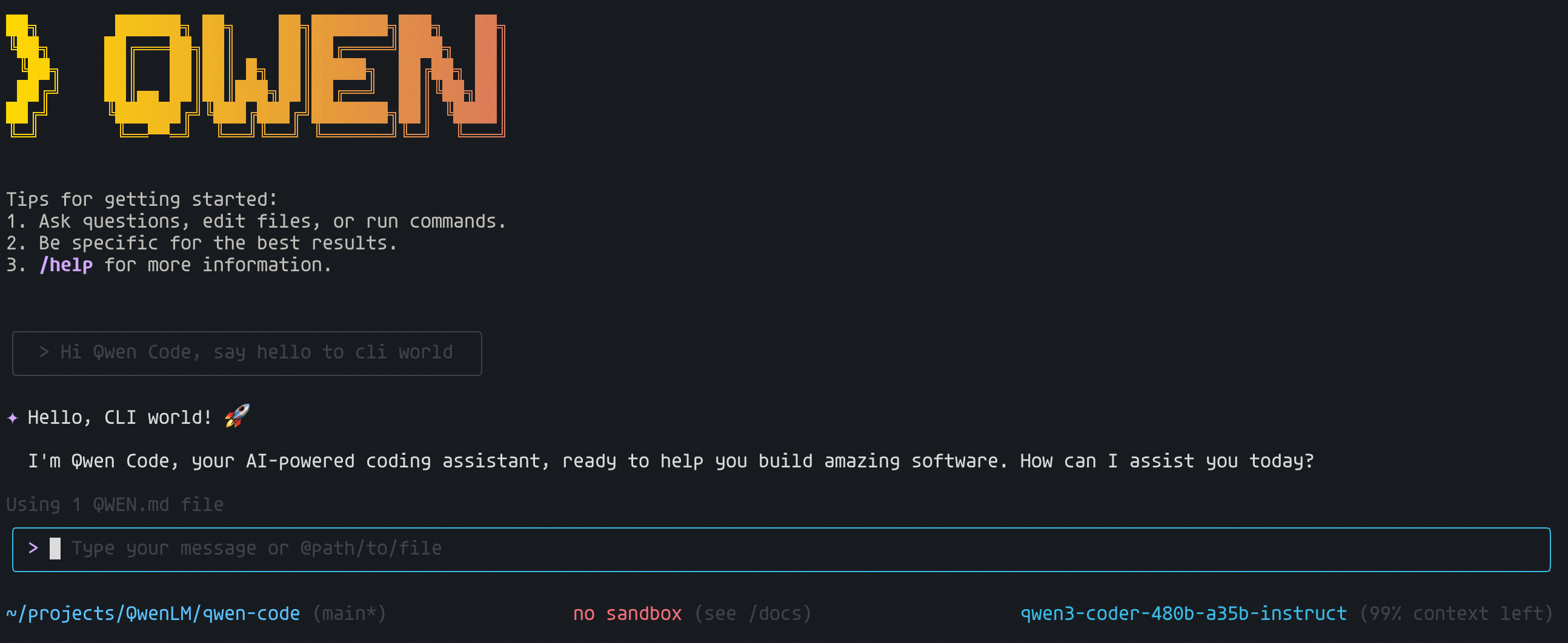
Qwen Code CLI is a powerful command-line AI workflow tool adapted from the Gemini CLI architecture, specifically optimized for Qwen3-Coder model. It enhances your development workflow through advanced code understanding and intelligent assistance. Qwen Code suits developers needing Chinese code understanding and localization support. Its optimization for Qwen3-Coder model understands Chinese comments and documentation, providing code suggestions aligned with Chinese developer habits. Visual model support and enhanced parser for complex codebases; free tier with OAuth authentication (up to 2000 requests/day).
6. CodeRabbit CLI: AI Code Review CLI
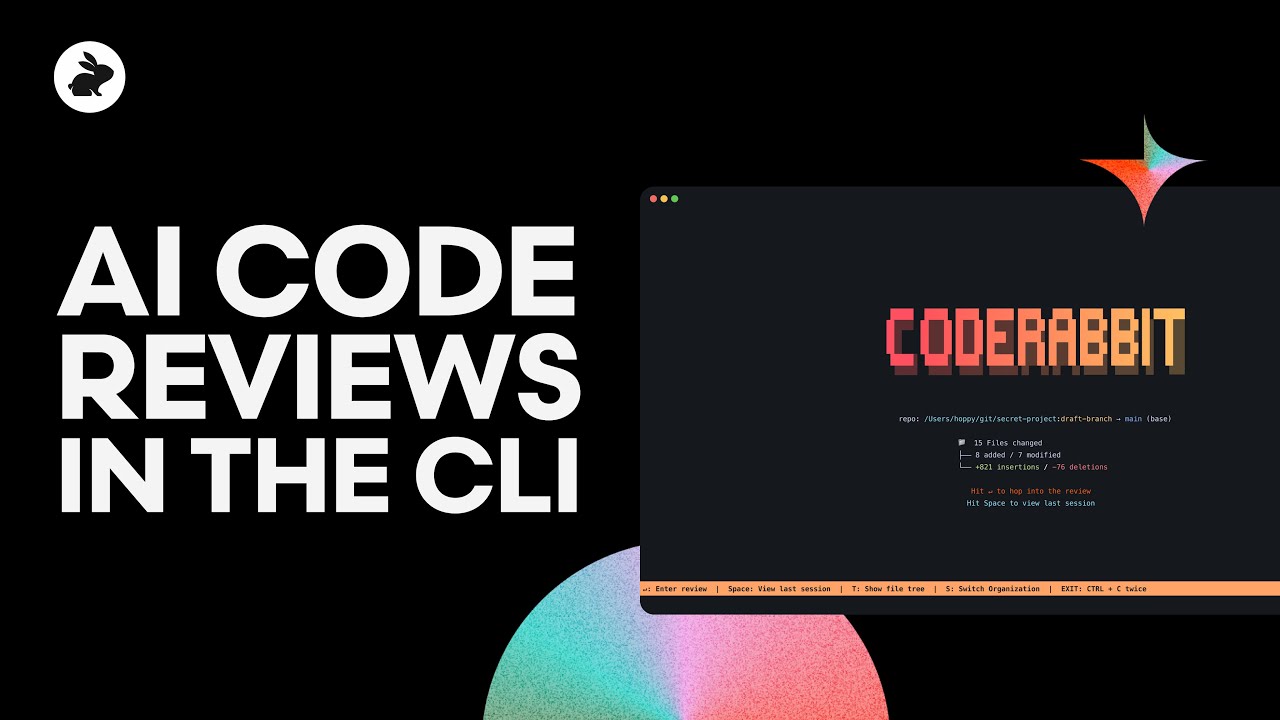
CodeRabbit CLI is an AI code review tool running directly in your terminal or CI pipeline, providing intelligent code analysis and capturing issues early in the development workflow. Unlike interactive agentic CLIs, CodeRabbit is designed for CI headless execution — it runs on PR triggers, generates review comments, and integrates with AI coding agents like Claude Code, Cursor CLI, and Gemini CLI. Line-by-line review with AI-driven inline comments; one-click fix integration from review feedback; context-aware review that understands your codebase conventions over time.
AI CLI Tools Comparison
Here's a detailed comparison of the top AI CLI tools across execution model, MCP support, CI readiness, and other key dimensions:
| Tool Name | Core Features | Best For | Pricing |
|---|---|---|---|
| Claude Code | Agentic execution, MCP support, enterprise security, risk-level labels | Multi-step autonomous dev, MCP-connected workflows, enterprise teams | Paid subscription |
| Gemini CLI | Agentic execution, open-source, 1M token context, multimodal | Large-context codebases, multimodal analysis, open-source customization | Free to use |
| Codex CLI | Agentic execution, fully local runtime, configurable permissions | Privacy-sensitive local dev, air-gapped environments | Paid subscription |
| Groq Code | High-speed inference, highly customizable, lightweight | Low-latency iteration, custom CLI assistant building | Paid subscription |
| Qwen Code | Chinese-optimized, adapted from Gemini CLI, free tier | Chinese-language development, localization-heavy projects | Free to use |
| CodeRabbit CLI | CI headless runner, PR review automation, agent integration | Automated code review, CI quality gates, team PR workflows | Free to use |
Agentic vs Copilot CLI: Two Execution Philosophies
The most important distinction in the AI CLI landscape is the execution model. Agentic CLI tools autonomously plan and execute multi-step operations — they read your files, run commands, inspect output, and decide next steps without waiting for your approval on each action. Copilot CLI tools suggest commands or scripts and wait for you to review and approve before anything executes. This isn't a minor UI difference; it fundamentally changes your risk posture, workflow trust, and the types of tasks each model handles best.
Agentic CLI
Agentic tools like Claude Code, Codex CLI (in agent mode), and Gemini CLI treat the terminal as an execution environment they control. You describe a goal and the tool reads relevant files, identifies issues, makes changes, runs the test suite, checks results, and iterates until tests pass. Key characteristics: autonomous step planning with visible execution plans, risk-level labeling per operation (read vs write vs network), configurable approval gates for high-risk actions, and multi-file orchestration across the codebase. Agentic mode excels at complex refactors, multi-step Git workflows, and codebase-wide changes where manual command-by-command execution would be tedious. The trade-off is that you are delegating execution authority — configure approval policies carefully, start in personal projects before production repos, and ensure audit logging is on.
Copilot CLI
Copilot-style tools like Warp AI suggestions and early GitHub Copilot for CLI operate on a suggest-then-approve model. You type a natural language request, the tool proposes a shell command or short script, and you review it — checking for correctness, safety, and intent — before pressing enter to execute. Key characteristics: human-in-the-loop for every command, no autonomous decision-making by the tool, lower risk of unintended system changes, and suitability for production environments where every action must be traceable to a human decision. Copilot mode excels at shell command generation, one-off operations with clear scope, and environments where compliance requires human sign-off on all changes. The trade-off is speed — multi-step workflows require you to stay engaged throughout rather than delegating and checking back later.
Choosing between them
Many developers use both modes in different contexts: agentic for personal projects and low-stakes repos where speed matters, copilot for production systems and shared codebases where caution matters. If your team is evaluating an AI CLI tool, consider starting with copilot mode to build familiarity with the tool's suggestions, then gradually expand to agentic mode with explicit approval policies for specific directories and command categories.
Use Cases
AI CLI tools serve distinct scenarios across the development lifecycle, from interactive coding to unattended pipeline automation.
Interactive Code Generation and Editing
AI CLI tools generate and edit code based on natural language descriptions directly in the terminal, helping developers implement features without leaving their keyboard-driven environment. Agentic tools handle multi-file refactors autonomously; copilot tools assist with targeted code changes that the developer reviews and approves.
Code Review and Quality Assurance
Automated review tools detect potential issues, security vulnerabilities, and style violations, providing line-by-line improvement suggestions. CI-integrated tools like CodeRabbit CLI run on every PR, catching issues before human review begins and reducing review cycle time.
CI/CD Pipeline Automation
AI CLI tools in headless mode automate pipeline tasks: auto-fixing lint errors, generating changelogs from commit history, labeling PRs by affected area, writing PR summaries for reviewers, and even drafting release notes. These tools run unattended in CI environments where no human is available to approve each action — configure approval policies and scope limits before deploying to pipelines.
DevOps and Infrastructure Management
For SRE and platform teams, AI CLI tools assist with kubectl operations, Terraform plan reviews, Docker image analysis, and incident response — translating complex infrastructure queries into executable commands and explaining error output from cloud services. The terminal is the native interface for infrastructure work, making CLI-based AI assistance a natural fit.
Server and Remote Environment Development
AI CLI tools suit server environments, remote development, or headless machines where graphical IDEs aren't available. Developers SSH into cloud instances and use AI CLI tools directly for code changes, log analysis, and system administration without needing a GUI.
How to Choose an AI CLI Tool
Select the right AI CLI tool by evaluating execution model preference, MCP ecosystem needs, security requirements, language support, and CI/CD integration — not just brand reputation or model benchmarks.
1. Choose Your Execution Model
Decide between agentic and copilot modes based on your risk tolerance. Agentic tools (Claude Code, Codex CLI, Gemini CLI) autonomously execute multi-step tasks — ideal for complex refactors where you trust the tool's judgment. Copilot tools (Warp AI, early Copilot for CLI) require explicit approval per command — better for production systems and compliance-heavy environments. Many teams use both: agentic for dev/staging, copilot for production.
2. Assess MCP and Extensibility Needs
If you want the terminal to connect beyond local files — to Slack, Linear, databases, cloud APIs — prioritize tools with MCP support (Claude Code currently leads here). If you need custom slash commands or bespoke tool integrations, check extensibility APIs. Tools differ significantly in how open their extension model is: open protocols (MCP) vs proprietary plugin systems vs no extension support.
3. Evaluate Security and Approval Controls
Examine how each tool handles risk: does it label operations by risk level (read vs write vs network)? Can you configure per-directory permissions? Is there an audit log of agentic actions for compliance review? For enterprise teams, tools with granular approval policies and deployment options (self-hosted model, AWS/GCP VPC deployment) are essential. For individual developers, transparent sandboxing and preview-before-execute may suffice.
4. Check CI/CD and Headless Readiness
If you plan to run AI CLI tools in pipelines, verify headless execution support: can the tool run without interactive prompts? Can approval policies be configured via config file rather than keyboard input? Does it output in CI-friendly formats (PR comments, check run annotations)? Tools like CodeRabbit CLI are purpose-built for this; general agentic tools may need configuration work.
5. Consider Language and Ecosystem Fit
Match tool capabilities to your tech stack: Chinese-language development benefits from Qwen Code's native localization; large monorepos benefit from Gemini CLI's 1M token context; privacy-sensitive workflows benefit from Codex CLI's local execution model; low-latency iteration benefits from Groq Code's inference speed. Shell dialect support (bash vs zsh vs fish vs PowerShell) also varies — check before committing.
Risks, Security, and Engineering Governance
AI CLI tools operate with filesystem and shell execution privileges — they can read your source code, modify files, execute arbitrary commands, and in agentic mode, do all of this without waiting for your approval on each step. Understanding the risk landscape is essential before integrating these tools into your workflow.
Command Mis-execution and System Damage
An incorrectly generated rm -rf, a wrong chmod, or a misrouted curl to an unknown endpoint can cause irreversible damage. Agentic tools that chain multiple commands compound this risk — a single approval at the task level does not cover the chain of commands that follow. Mitigations: use tools with risk-level labeling (read/write/network/system), configure per-directory allowlists, and for production systems, prefer copilot mode with per-command approval.
Code and Data Exfiltration
Terminal context sent to model APIs can include API keys in environment variables, database connection strings, proprietary source code, and internal documentation. Review each tool's data handling: does it allow .gitignore-style filtering of sensitive files? Is the model hosted on your infrastructure or a third-party cloud? What is the provider's data retention policy for prompts? For sensitive codebases, prefer tools that support local model execution or self-hosted deployment.
Supply Chain and Dependency Risks
AI-generated scripts may introduce malicious dependencies, insecure package versions, or vulnerable configuration templates. Agentic tools that can autonomously execute pip install or npm install expand this attack surface significantly. Before enabling autonomous package management, verify whether the tool restricts package manager operations and whether generated dependency lists are reviewed before installation.
Auditability and Attribution
When an agentic CLI submits a multi-file PR, reviewers need to distinguish human-authored, AI-authored, and AI-modified code. Ensure your chosen tool provides clear diff attribution and operation logs. For team workflows, establish conventions for commit message attribution (e.g., co-authored-by trailers) so that AI involvement is transparent in git history.
Conclusion
AI CLI tools are reshaping command-line workflows, bringing autonomous multi-step execution and intelligent assistance directly into the terminal. From standalone agentic platforms like Claude Code and Gemini CLI to CI-native code reviewers like CodeRabbit CLI, the landscape now spans a spectrum of execution models, security postures, and integration capabilities. Understanding this spectrum — agentic vs copilot, local vs cloud, interactive vs headless — is more important than comparing model benchmark scores.
Choose your tool by matching its execution model to your risk tolerance: agentic for trusted environments where speed matters, copilot for production systems where human sign-off is required. Prioritize MCP support if you want the terminal to connect beyond local files to organizational data sources. Evaluate security granularity — risk-level labeling, per-directory permissions, audit logging — before deploying to team workflows.
AI CLI tools should act as collaborative accelerators, not autonomous replacements for developer judgment. They handle the mechanical work — generating commands, explaining errors, orchestrating multi-step routines — while developers provide strategic design, security oversight, and quality control. The goal is a terminal where AI handles the syntax so you can focus on the intent.
Frequently Asked Questions
What Are AI CLI Tools and How Do They Work?
What's the Difference Between Agentic and Copilot CLI Tools?
What Is MCP and Why Does It Matter for CLI Tools?
Are AI CLI Tools Safe for Production Environments?
What's the Difference Between AI CLI and IDE Tools?
How Accurate Is AI-Generated Code from CLI Tools Today?
Are AI CLI Tools Free to Use?
Can AI CLI Tools Run in CI/CD Pipelines?
How Do AI CLI Tools Handle Data Privacy?
How to Choose the Right AI CLI Tool for My Needs?
References
- — Anthropic official documentation covering Claude Code's agentic architecture, MCP integration, security model with risk-level labeling, and enterprise deployment options on AWS/GCP.
- — Google's open-source AI CLI tool documentation, covering ReAct loop architecture, 1M token context window, built-in developer tools, and GitHub integration for automated PR review.
- — OpenAI's open-source coding agent documentation, covering local agent execution model, configurable permission levels from read-only to full access, and multimodal input support.
- — Official documentation for CI headless code review, covering PR trigger configuration, line-by-line review mechanics, one-click fix integration, and context-aware review across codebase conventions.
- — Open standard specification for connecting AI tools to external data sources and SaaS platforms. Foundational protocol enabling CLI tools to extend beyond local files to organizational context.
- — Benchmark measuring agentic coding tools on real-world software engineering tasks from open-source Python repositories. Widely cited in CLI tool capability comparisons.
- — Security review framework for AI-generated code, covering vulnerability patterns, dependency risks, and review practices relevant to AI CLI tool adoption in production environments.