What Are AI Spreadsheet Tools
AI spreadsheet tools represent the next evolution of data management, transforming traditional electronic spreadsheets into intelligent data processing platforms. In 2026, these tools combine artificial intelligence with familiar spreadsheet interfaces to automate complex data operations, provide predictive insights, and enable natural language interactions with data.
The core value proposition of AI spreadsheet tools lies in their ability to democratize advanced data analysis. Complex statistical modeling, predictive analytics, and machine learning algorithms that once required specialized programming skills are now accessible through intuitive spreadsheet interfaces. Users can simply describe their data questions in natural language and receive instant, actionable insights.
Modern AI spreadsheet platforms typically offer multi-layered intelligent capabilities: foundational features include smart data cleaning and validation, intermediate features encompass automated visualization and trend detection, while advanced capabilities include custom AI model training and intelligent automation workflows. Whether you're a data analyst, business user, or casual spreadsheet user, these tools provide unprecedented power and accessibility for data-driven decision making.
How AI Spreadsheet Tools Work
AI spreadsheet tools operate on a sophisticated architecture that combines large language models with specialized data processing engines. Unlike traditional spreadsheets that rely on manual formula creation and static calculations, these intelligent platforms understand natural language instructions, analyze data patterns, and execute complex operations automatically.
The core technical foundation includes natural language processing engines, intelligent data analysis modules, automated visualization generators, and workflow automation systems. Natural language engines interpret user commands and convert them into executable data operations. Analysis modules employ machine learning algorithms to identify patterns, detect anomalies, and generate predictive insights. Visualization generators automatically select optimal chart types based on data characteristics.
Most platforms employ a hybrid architecture balancing cloud-based AI capabilities with local processing for data security. This approach ensures powerful AI functionality while maintaining data privacy and performance. Users gain access to professional-grade analytical tools through familiar spreadsheet interfaces, dramatically improving productivity and decision-making capabilities.
Best AI Spreadsheet Tools 2026
1. Endex: Intelligent Data Processing
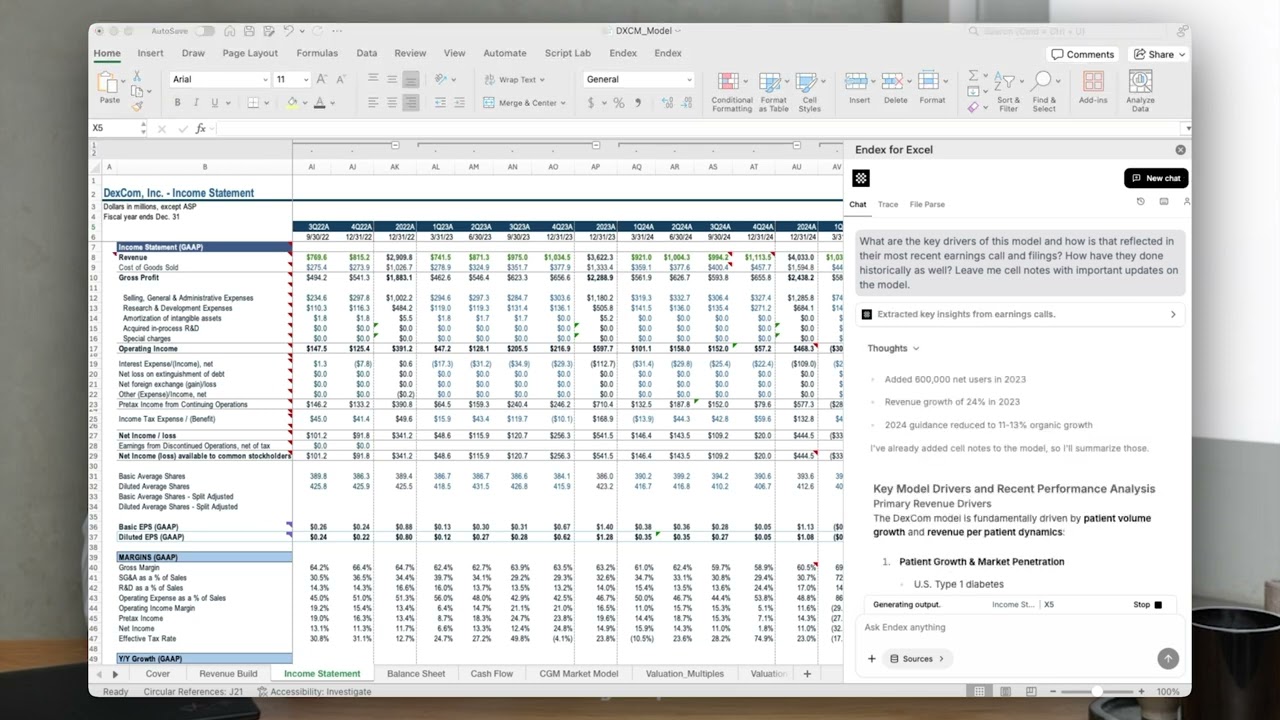
Endex represents a sophisticated AI-powered spreadsheet platform designed specifically for modern data professionals. The tool excels in intelligent data processing, offering advanced natural language interfaces that transform complex spreadsheet operations into conversational interactions. Users can describe data transformations, create automated workflows, and generate insights using everyday language rather than complex formulas. Endex's core strength lies in its ability to understand context and intent, automatically suggesting data cleaning operations, identifying outliers, and recommending optimal visualization approaches. The platform supports extensive data source integration, enabling seamless data flow from databases, APIs, and external systems. Particularly valuable for data analysts, business intelligence professionals, and anyone working with large datasets, Endex transforms traditional spreadsheet limitations into powerful analytical capabilities. The tool's machine learning algorithms continuously learn from user patterns, providing increasingly accurate suggestions and automating repetitive analytical tasks.
2. Paradigm: AI-Driven Data Analysis

Paradigm offers a comprehensive AI-driven data analysis platform that reimagines spreadsheet functionality through adaptive intelligence. The tool's standout feature is its self-learning AI engine that automatically determines optimal analytical approaches based on data characteristics and user objectives. Users simply upload their datasets, and Paradigm handles the rest—from intelligent data preprocessing and structure recognition to automated report generation. The platform supports complex multi-source data integration, seamlessly combining information from databases, cloud services, and external APIs. Particularly impressive is Paradigm's ability to generate executive-ready visualizations and insights without manual intervention. The tool employs advanced machine learning techniques to identify hidden patterns, predict trends, and provide actionable recommendations. Ideal for business analysts, data scientists, and decision-makers who need rapid insights from complex datasets, Paradigm democratizes advanced analytical capabilities while maintaining professional-grade accuracy and reliability.
3. Carousel: Data Visualization Explorer
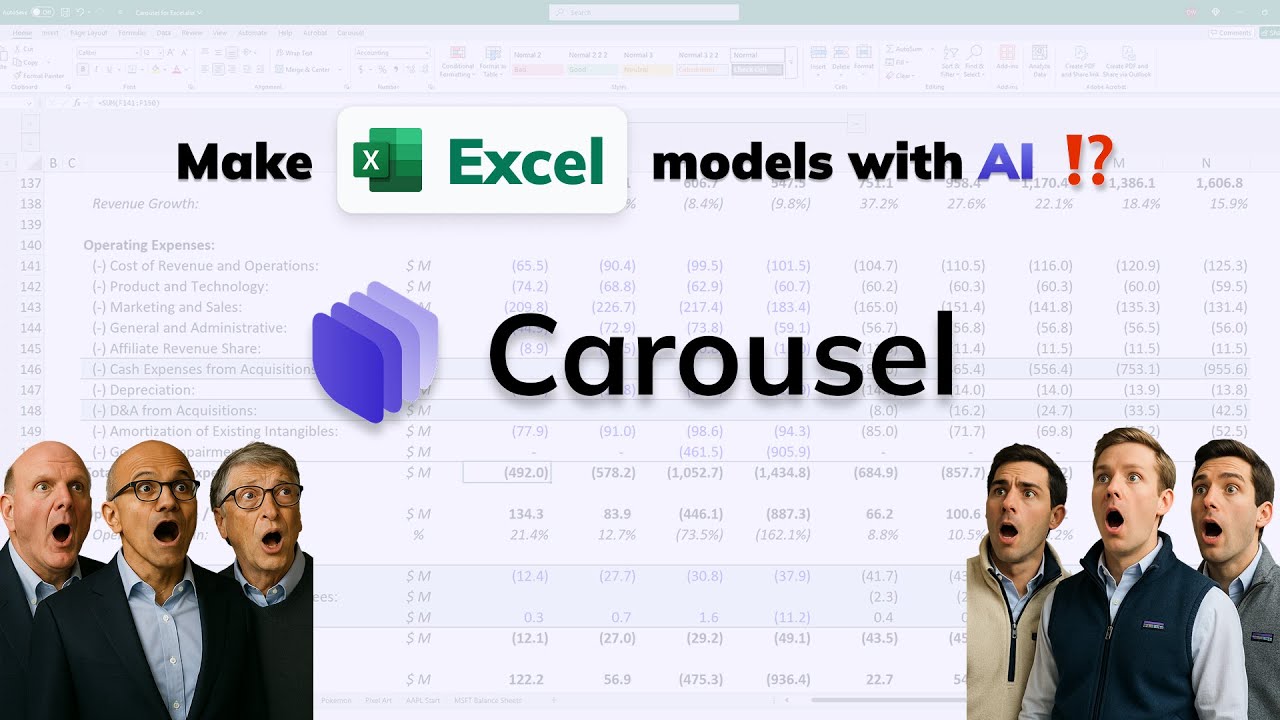
Carousel specializes in interactive data visualization and exploration, offering an intuitive platform for discovering insights through visual data analysis. The tool's intelligent recommendation engine analyzes data characteristics to suggest optimal visualization types, from complex multi-dimensional charts to interactive dashboards. Users can explore data relationships through intuitive drag-and-drop interactions, zooming, filtering, and real-time adjustments. Carousel's standout capability is its ability to handle complex data correlations, automatically identifying patterns and relationships that might be invisible in traditional spreadsheet views. The platform supports collaborative analysis, allowing team members to explore data simultaneously and share insights in real-time. Particularly valuable for data analysts, business intelligence teams, and anyone working with visual data presentation, Carousel transforms raw numbers into compelling visual stories. The tool's machine learning algorithms continuously optimize visualization recommendations based on user preferences and data types, making complex data analysis accessible to non-technical users.
4. Shortcut: Workflow Automation

Shortcut focuses on automating repetitive spreadsheet tasks through intelligent workflow creation and execution. The platform learns from user behavior patterns to create personalized automation rules, eliminating manual data entry and processing bottlenecks. Users can design complex workflows involving data validation, format standardization, bulk updates, and automated reporting. Shortcut's AI engine continuously refines automation suggestions based on usage patterns, becoming increasingly efficient over time. The tool supports integration with external systems and APIs, enabling seamless data synchronization across platforms. Particularly beneficial for administrative professionals, financial analysts, and operations teams dealing with high-volume data processing, Shortcut dramatically reduces time spent on routine tasks. The platform's natural language interface allows users to describe desired automation outcomes, which the AI then translates into executable workflows. Advanced features include predictive data validation, automated error correction, and intelligent data transformation pipelines.
5. Quadratic: Open-Source Spreadsheet
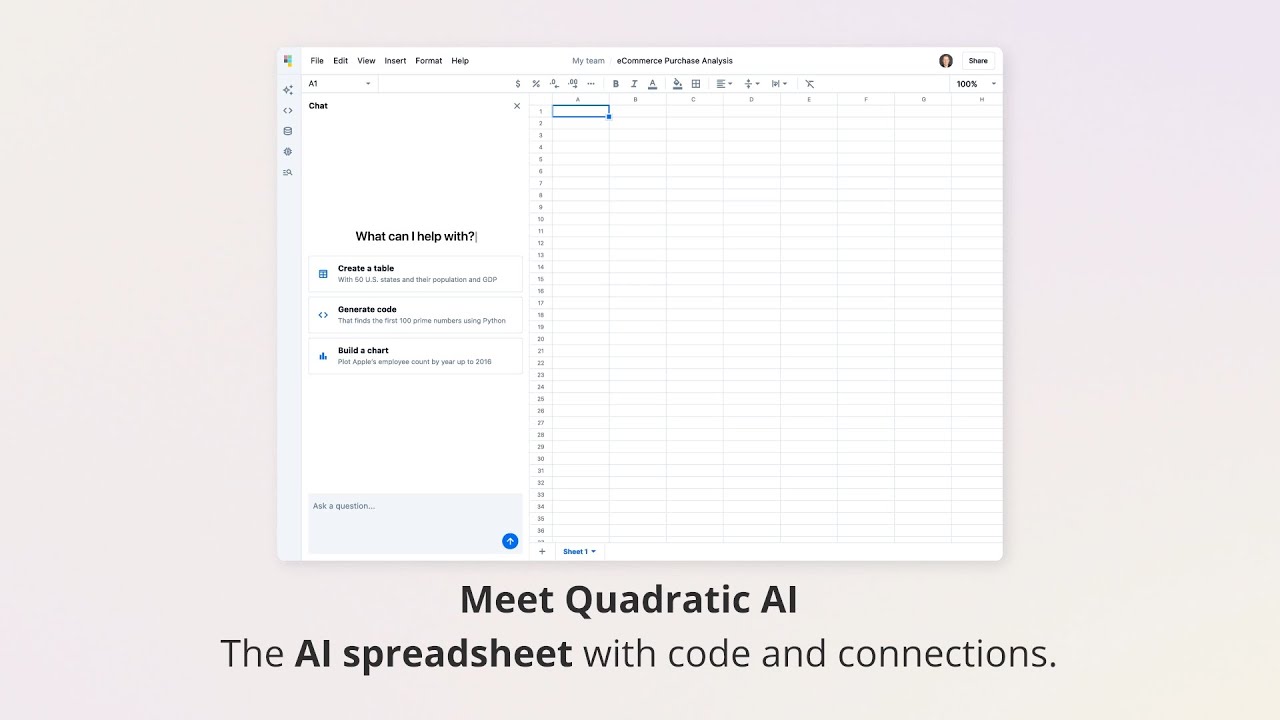
Quadratic represents an innovative open-source spreadsheet platform that seamlessly integrates Python programming with traditional spreadsheet interfaces. This unique approach allows users to combine the flexibility of code with the accessibility of visual spreadsheets, creating powerful analytical workflows. Users can write Python scripts directly within spreadsheet cells, enabling complex data manipulations, statistical analysis, and machine learning applications. Quadratic's collaborative features support real-time multi-user editing and version control, making it suitable for team-based data science projects. The platform includes built-in AI assistance for code completion, error detection, and optimization suggestions. Particularly valuable for data scientists, analysts, and developers who need programmatic control over their data analysis, Quadratic bridges the gap between spreadsheet simplicity and programming power. The open-source nature ensures transparency, extensibility, and community-driven improvements, while the integrated AI features make advanced analytics accessible to users with varying technical backgrounds.
6. Julius: AI Assistant Integration

Julius integrates conversational AI assistants directly into spreadsheet workflows, providing 24/7 intelligent support for data operations. Users can interact with their data through natural language conversations, describing complex analytical requirements and receiving immediate, actionable results. The platform supports multi-step analytical processes, from initial data exploration through to final report generation. Julius's AI assistant understands spreadsheet context, providing relevant suggestions based on current data and user objectives. The tool excels in handling complex, multi-stage analytical tasks that would typically require multiple manual operations. Particularly suitable for business users, analysts, and anyone who prefers conversational interfaces over traditional formula-based interactions, Julius makes advanced data analysis accessible to non-technical users. The assistant continuously learns from user interactions, providing increasingly personalized and accurate assistance. Advanced features include automated data storytelling, intelligent chart recommendations, and collaborative analysis capabilities.
7. Rows: AI Spreadsheet Platform

Rows delivers a comprehensive AI-powered spreadsheet platform that redefines data management and analysis workflows. The platform combines traditional spreadsheet functionality with cutting-edge AI capabilities, offering end-to-end intelligent data processing solutions. Users benefit from automated data ingestion, intelligent transformation, and AI-driven insights generation. Rows supports extensive API integrations and real-time collaboration features, making it ideal for team-based analytical projects. The platform's AI engine continuously analyzes usage patterns to provide personalized recommendations and workflow optimizations. Particularly valuable for growing businesses and data-driven teams, Rows scales from individual analysis to enterprise-grade data operations. The platform includes advanced features like predictive modeling, automated reporting, and intelligent data validation. Users can create complex analytical workflows without extensive programming knowledge, while advanced users can leverage programmatic interfaces for custom analytical solutions.
8. Gimini in Google Sheets: Google Sheets AI
Gimini represents Google's AI integration within Google Sheets, bringing advanced artificial intelligence capabilities to the world's most popular spreadsheet platform. This integration enhances traditional spreadsheet functionality with natural language queries, automated data analysis, and intelligent formula generation. Users can interact with their data using conversational language, asking complex analytical questions and receiving instant visualizations and insights. Gimini understands spreadsheet context and provides relevant suggestions based on data patterns and user objectives. The tool seamlessly integrates with the broader Google Workspace ecosystem, enabling intelligent data synchronization and cross-application insights. Particularly valuable for existing Google Workspace users, Gimini provides a familiar interface with powerful AI enhancements. Advanced features include automated trend analysis, predictive modeling, and intelligent data storytelling. The integration maintains data security and privacy standards while delivering professional-grade analytical capabilities accessible to users of all skill levels.
9. AI in Excel: Microsoft Excel AI

AI in Excel represents Microsoft's comprehensive artificial intelligence integration within Excel, transforming the industry-standard spreadsheet application into a modern analytical powerhouse. This integration provides advanced data modeling, predictive analytics, and automated insights generation directly within the familiar Excel interface. Users can leverage natural language queries to analyze complex datasets, generate intelligent formulas, and create professional visualizations without extensive technical expertise. The AI capabilities include automated data cleaning, trend identification, and predictive modeling using advanced machine learning algorithms. Particularly valuable for Microsoft 365 subscribers and existing Excel users, this integration provides seamless AI enhancement to established workflows. Advanced features encompass custom model training, automated reporting, and intelligent data transformation pipelines. The integration maintains full compatibility with existing Excel functionality while adding professional-grade analytical capabilities, making advanced data science accessible to business users and analysts worldwide.
AI Spreadsheet Tools Comparison: Choose What's Right for You
Use Cases: 6 Practical Applications
Data Analysis and Business Intelligence
AI spreadsheet tools excel in transforming raw data into actionable business intelligence. Organizations can automatically identify trends, detect anomalies, and generate predictive insights that drive strategic decision-making. From sales forecasting to customer behavior analysis, these tools provide the analytical depth previously reserved for specialized BI platforms. The natural language interfaces make complex analytical queries accessible to business users without technical expertise, democratizing data-driven decision-making across organizations.
Operational Workflow Automation
Repetitive data processing tasks that once consumed hours of manual effort can now be automated through intelligent spreadsheet workflows. AI tools learn from user patterns to create personalized automation rules for data validation, formatting, and reporting. This automation extends beyond simple calculations to include complex multi-step processes like financial reconciliation, inventory management, and compliance reporting. Organizations can achieve significant productivity gains while reducing human error in routine operations.
Advanced Visualization and Reporting
AI-powered visualization capabilities automatically select optimal chart types and design layouts based on data characteristics and analytical objectives. These tools can generate interactive dashboards, executive summaries, and presentation-ready reports with minimal user input. The intelligent recommendations ensure that visualizations effectively communicate insights, using appropriate color schemes, layouts, and interactive elements to enhance data storytelling and stakeholder communication.
Predictive Analytics and Forecasting
Built-in machine learning capabilities enable users to create predictive models directly within spreadsheet environments. From sales forecasting and demand planning to risk assessment and customer churn prediction, these tools make advanced analytics accessible to business users. The automated model selection and validation processes ensure reliable predictions while the natural language interfaces make model interpretation and adjustment intuitive for non-technical users.
Team Collaboration and Knowledge Sharing
Modern AI spreadsheet platforms support real-time collaborative analysis with intelligent conflict resolution and version control. Team members can simultaneously work on complex analytical projects, with AI assistants providing contextual suggestions and maintaining analytical consistency. The platforms also facilitate knowledge sharing through automated documentation generation and insight summarization, ensuring that analytical findings and methodologies are preserved and accessible to team members.
Data Integration and Pipeline Management
AI tools automate the integration of disparate data sources into unified analytical environments. From API connections and database synchronization to cloud service integration and file import automation, these platforms create seamless data pipelines. The intelligent data mapping and transformation capabilities ensure data consistency and quality across complex enterprise data ecosystems, enabling comprehensive analytical workflows that span multiple systems and data sources.
How to Choose AI Spreadsheet Tools
1. Evaluate Data Complexity and Team Size
Assess whether you need basic data cleaning and visualization or advanced predictive modeling and automation. Consider team size and collaboration requirements, as enterprise solutions differ significantly from individual user tools. Evaluate existing data infrastructure and integration needs with current systems.
2. Assess AI Feature Depth and Reliability
Test the accuracy and reliability of AI suggestions, natural language processing capabilities, and automated analytical features. Consider whether the AI capabilities align with your analytical workflows and whether the tool can handle your specific data types and analytical requirements.
3. Check Integration and Compatibility
Verify compatibility with existing tools and systems, including data sources, collaboration platforms, and business applications. Assess API capabilities, data import/export options, and the ability to embed analytical results into other business processes.
4. Review Security and Data Privacy Measures
Evaluate data encryption, access controls, compliance certifications, and privacy protection measures. Consider whether sensitive data can be processed locally rather than in the cloud, and assess audit capabilities for regulatory compliance requirements.
5. Test User Experience and Learning Curve
Evaluate interface design, onboarding experience, and ease of use for your target users. Consider training requirements, available resources, and support options. Test the tool with real data and workflows to ensure it meets user needs and productivity goals.
Conclusion
AI spreadsheet tools represent a fundamental shift in how organizations approach data analysis and business intelligence. These platforms transform traditional spreadsheet limitations into powerful analytical engines, democratizing access to advanced data science capabilities. By combining familiar interfaces with cutting-edge artificial intelligence, they enable users across all technical skill levels to extract meaningful insights from complex datasets.
The selection of an appropriate AI spreadsheet tool should align with specific organizational needs, technical infrastructure, and user capabilities. Whether prioritizing ease of use, advanced analytical features, or seamless integration with existing systems, the right tool can dramatically enhance analytical productivity and decision-making effectiveness. Organizations should carefully evaluate their requirements and test potential solutions with real data before making implementation decisions.
As AI technology continues to evolve, spreadsheet tools will increasingly become central to modern data strategies. Forward-thinking organizations should view these tools not merely as productivity enhancers, but as foundational components of comprehensive data management and analytical ecosystems. The investment in AI spreadsheet capabilities represents both immediate productivity gains and long-term competitive advantages in an increasingly data-driven business environment.