What Are Speech-to-Text Tools
Speech-to-text tools (STT) use artificial intelligence to convert human speech into editable text. These tools typically rely on advanced automatic speech recognition (ASR) algorithms, processing audio input in real-time or offline to generate accurate text transcriptions. Speech-to-text tools are widely used in meeting notes, content creation, caption generation, educational assistance, and accessibility, significantly improving voice content processing efficiency and usability.
The core value of speech-to-text tools lies in breaking barriers between voice and text, making voice content searchable, editable, and shareable. Compared to traditional keyboard input, these tools provide more natural and efficient input methods. Modern AI-driven speech-to-text tools recognize standard speech and handle dialects, accents, and domain-specific terminology, achieving accuracy rates above 95%. If you need video content processing, check our AI video translator tools guide.
How Speech-to-Text Tools Work
Modern speech-to-text technology is based on deep learning and neural network models, combining acoustic models, language models, and pronunciation dictionaries. These technologies train on vast speech data to accurately identify speech signal features and understand language grammar and semantic structure. Core advantages include high accuracy, multilingual support, real-time processing, and contextual understanding.
Technological advances have evolved speech-to-text beyond simple recognition into intelligent speech understanding systems. Representative open-source projects include OpenAI's Whisper model, an advanced speech recognition framework handling multilingual input and providing high-quality transcriptions. Whisper achieves excellent cross-language recognition through large-scale multilingual training, performing well across various applications.
Best Speech-to-Text Tools 2026
The following are the most recommended speech-to-text tools for 2026, including open-source engines, professional APIs, and real-time transcription platforms, helping you choose the most suitable solution based on your needs.
1. OpenAI Whisper: Open Source Speech Recognition
OpenAI Whisper is an open-source speech recognition engine developed by OpenAI, providing powerful speech-to-text functionality. Whisper is trained on large-scale multilingual datasets, supporting nearly 100 languages including English, Chinese, Spanish, French, and other major languages. The tool handles various audio qualities, from clear recordings to noisy environments, delivering high-quality transcription results. OpenAI Whisper is particularly suitable for applications requiring high accuracy and multilingual support, supporting offline use and batch processing. As a fully open-source tool, Whisper offers developers extensive customization and integration possibilities, widely used in voice assistants, meeting notes, and content creation.
2. Deepgram Nova 3: High-Accuracy Real-Time Transcription
Deepgram Nova 3 is a professional tool focused on high-accuracy speech-to-text, providing real-time transcription and batch processing. Nova 3 is optimized with deep learning models, delivering over 95% recognition accuracy across various applications, particularly excelling in medical, financial, and legal professional domains. The tool supports real-time streaming transcription, converting speech to text simultaneously with input, with latency below 500 milliseconds. Deepgram Nova 3 offers rich API interfaces, supporting custom vocabularies and domain-specific models, optimized for different industry needs. Whether for meeting notes, customer service conversation analysis, or media content production, Nova 3 provides stable and reliable speech-to-text services.
3. Google Chirp 3: Multilingual Speech Recognition
Google Chirp 3 is Google's latest speech recognition model, supporting accurate speech-to-text for over 100 languages. Chirp 3 is based on Transformer architecture and large-scale multilingual training data, understanding complex context and semantic relationships, providing high-quality speech-to-text services. The tool excels at handling multilingual mixed content and dialect recognition, performing well in globalized applications. Google Chirp 3 offers complete cloud API services, supporting real-time streaming and batch transcription, seamlessly integrating into various applications. As part of Google Cloud Speech-to-Text service, Chirp 3 inherits Google's powerful AI infrastructure advantages, providing stable and reliable service quality.
4. Voxtral: Efficient Speech-to-Text Model
Voxtral is a specialized speech-to-text model developed by Mistral AI, focused on providing efficient and accurate speech recognition services. Voxtral is based on advanced language model architecture, combining speech signal processing and natural language understanding, delivering fast processing speeds while maintaining high accuracy. The model is particularly optimized for English and other major European languages, supporting real-time streaming and offline batch transcription. Voxtral's design philosophy balances performance and efficiency, providing developers with an out-of-the-box speech-to-text solution. As part of Mistral AI's ecosystem, Voxtral integrates seamlessly with other Mistral models, providing convenience for building complex AI applications.
5. Scribe v2 Realtime: Real-Time Speech-to-Text
Scribe v2 Realtime is a real-time speech-to-text tool developed by ElevenLabs, focused on providing low-latency, high-accuracy real-time transcription services. Scribe v2 is based on advanced speech recognition algorithms, converting speech to text within milliseconds, supporting multiple languages and dialect recognition. The tool is particularly suitable for applications requiring real-time captions, meeting notes, and live transcription, handling complex audio environments including background noise and multi-speaker conversations. ElevenLabs Scribe v2 offers rich API interfaces, supporting custom models and real-time streaming. As an extension of ElevenLabs' leading voice synthesis product line, Scribe v2 combines speech recognition and synthesis advantages, providing users with complete voice processing solutions.
6. Assembly: Enterprise Speech-to-Text API
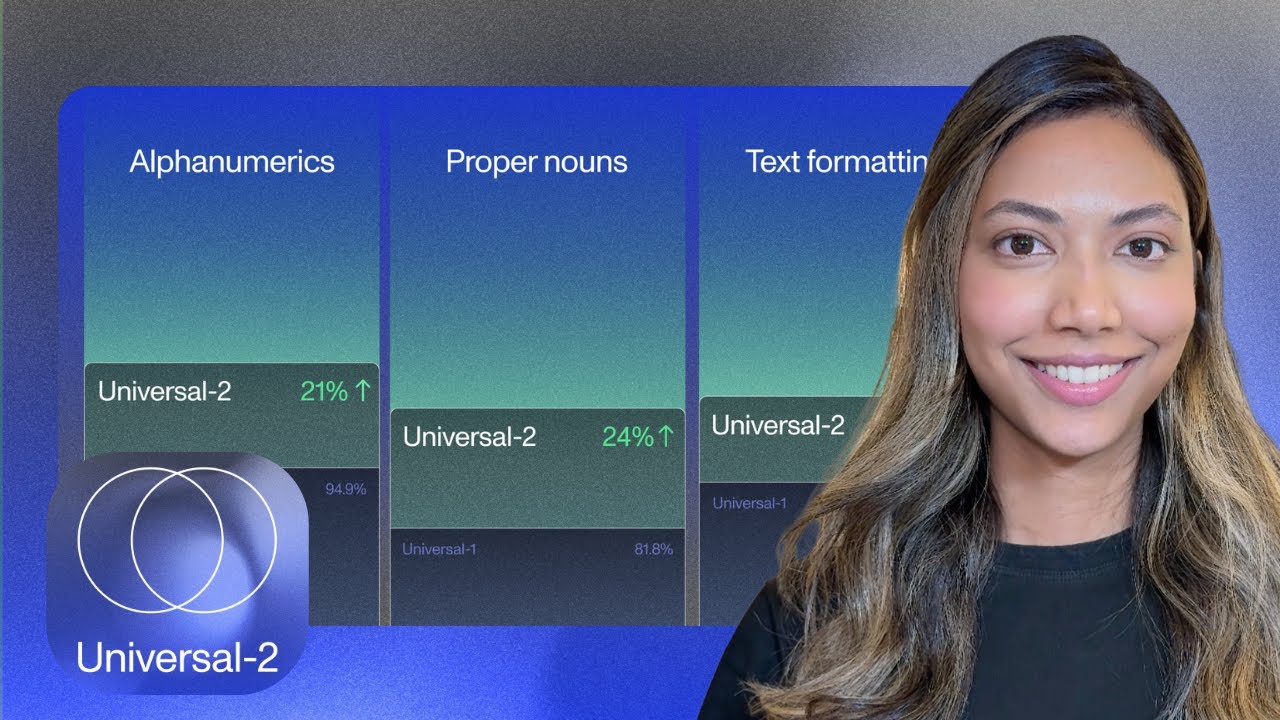
Assembly is a speech-to-text API platform designed for enterprise users, providing comprehensive voice processing solutions. Assembly is based on deep learning models, supporting multiple audio formats and high-quality speech recognition, handling various audio inputs from clear recordings to noisy environments. The platform offers rich features including automatic punctuation, segment recognition, keyword extraction, and sentiment analysis, providing enterprises with complete voice content analysis services. Assembly is particularly suitable for enterprise users needing batch processing and custom integration, supporting RESTful APIs and SDKs for multiple programming languages. As a platform focused on voice AI, Assembly continuously updates its model performance, providing industry-leading speech-to-text services.
7. Cartesia Ink: Real-Time Speech Transcription

Cartesia Ink is a real-time speech transcription tool developed by Cartesia, focused on providing fast and accurate speech-to-text services. Ink is based on advanced AI models, processing speech input in real-time, providing low-latency text transcription results. The tool supports multiple languages and audio formats, particularly suitable for applications requiring immediate feedback, such as online meetings, live transcription, and real-time caption generation. Cartesia Ink offers intuitive API interfaces and SDKs, supporting developers to quickly integrate into various applications. As a startup focused on voice AI, Cartesia demonstrates its technical strength in speech recognition through Ink, providing users with efficient and reliable speech-to-text solutions.
8. Wisprflow: AI Speech-to-Text Platform

Wisprflow is an AI-driven speech-to-text platform providing comprehensive voice processing and analysis services. Wisprflow is based on advanced machine learning algorithms, processing various types of audio content from meeting recordings to podcast episodes, delivering high-quality text transcriptions. The platform not only provides basic speech-to-text functionality but also integrates intelligent analysis features, identifying speakers, extracting keywords, and generating summaries. Wisprflow supports multiple file formats and cloud storage, facilitating users to manage large volumes of audio content. As a full-featured voice processing platform, Wisprflow is particularly suitable for professional users needing complex voice analysis and management, providing powerful voice processing tools for content creators and enterprise users.
Speech-to-Text Tools Comparison
The following comparison of mainstream speech-to-text tools helps you quickly understand each tool's features and applications:
Use Cases: 6 Major Applications
Speech-to-text tools play important roles in modern work and life. Here are 6 major application scenarios:
1. Meeting Notes
Automatically convert meeting discussions into editable text records. Speech-to-text tools can transcribe meeting content in real-time, identify different speakers, and generate complete meeting minutes. This is particularly useful for meetings requiring important decision and discussion records, significantly improving meeting efficiency and follow-up work quality.
2. Content Creation
Quickly convert spoken content into written text. Content creators can use speech-to-text tools to directly dictate articles, blogs, or scripts, then edit and refine. This greatly accelerates content creation speed, especially for creators needing rapid production of large volumes of content.
3. Educational Assistance
Generate text records for classroom recordings and lectures. Speech-to-text tools can automatically transcribe classroom content, providing students with study notes and teachers with text versions of teaching materials. Particularly suitable for online education and remote learning scenarios.
4. Customer Service
Analyze and record customer service conversation content. Speech-to-text tools can convert phone customer service conversations into text, facilitating subsequent quality analysis, training, and improvement. They can also extract keywords and sentiment information, improving customer service quality.
5. Media Production
Generate captions and transcripts for video and audio content. Media professionals can use speech-to-text tools to quickly generate caption files or convert interview recordings into editable text manuscripts, greatly improving media content production efficiency.
6. Accessibility
Provide real-time caption services for hearing-impaired individuals. Speech-to-text tools can convert speeches, meetings, or media content into text in real-time, providing accessible experiences for hearing-impaired individuals, promoting social inclusion and equality.
How to Choose Speech-to-Text Tools
Select the most suitable speech-to-text tool based on your usage scenarios, language needs, and budget to significantly improve voice processing effectiveness and efficiency.
1. Determine Usage Scenario
Clarify your primary usage needs. Choose Deepgram Nova 3 or Scribe v2 Realtime for real-time meeting transcription; Assembly or OpenAI Whisper for batch content processing; Cartesia Ink or Voxtral for developer integration. Different scenarios have varying requirements for accuracy, latency, and functionality.
2. Evaluate Language Support
Confirm tool support for your required languages. Choose Google Chirp 3 or OpenAI Whisper for multilingual applications; select corresponding specialized tools for specific language optimization. Consider whether you need to handle dialects, accents, or industry terminology.
3. Consider Real-Time Processing Requirements
Choose tools based on whether real-time processing is needed. Meeting and live streaming scenarios require real-time transcription; choose Deepgram Nova 3, Scribe v2 Realtime, or Cartesia Ink. Batch processing and offline applications can choose OpenAI Whisper or Assembly.
4. Assess Integration Capabilities
Consider tool API integration convenience. Developers prioritize Voxtral, Cartesia Ink, or Assembly; enterprise users choose Deepgram or Google Cloud; enterprise integration needs select Assembly or Wisprflow.
5. Evaluate Cost-Effectiveness
Comprehensively consider functional needs and budget constraints. Choose OpenAI Whisper for free open-source; Cartesia Ink for lightweight applications; Assembly or Deepgram for enterprise services. Calculate long-term usage costs and feature matching.
Conclusion
Speech-to-text technology is profoundly changing how we process voice content. From OpenAI Whisper's open-source innovation to Deepgram Nova 3's professional services, from Google Chirp 3's global support to various real-time transcription tools, these solutions provide rich choices for different user groups. Selecting appropriate speech-to-text tools requires comprehensive evaluation based on specific usage scenarios, language needs, and technical requirements.
OpenAI Whisper becomes developers' first choice with its open-source nature and multilingual support; Deepgram Nova 3 excels in professional fields; Google Chirp 3 provides global solutions; Scribe v2 Realtime and Cartesia Ink meet real-time processing needs; Assembly and Wisprflow provide comprehensive services for enterprise users. Whether you're a content creator, educator, or enterprise user, you can find suitable solutions among these tools. We recommend trying free versions or API tests first, experiencing different tools' performance in your specific applications, then making final decisions. Continuous advances in speech-to-text technology will bring more convenience and possibilities to our work and life.