Marketing Skills for Cursor, Claude Code, OpenClaw — Install 160+ skills

AI Knowledge Bases: Smart Document Management

Transform scattered information into actionable insights with intelligent AI knowledge bases. Discover platforms that provide AI-powered search, automatic organization, and smart content generation to eliminate knowledge silos and boost productivity.

Updated on February 11, 2026
14 min read
Share
TL;DR

Key Takeaways

This guide explores the best AI knowledge bases for 2026, helping teams and knowledge workers choose the right solution. It also covers selection criteria, comparisons, and practical tips for implementation. The sections below compare options, use cases, and practical selection criteria.

  • AI knowledge bases support smart search, auto-summarization, and knowledge graphs for enterprise documentation and organizational intelligence across teams and production workflows.
  • Compare NotebookLM, Notion, Slite, Chatbase, Flowith, Youmind, Recall, Remio, and Lark for RAG capability, retrieval quality, and collaboration features for informed selection and deployment.
  • Consider RAG capability, retrieval quality, collaboration features, and ease of use for your knowledge management scale and access needs.
  • Learn technical principles and workflows, then pair with search engines and text generators for complete and scalable knowledge management.

What Are AI Knowledge Bases

AI knowledge bases use semantic search, embedding-based retrieval, and knowledge graph structures to let teams find answers inside their own documents—policies, meeting notes, product specs—without knowing exactly which file or folder something lives in. They ingest unstructured content, chunk it for vector indexing, and surface the most relevant paragraphs in response to natural-language questions. Built for support teams cutting resolution time, engineering teams onboarding new hires, and any organization drowning in scattered documentation.

Knowledge bases handle internal, proprietary information: they differ from AI search engines, which retrieve from the public web, and from AI memory tools, which maintain persistent context across conversation sessions. For teams that also need to generate new documents from their knowledge base, pair with AI text generators.

AI knowledge base products fall into several distinct morphological categories, each optimized for a different primary user. Document-native platforms (Notion AI, Slite, Lark Wiki) embed AI search directly into the document editor — zero migration cost if your team already writes there, but AI depth is constrained by the platform. Independent RAG platforms (Guru, Document360) connect to multiple existing data sources — Google Drive, Confluence, Zendesk — and provide a unified AI search layer without requiring you to move your documents. Customer service KBs (Chatbase, Intercom Fin) are purpose-built for external-facing chatbot answers, prioritizing brand tone consistency and citation accuracy for customer trust. Personal second-brain tools (Recall, Remio, Youmind) focus on individual knowledge capture and memory enhancement with lighter governance needs. Enterprise search platforms (Glean, Elastic Workplace Search) index across documents, tickets, code repos, and CRM records — blurring the line between knowledge base and universal organizational search. GraphRAG systems (emerging, led by Microsoft's open-source project) combine knowledge graphs with vector retrieval for entity-dense domains like legal, pharmaceutical, and engineering documentation. Agent-native knowledge bases (Notion Custom Agents, Ima copilot, Slite autopilot roadmap) represent the newest category — emerging in 2026 — where the knowledge base is no longer a read-only retrieval system but writable infrastructure for autonomous AI agents that can maintain, update, and fill gaps in the knowledge base itself.

How AI Knowledge Bases Work

AI knowledge base tools use RAG (Retrieval-Augmented Generation) architectures to ground LLM responses in proprietary documents and data. The pipeline ingests documents, chunks them into semantically coherent segments, generates embeddings using a sentence transformer model, and stores embeddings in a vector database. At query time, the user's question is embedded, similar chunks are retrieved from the vector store, and both the question and retrieved context are sent to an LLM that synthesizes an answer with citations. Advanced systems add: hierarchical chunking for multi-granularity retrieval, re-ranking models for better context selection, and knowledge graph construction for entity-aware querying.

  • Hybrid search (vector + keyword): Combines semantic similarity with exact-term matching (BM25), ensuring both conceptual queries ('employee offboarding process') and precise lookups ('policy HR-2025-03') return accurate results. Pure vector search alone misses exact codes and IDs; hybrid search covers both.
  • Configurable chunking and retrieval: Documents are split into semantically coherent segments with tunable granularity — paragraph-level for broad topics, sentence-level for precise fact lookup. Advanced platforms support hierarchical chunking (parent-child blocks) and multi-granularity indexing for different query types.
  • Re-ranking for answer quality: After initial vector retrieval returns candidate chunks, a more precise cross-encoder model re-scores them, filtering noise before context reaches the LLM. This two-stage pipeline (coarse retrieval → fine re-ranking) is the single highest-impact quality lever in RAG systems.
  • Citation-backed answer generation: Every AI-generated answer links back to specific source documents and paragraphs. Citation granularity ranges from document-level ('Found in Employee Handbook') to sentence-level. Verifiable attribution distinguishes knowledge base answers from generic chatbot responses and builds trust for decision-making.
  • Permission-aware retrieval: Search results and AI answers are filtered at query time based on the user's document access rights. An engineer searching 'compensation bands' sees only engineering-visible documents — even if HR policies exist in the same vector index. Enterprise platforms enforce this through integration with SSO and RBAC systems.
  • Content freshness and lifecycle management: Documents carry ownership metadata and review cadences. Stale content is flagged in search results with warnings, and overdue documents trigger automated review reminders to content owners. This prevents the knowledge base from becoming a 'document graveyard' where outdated policies silently misinform decisions.

Knowledge base tools differ in their ingestion scope: some index documents only, others also ingest conversations, tickets, and code. Retrieval quality depends on chunking strategy, embedding model quality, and re-ranking. For personal knowledge management rather than team-wide knowledge bases, AI note-taking tools provide individual capture and organization.

2026 Best AI Knowledge Bases: Smart Document Management & Intelligent Search

Here are 9 carefully selected AI knowledge bases for 2026, covering everything from personal learning to enterprise applications. Each platform has unique advantages to meet different user groups' knowledge management needs.

1. NotebookLM: Smart Document Analysis & AI Podcasts

NotebookLM AI document analysis and audio podcast generation demonstration

NotebookLM is Google's AI-powered document analysis tool that transforms static documents into dynamic, conversational knowledge resources. In 2026, NotebookLM integrated directly into Gemini, enabling users to access notebooks without switching apps. It now supports cinematic Video Overviews powered by three AI models working together (Gemini 3, Veo 3, Nano Banana Pro), prompt-based slide editing with PPTX export, and EPUB file support. The core audio podcast generation feature converts document content into natural conversational audio. This tool is particularly suitable for academic researchers, content creators, and professionals who need deep document analysis with multimodal output.

2. Notion Knowledge Base: AI-Powered Collaboration & Custom Agents

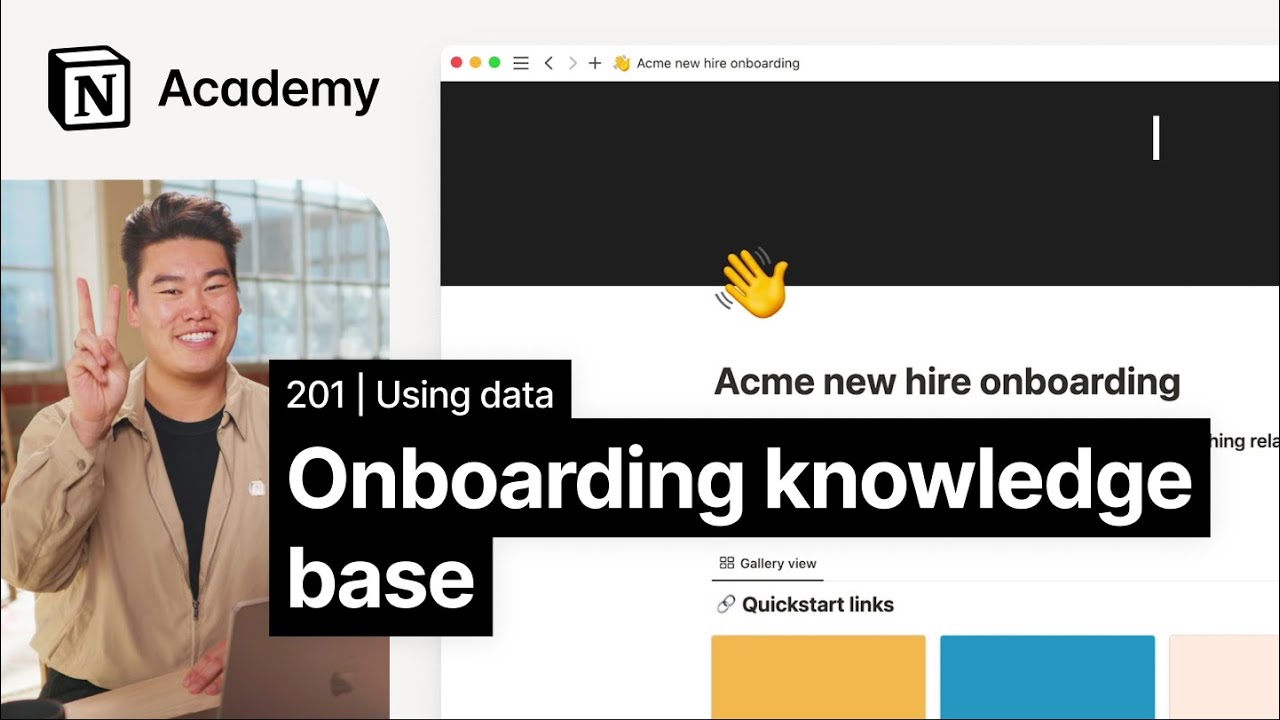
Notion knowledge base functionality demonstration

Notion Knowledge Base excels as a comprehensive knowledge management platform. In 2026, Notion 3.3 introduced Custom Agents — autonomous AI agents that can 24/7 scan for stale content, refresh summaries and tags, auto-answer team questions, and push knowledge updates to Slack. Over 21,000 Custom Agents are already running. Notion's Enterprise Search now connects across Slack, Google Drive, GitHub, Jira, and Gmail for unified cross-app knowledge retrieval. The platform supports multiple content formats including documents, databases, mind maps, and multimedia. Teams can collaborate on editing in real-time with synchronized updates. Notion is particularly suitable for teams wanting AI that actively maintains their knowledge base, not just searches it.

3. Slite: Team Knowledge Management with MCP & Autopilot

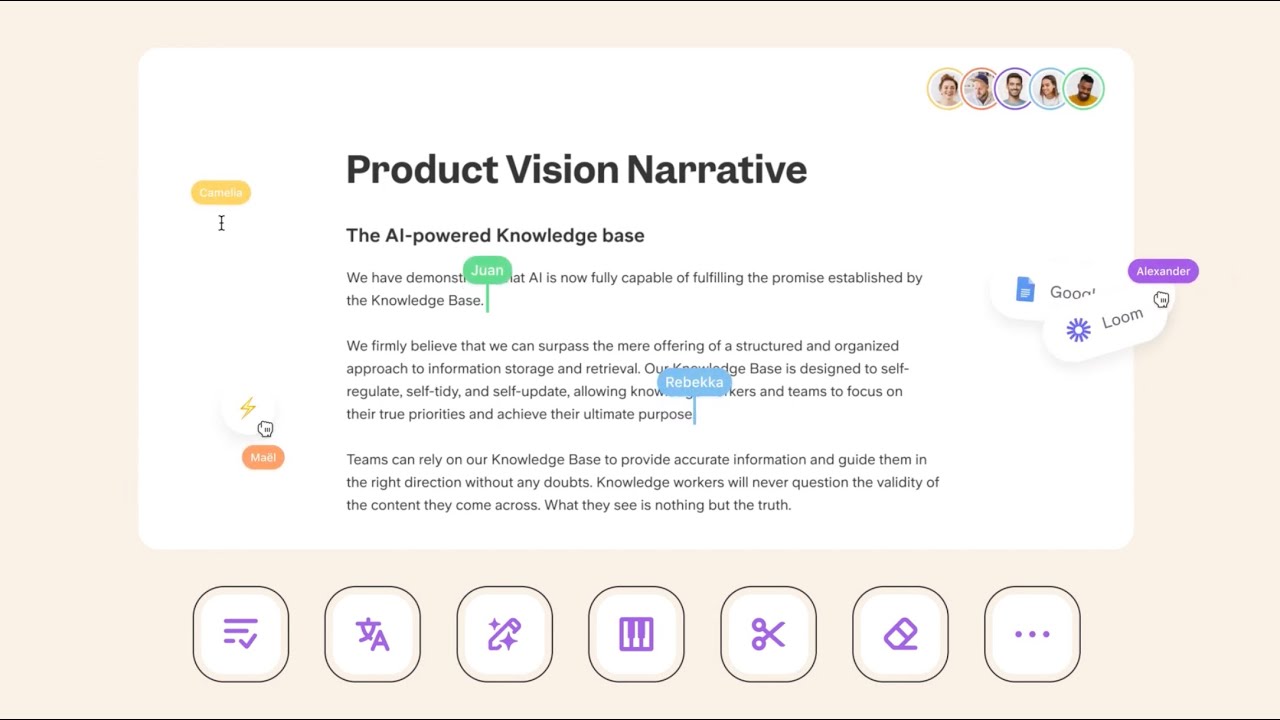
Slite knowledge management platform demonstration

Slite is an AI-driven knowledge management platform designed for teams. In 2026, Slite launched a full MCP server (api.slite.com/mcp) enabling external AI assistants like Claude and ChatGPT to directly search and manage knowledge base content with OAuth authentication. Its Ask feature was upgraded to the Super engine for faster, more accurate answers, and the platform announced an 'autopilot knowledge base' roadmap — cross-checking docs against live data sources (Slack, PRs, CRM), auto-generating update suggestions, and detecting knowledge gaps. Slite's built-in document verification system with automated quality maintenance reminders ensures content accuracy. It is particularly suitable for growing teams that want their knowledge base to maintain itself.

4. Chatbase: AI Customer Service KB with Voice Agents

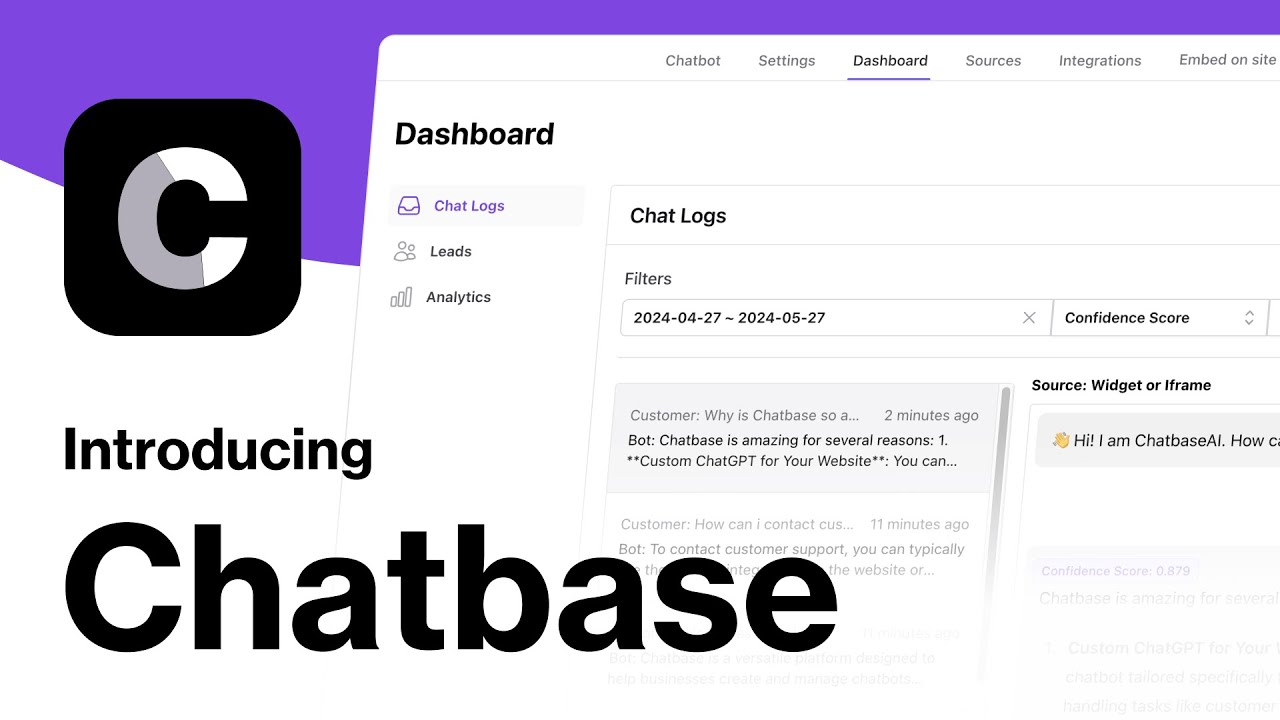
Chatbase AI chatbot knowledge base demonstration

Chatbase is a complete AI customer support knowledge base platform. In May 2026, Chatbase launched Voice AI Agents — the same knowledge base now answers phone calls in 95+ languages via Twilio integration, with zero wait time. The platform uses a multi-model architecture routing each query to the best among 35+ models from 7 providers (OpenAI, Anthropic, Gemini, Cohere, DeepSeek, Meta). Chatbase supports training AI agents on uploaded documents, websites, and Notion/Zendesk content, with smart escalation to human agents when needed. SOC 2 Type II and GDPR compliant. This tool is particularly suitable for businesses wanting one knowledge base to power both web chat and phone support.

5. Flowith: Agent OS with Knowledge Garden

Flowith AI workflow management demonstration

Flowith evolved significantly in 2026 — it is now an Agent-native operating system (Flowith OS) that embeds knowledge management as infrastructure for autonomous agents. Its Knowledge Garden feature atomizes uploaded documents into retrievable knowledge seeds that agents query and write to during task execution. Flowith supports 40+ AI models with one-click switching, multi-modal creation (text, image, video, websites, PPT), and the Canvas 3.0 interface where agents work visibly on a 2D canvas. It raised a multi-million dollar seed round in March 2026. Flowith is best understood as an Agent OS with a knowledge base at its core — suitable for professionals and teams running complex, multi-step autonomous workflows where knowledge retrieval is part of a larger agent loop.

6. Youmind: Learning & Creation Assistant

Youmind AI learning and creation platform demonstration

Youmind is an AI platform that perfectly combines learning and creation, providing users with comprehensive knowledge management and content generation services. It can automatically save and organize content in various formats, including web pages, videos, documents, and notes. By analyzing users' reading and annotation habits, Youmind can provide personalized insights and suggestions to help users deeply understand and master knowledge. Meanwhile, it supports converting research results into various content formats, from reports to presentations, covering all needs. Youmind is particularly suitable for researchers, educators, and content creators. It provides a project-based workspace that seamlessly connects learning, thinking, and creation.

7. Recall: AI Memory & Graph-Based Knowledge Base

Recall AI memory and knowledge management demonstration

Recall is an AI-driven knowledge memory platform. In April 2026, Recall 2.0 launched with a major rebrand (getrecall.ai → recall.it) and a graph database backend that automatically links related content and discovers shortest paths between ideas. The platform now offers an MCP/API for connecting personal knowledge to coding agents and research workflows, plus a spaced repetition system with 7 question types and 5 knowledge mastery stages. It supports summarization of articles, YouTube videos, podcasts, PDFs, and now X/Twitter and Reddit imports. Recall functions as a self-organizing personal knowledge base with augmented browsing that surfaces related saved content while you read. This tool is particularly suitable for learners and researchers who want their knowledge base to actively help them retain and connect information.

8. Remio: Personal AI Assistant
Remio AI personal knowledge management demonstration

Remio is a personal AI second brain and assistant tool designed specifically for individuals, automatically capturing and organizing users' work content. It runs silently in the background, integrating various information sources including files, meetings, emails, and web pages to build personalized knowledge bases. By analyzing users' past handling methods, Remio can learn personal styles and work logic, providing tailored AI responses. Meanwhile, it supports local data storage to ensure user data privacy and security. Remio is suitable for knowledge workers who need to handle large amounts of information, including product managers, engineers, salespeople, and students.

9. Lark Knowledge Base: Enterprise Knowledge Management
Lark knowledge management platform demonstration

Lark Knowledge Base is ByteDance's enterprise-level knowledge management platform, providing comprehensive knowledge organization and management solutions for teams and enterprises. It supports creation in multiple content formats including documents, spreadsheets, and mind maps, greatly facilitating knowledge creation. Lark Knowledge Base features powerful collaboration capabilities, allowing multiple team members to simultaneously edit and manage knowledge, ensuring real-time synchronization and updates. Meanwhile, it provides a refined permission control system where enterprises can set different access rights according to their needs, protecting knowledge security.

AI Knowledge Bases Comparison

Here's a detailed comparison of the top AI knowledge bases to help you choose the best solution for your needs:

Comparison table of AI Knowledge Base tools showing tool name, core features, best use cases, and pricing
Tool NameCore FeaturesBest ForPricing
NotebookLMAI document analysis, audio podcast generation, intelligent Q&AAcademic research, content creation, professional learningFree + Premium
NotionMulti-format docs, databases, mind maps, team collaborationProject management, team collaboration, personal notesFree + Personal + Team
SliteAI search, document validation, quality maintenance, access controlTeam knowledge management, growing enterprisesFree + Professional + Enterprise
ChatbaseLLM customer agents, multi-model comparison, smart escalationCustomer service, technical support, e-commercePay-as-you-go + Subscription
FlowithAgentic workflows, AI assistant integration, personalized recommendationsProfessionals, complex workflow managementSubscription
YoumindLearning-creation integration, multi-format content organization, project workspacesAcademic research, content creation, educatorsSubscription
RecallBrowsing history conversion, spaced repetition, cross-device syncLearners, professionals, information-intensive workFree + Premium
RemioAI second brain, automatic content capture, local data storageKnowledge workers, project managers, salespeopleSubscription
LarkMulti-format content, fine-grained permissions, enterprise collaborationLarge enterprises, rapidly growing teamsEnterprise subscription

Use Cases: Knowledge Management & Collaboration

AI knowledge bases transform how teams and individuals organize, retrieve, and apply information.

Enterprise Knowledge Management

Large enterprises use AI knowledge bases to break down information silos and ensure employees can quickly find needed information. Enterprise-grade solutions provide fine-grained permission controls and support team collaboration with automated quality maintenance. AI-driven search understands query intentions, providing accurate answers for improved work efficiency.

Personal Learning & Research

Academic researchers leverage AI knowledge bases for document analysis and memory reinforcement. These platforms combine learning and creation for researchers, serving as an AI second brain for knowledge workers. AI knowledge bases enhance research capabilities, forming a complete personal knowledge management system.

Customer Service & Support

Businesses train AI agents to handle customer queries 24/7 with reasoning capabilities. Platforms integrate with existing systems to provide real-time access to product documentation and order information. For technical support, AI knowledge bases provide precise answers based on enterprise knowledge, significantly improving service quality and efficiency.

Content Creation & Writing

Content creators use AI knowledge bases with project workspaces that seamlessly connect research, thinking, and writing. Audio podcast generation allows creators to consume and understand content in new ways. AI knowledge bases organize creative materials and provide personalized inspiration, helping creators break through bottlenecks.

Project Management & Collaboration

Teams use AI knowledge bases to integrate project documents, meeting notes, and team knowledge for real-time access to latest information. AI intelligent search helps team members find historical decisions and solutions quickly. Knowledge bases integrate with productivity tools to build complete collaboration ecosystems, improving workflow efficiency.

Risks, Security, and Data Governance

Deploying an AI knowledge base means giving an LLM access to your organization's private documents — policies, meeting notes, product specs, and sometimes PII or trade secrets. The following risks deserve explicit evaluation before procurement, not as an afterthought.

Hallucination and false citations. RAG reduces hallucination but does not eliminate it. If retrieval returns irrelevant chunks, the LLM may still fabricate plausible-sounding answers with fictitious citations. A citation badge is not a correctness guarantee. Critical workflows — legal research, compliance checks, medical documentation — need human verification and confidence-score thresholds, not blind trust in 'cited' answers.

Permission penetration. If the vector index is not synchronized with your document access control system, users may retrieve content they should not see. A semantic search for 'Q4 layoff plan' should return nothing for someone outside HR — but only if the retrieval layer checks permissions at query time, not just at ingestion time. Look for permission-aware retrieval (query-time ACL filtering), not just static index-level access control.

Data residency and third-party model exposure. Most cloud knowledge base products send your document chunks to third-party embedding and LLM APIs (OpenAI, Anthropic, Cohere). This means your proprietary content leaves your compliance boundary. For GDPR-regulated data or China's cross-border data transfer rules, evaluate whether the vendor offers self-hosted embedding models, local LLM inference, or data-region guarantees. The ingestion pipeline's data path — parsing, chunking, embedding, storage — should be auditable end to end.

Knowledge staleness and decision risk. An expired policy document retrieved by RAG can lead to decisions based on outdated rules. Knowledge bases need content lifecycle management: assign an owner and review cadence to every document (e.g., 'Product spec — PM — quarterly review'), surface stale content in search results with a warning, and support time-range filters at query time ('only search documents updated after 2025').

Ingestion attack and knowledge poisoning. Maliciously crafted documents — PDFs with adversarial text designed to manipulate embedding behavior — can poison a knowledge base's retrieval quality. Enterprise deployments should scan ingested documents for malicious content before they enter the vector index, particularly in customer-facing knowledge bases where external users can submit documents.

Copyright and licensing. Indexing third-party copyrighted content (whitepapers, competitor documentation, licensed databases) may create derivative work risks under some jurisdictions. Review what content your team uploads to the knowledge base and whether your license agreements permit AI indexing and retrieval.

PII detection and AI policy enforcement. Documents ingested into knowledge bases often contain PII, API keys, or internal financial data — the ingestion pipeline should auto-detect and isolate or redact such content before it enters the vector index. Glean's Protect Plus SKU (2026) added proactive PII detection and AI policy enforcement integrated with enterprise security stacks (Palo Alto, CrowdStrike). Evaluate whether PII detection happens at ingestion time or query time, whether custom sensitive data patterns are supported, and whether the platform integrates with existing DLP (Data Loss Prevention) systems.

Agent autonomy risk. As knowledge bases evolve from read-only retrieval systems to writable infrastructure for autonomous agents, new risks emerge: agents may incorrectly modify or delete authoritative documents, make autonomous decisions based on stale context, or batch-update content without human review. Agent-native knowledge bases require operation audit logs, write permission tiering (suggest/draft vs. direct publish), and configurable autonomy scopes — from 'suggest changes only' to 'auto-fix obvious errors' to 'full autonomous maintenance.'

How to Choose AI Knowledge Bases

With numerous AI knowledge bases available, how do you choose the right solution for your needs? These five key steps will help you make an informed decision.

1. Assess Knowledge Management Needs and Scale

Clarify your knowledge management scope: individual users gain most from personal second-brain tools (Recall, Remio) with minimal setup; small teams benefit from collaborative platforms (Notion, Slite) with shared workspaces; enterprises need permission-aware retrieval, SSO integration, and audit logging (Glean, Lark). The key distinction is governance model — not feature count. A 5-person startup and a 2,000-person enterprise both need 'search,' but their access control, compliance, and content lifecycle requirements are fundamentally different.

2. Check System Integration and Data Import Capabilities

Start from a single data source rather than connecting everything at once. Evaluate how the platform ingests content: does it handle your primary document formats (PDF with tables, Confluence spaces, Google Docs)? Check whether ingestion supports incremental sync (new and changed documents only) versus full re-indexing, which becomes unsustainable at scale. For multi-source deployments, add one connector at a time and validate retrieval quality before adding the next — connecting five systems simultaneously makes it impossible to isolate which source is producing poor results.

3. Evaluate AI Capabilities and Search Accuracy

Test retrieval quality with your actual documents and real questions, not vendor demos. The three highest-impact quality levers are: chunking strategy (test different sizes with your content — 512 vs 1024 vs 2048 tokens), hybrid search (vector + BM25 outperforms pure vector on mixed query types), and re-ranking (a cross-encoder second pass significantly improves the top-k context quality). A slightly better embedding model provides marginal gains compared to getting these three right. Ask the vendor whether they support configurable chunking and re-ranking, or if these are fixed black-box settings.

4. Review Security and Privacy Protection

Beyond standard encryption and access controls, verify two knowledge-base-specific security properties: permission-aware retrieval (search results filtered by the querying user's document access rights, not just static index permissions) and data path transparency (does your document content travel to third-party embedding and LLM APIs, and if so, what are the data retention policies?). For regulated industries, evaluate self-hosted embedding models and local LLM inference as alternatives to cloud API calls. Check whether the platform supports content security scanning during ingestion to prevent malicious document poisoning.

5. Test User Experience and Long-term Maintenance

Evaluate the platform from two perspectives: the knowledge consumer (searching and asking questions — how fast, how accurate, how well-cited are answers?) and the knowledge maintainer (adding documents, reviewing stale content alerts, managing permissions — how much ongoing effort does content hygiene require?). The best retrieval quality means nothing if content owners ignore review reminders and the knowledge base silently decays. Also check whether the platform shows citations with every answer — visible source attribution builds user trust and enables self-verification, reducing the risk of blind reliance on AI answers.

6. Evaluate MCP Integration and AI Assistant Connectivity

If your team already uses AI assistants like Claude, ChatGPT, or Cursor, check whether the knowledge base offers an MCP (Model Context Protocol) server. MCP integration lets your AI assistant directly search and reference knowledge base content without switching tools — transforming it from a standalone app into infrastructure your existing AI tools can call. Slite and Glean now provide full MCP servers; evaluate tool coverage (search-only vs. search + create + update + archive), authentication method (OAuth vs. API key), and whether MCP edit operations are tracked in document history.

7. Plan Your Agent Autonomy Strategy

With knowledge bases increasingly supporting autonomous agents that can write back (Notion Custom Agents, Slite autopilot, Ima copilot), plan your autonomy rollout before procurement. Start with 'agent suggests changes only (human approval required),' validate agent judgment quality over weeks, then expand to 'auto-fix obvious errors,' and only later consider 'full autonomous maintenance.' At each autonomy level increase, ensure operation audit logs and rollback mechanisms are in place. This prevents the scenario where an over-eager agent silently degrades your knowledge base quality.

Conclusion

AI knowledge bases are reshaping how we manage and utilize knowledge, evolving from simple document storage to intelligent knowledge discovery and application. Platforms like NotebookLM, Recall, Notion, and Lark improve individual and team work efficiency through AI-driven search, automatic summarization, and knowledge association, transforming knowledge bases from passive repositories into active intelligent assistants.

Choose the right AI knowledge base based on your needs: NotebookLM and Recall for individual users, Notion and Slite for team collaboration, Lark for enterprise-level solutions. Evaluate knowledge management scale, collaboration requirements, integration capabilities, and budget constraints to select the most suitable knowledge base platform for your organization.

AI knowledge bases serve as powerful assistants that enhance knowledge management efficiency, but they complement rather than replace human critical thinking and knowledge synthesis. The best approach is human-AI collaboration: AI handles information retrieval and organization, while humans provide strategic insights, knowledge interpretation, and creative application, maximizing both efficiency and knowledge value.

The most significant shift in 2026 is the convergence of AI knowledge bases and autonomous AI agents. Platforms like Notion (Custom Agents), Slite (autopilot roadmap), Ima (copilot), and Flowith (Agent OS) are transforming knowledge bases from passive search tools into active infrastructure that agents can read from and write to. When evaluating knowledge bases today, consider not just how well they answer today's questions, but whether their architecture supports the agent-driven workflows your organization will need tomorrow.

Frequently Asked Questions

What Are AI Knowledge Base Tools and How Do They Work?
AI knowledge base tools are intelligent platforms that use artificial intelligence to organize, search, and manage knowledge effectively. These tools leverage machine learning to understand content semantics, provide intelligent search, generate summaries, and create knowledge associations. They support various scenarios including personal learning research, enterprise knowledge management, customer service support, content creation, and project team collaboration. Leading platforms include NotebookLM, Recall, Notion, Slite, and Lark, which offer various capabilities for different knowledge management needs.
Are AI Knowledge Base Tools Suitable for Beginners to Use?
Yes, most AI knowledge base tools are designed to be user-friendly and suitable for beginners. Modern platforms increasingly focus on user experience, with most having gentle learning curves. Platforms like Notion and Slite have intuitive interfaces that ordinary users can master in a few days. For beginners, start with simple functions like document upload and basic search, follow platform tutorials and guides, gradually explore advanced features like AI summarization and knowledge associations, and use provided templates and examples. While tools are accessible, achieving optimal knowledge organization requires understanding knowledge management principles.
How Good Is the Quality of AI Knowledge Base Search Today?
AI knowledge base search quality has reached very high standards, especially with professional platforms like Notion, Slite, and Lark. Quality depends on multiple factors: platform selection (premium tools provide superior search accuracy), content organization (well-organized knowledge improves search results), AI capabilities (advanced AI understanding enhances relevance), and knowledge base size (larger knowledge bases may require better organization). Professional platforms can provide highly relevant, contextually accurate search results suitable for enterprise use. However, search quality improves with proper content organization and tagging.
Are AI Knowledge Base Tools Free to Use or Paid Only?
AI knowledge base tools offer diverse pricing models, with many providing free versions but requiring subscription for advanced features. Common models include free tiers with limited storage, basic features, or usage quotas (e.g., NotebookLM and Notion provide free versions); subscription plans with monthly or yearly fees for unlimited storage and advanced AI features (e.g., Notion and Slite offer various subscription tiers); and enterprise plans with custom pricing for teams (e.g., Lark offers enterprise solutions). Free versions suit individual users' basic needs; paid versions suit professional use and large-scale data processing. Evaluate usage requirements to choose the most cost-effective plan.
How Do AI Knowledge Bases Integrate with Other Tools?
AI knowledge bases typically support multiple integration methods including API interfaces for programmatic access, Zapier connections for workflow automation, and native app integrations with productivity tools. For example, Notion can seamlessly integrate with productivity tools, and Slite supports connections with text generation tools. Enterprise users can choose platforms with comprehensive integration capabilities based on existing workflows. Integration capabilities vary by platform, so evaluate your specific integration needs when selecting tools. Most professional platforms provide robust API access and third-party integrations.
How to Choose the Right AI Knowledge Base Tool for My Needs?
Choose the right tool by evaluating multiple factors: define team size and usage scenarios (individual, small team, or enterprise), assess knowledge management needs and scale, check system integration and data import capabilities, evaluate AI capabilities and search accuracy, review security and privacy protection measures, test user experience and long-term maintenance, and compare pricing models based on usage frequency. Small teams can choose flexible platforms like Notion or Slite; large enterprises are better suited for solutions like Lark. Try free versions first, then choose based on actual usage effectiveness.
How do AI knowledge bases handle data privacy and security?
Professional AI knowledge bases implement comprehensive security measures including encryption, access controls, and compliance certifications. Most platforms use encrypted data transmission and storage, provide role-based access controls, and comply with regulations like GDPR and SOC 2. Enterprise platforms typically offer enhanced privacy controls, private cloud deployment, and data residency options. Review platform security certifications and data handling policies before storing sensitive information. Some platforms like Lark offer enterprise-grade security with fine-grained permission controls and audit trails.
Can AI knowledge bases automatically update and maintain content?
Yes, many AI knowledge bases offer automatic content maintenance features including content suggestions, duplicate detection, and update reminders. Some platforms use AI to identify outdated information, suggest content improvements, and maintain knowledge base freshness. However, manual review and updates remain important for ensuring accuracy. Advanced platforms like Slite provide automated quality maintenance, while others require manual content management. Check platform maintenance capabilities and consider your team's capacity for ongoing content management.
What is the difference between RAG and GraphRAG, and which should I choose?
Standard RAG retrieves document chunks by vector similarity — it answers 'what does this document say about X.' GraphRAG adds a knowledge graph layer that models entities (people, products, projects) and their relationships (reports-to, depends-on, owned-by). It answers 'who is responsible for Y' or 'which projects depend on Z' by traversing entity relationships before doing vector retrieval. Choose standard RAG for most documentation use cases. Consider GraphRAG when your domain is entity-dense — legal contracts, pharmaceutical research, engineering dependency maps — where understanding relationships between entities matters as much as finding relevant paragraphs. Microsoft's open-source GraphRAG project has made this approach more accessible, though it adds implementation complexity.
Why do I need hybrid search instead of pure vector search?
Vector search excels at conceptual matching — 'employee departure procedure' finds 'offboarding checklist' even without shared keywords. But it struggles with precise string matching: searching for 'policy HR-2025-03' or 'SKU-8842' may return semantically similar but wrong documents. Hybrid search combines vector similarity with keyword matching (BM25), covering both conceptual and exact-match queries. Most enterprise knowledge bases default to hybrid search because real-world queries mix both types — 'what is our Q3 pricing strategy for SKU-8842' needs semantic understanding for 'pricing strategy' and exact matching for 'SKU-8842.' The marginal implementation cost of adding keyword search to a vector pipeline is low compared to the retrieval quality improvement.
How does chunking strategy affect retrieval quality, and what size should I use?
Chunking — how you split documents before embedding — is the single most impactful configuration decision in a RAG knowledge base. Chunks that are too large (entire document as one chunk) produce imprecise retrieval; chunks that are too small (one sentence each) lose context and produce fragmented answers. The right strategy depends on your content: technical documentation benefits from 512-1024 token chunks aligned to section boundaries; FAQ-style content works better with smaller chunks at the question-answer pair level; legal and policy documents often need hierarchical chunking — larger parent chunks for broad topic retrieval with smaller child chunks for precise answer extraction. The only reliable way to find the right size is to test with your actual documents and real queries, not to rely on defaults.
How do I prevent my knowledge base from becoming outdated and unreliable?
Knowledge base staleness — where outdated documents silently misinform AI answers — is the most common failure mode after initial deployment. Prevention requires three practices: First, assign an owner and review cadence to every document or document collection (e.g., 'Product specs — PM team — quarterly review'). Second, implement automated staleness detection — flag documents that haven't been updated within their review window in search results with a visible warning. Third, support time-range filtering at query time so users can optionally restrict searches to recently updated content. Platforms like Slite and Guru include built-in content verification and freshness management; with self-built RAG systems, you need to implement these lifecycle controls yourself.

References

  1. Foundational paper that defined the RAG architecture — retrieval-augmented generation combining vector search with LLM answer synthesis. Establishes the paradigm that most modern AI knowledge bases are built on.
  2. Microsoft's open-source implementation combining knowledge graphs with RAG for entity-dense domains. Introduces graph-based community detection as a pre-retrieval step before vector search.
  3. Engineering best practices for RAG implementation — chunking strategies, retrieval chains, re-ranking, and evaluation methods. Widely referenced implementation reference across the RAG developer community.
  4. Complete RAG data framework covering document ingestion, index construction, and query engine patterns. Provides the ingestion pipeline toolchain used by many production knowledge base deployments.
  5. The most comprehensive embedding model benchmark, covering 100+ languages and 50+ tasks. Essential reference for choosing embedding models that power semantic search in knowledge bases.
  6. Zero-shot information retrieval benchmark measuring cross-domain generalization of retrieval models. Evaluates how well retrieval pipelines perform on unseen document types and domains.
  7. AI-powered knowledge base features embedded in Notion's collaborative document platform — Q&A, auto-summarization, and semantic search across team workspaces.
  8. Cross-system enterprise search platform indexing documents, tickets, code, and meetings. Representative of the enterprise search morphology that overlaps with knowledge base functionality.
  9. AI-powered personal knowledge platform with graph database backend for automatic content linking, spaced repetition, and MCP/API for connecting personal knowledge to AI agents.
  10. Agent-native operating system where Knowledge Garden embeds knowledge base as infrastructure for autonomous agents — documents are atomized into queryable seeds within the agent execution loop.
  11. Tencent's AI workspace with knowledge base at its core. 2026 copilot mode adds persistent memory, full-context awareness, and a skill ecosystem for autonomous knowledge tasks.
  12. Personal AI knowledge assistant with local-first architecture and BYOK (bring your own LLM key), auto-capturing browsing, meetings, and files into a queryable knowledge base.
  13. Reference implementation of MCP integration for knowledge bases — OAuth authentication, full CRUD tools (search, create, update, archive), edit history tracking.
  14. Open standard protocol enabling AI assistants to connect with knowledge bases and other tools. The emerging standard for knowledge base integration with Claude, ChatGPT, and Cursor.

Also Interested In

    This site uses cookies and similar technologies for analytics, personalized ads (via Google AdSense), and essential functions. By clicking “Accept All”, you consent to our use of cookies. You can reject non-essential cookies by clicking “Reject All”.

    Privacy Policy

    Best Knowledge Base Tools (2026): RAG, Docs, Enterprise | Alignify