How to Design a Logo for Your AI Company (2026): History, Trends, and Brand Systems
Key Takeaways
This guide covers AI logo evolution, common symbols, industry-level brand aesthetics (A Color Bright), how to choose or create a mark, modality differences, and a practical workflow—balancing category recognition with uniqueness. It also covers selection criteria, comparisons, and practical tips for implementation.
- History: post-2015 shift from humanoid marks to minimal symbols; hexagons, swirls, robots, sparkles/emojis dominate.
- Brand layer: A Color Bright argues full visual identity differentiates when UIs look alike; blind trends cause sameness.
- Choice: position first; combination marks early; agency, in-house, or AI ideation—then vectorize and clear.
- Modality: image, design, video, voice, and coding products place different demands on marks and touchpoints.
- Shipping: use AI for ideation; finalize vectors, sizes, and trademark clearance—avoid look-alike conflicts.
Use Cursor / OpenClaw to optimize logo placement and brand recall
npx skills add kostja94/marketing-skills --skill logo-generatorIntroduction: Why Logo and Brand Systems Matter for AI Products
When Dreamina and Tiamat logos were compared in public, the debate was not only about two marks—it was about how much visual similarity matters when AI products ship similar interfaces and claims. The crowded generative AI landscape makes differentiation hard: models iterate weekly, and feature screens often look alike. That is exactly why brand—logo, color, typography, and hero imagery—has become a lever for attention, trust, and credibility.
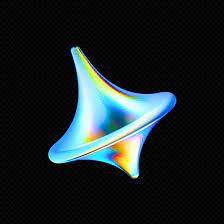
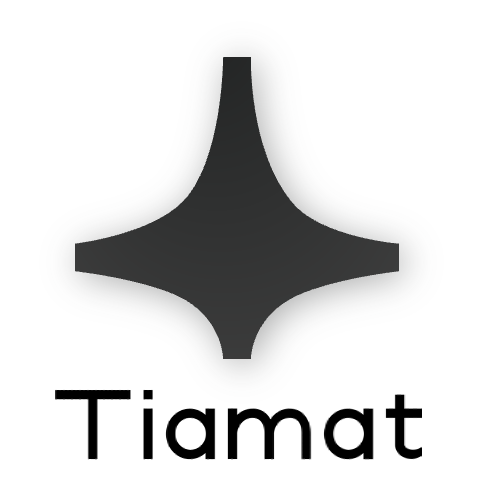
A logo is a first impression, but in AI it also signals industry membership—like a barber pole for barbershops. Many teams borrow hexagons, sparkles, and gradients so users instantly read “AI.” The strategic tension is unchanged: signal the category without collapsing into sameness. The sections below connect symbol trends to full visual identity, then to practical workflows.
Strong systems separate wordmark, logomark, and lockups for horizontal and stacked layouts. You will ship the same mark in favicons, app icons, slide decks, investor PDFs, and dark-mode UIs—so contrast rules and monochrome fallbacks are not optional polish. A brand guide should also state minimum size, clear space, and off-limits distortions before you scale marketing.
Finally, treat differentiation as a bundle of evidence: product quality, narrative, founder voice, and community still matter. The logo is the shortcut people use to bundle that evidence in memory—make sure it is legible, ownable, and legally defensible before you spend heavily on paid acquisition or conference presence.
A Short History of AI Logos
Early AI marks (1981–2015)
The first U.S. AI-related trademark was filed in 1981. Early marks often used abstract human heads, Escher-like triangles and stripes (IBM-era tech aesthetics), and echoes of HAL 9000’s gaze—visual shorthand for “intelligence” before today’s minimalist symbol set.
The post-2015 turn
Over 99% of U.S. AI trademark applications were filed after 2015, with little resemblance to earlier humanoid-heavy designs. Human figures gave way to flat geometry, rotation, and icons that scale on screens—aligned with deep learning’s rise and productized assistants.
That shift coincided with a product narrative change: from “machines that think like humans” to “models and infrastructure you can invoke.” Logos followed—fewer faces, more abstract motion and geometry—because the buyer’s mental model changed from anthropomorphic sci-fi to tools and APIs.
Common Symbol Patterns in AI Logos
Today’s AI logos cluster around a few motifs. They are useful for recognition, but also easy to overuse.
The following patterns are descriptive, not prescriptive. Use them to explain peer choices during a design review, then decide whether to lean in, subvert, or avoid each trope for your positioning.
Hexagon: from crypto to AI
Hexagons appear in AI marks at roughly 4.6× the baseline rate for logos overall, close to crypto’s 5.4×. OpenAI’s stylized hexagon is a widely copied reference point—strong for “platform,” risky if your mark is indistinguishable from peers.
If you adopt a hexagon, push at least one axis—corner radius, thickness, negative space, or a paired wordmark—so the silhouette is not interchangeable with another “AI startup” template. Trademark searches should include adjacent crypto and science brands that also lean on hex grids.

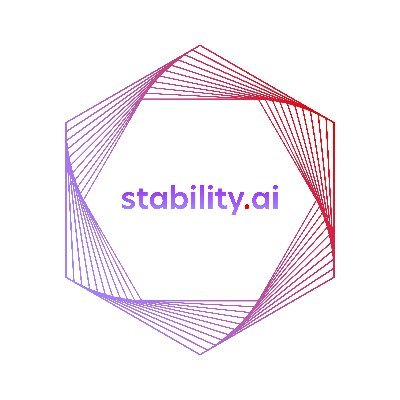
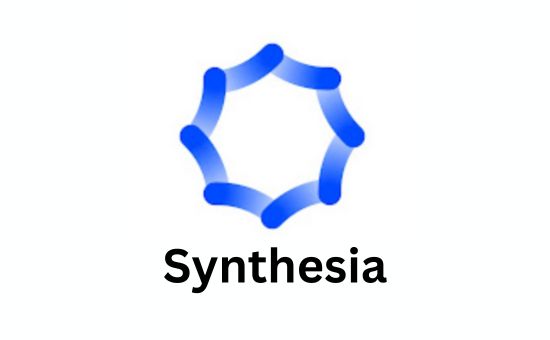
Rotation and swirl
Rotation around a center suggests generation, flow, and change—common for generative and media products.
If you animate the mark for video or product launches, keep a static “registration master” for legal and print; motion is a marketing layer, not a substitute for a clean vector lockup.

Minimal robots
Faceless “bot” marks with only eyes nod to assistants and chat—friendly at small sizes, but easy to blend with other productivity apps.
If your audience is enterprise, calibrate cuteness: a mascot can humanize, but it can also undermine seriousness in procurement-heavy contexts.

Sparkles and emoji
The ✨ motif marks “AI-assisted” features in Spotify, Zoom, Google Meet, and more—often aligned with Google’s sparkle research. Hugging Face uses 🤗 as a literal wordmark—memorable and humane, but consider cross-platform rendering and trademark strategy before copying the pattern.
Decide whether ✨ belongs to product UI or brand marketing. If both reuse the same sparkle, users may confuse generic “AI polish” with your unique identity—differentiate with a bespoke sparkle geometry in the wordmark or reserve ✨ for in-product actions only.

Emoji-forward marks trade pixel-perfect consistency for warmth: always keep a redrawn vector icon for app stores while using the emoji in campaigns where playfulness helps.
Other recurring symbols
- A without crossbar for “AI”
- Infinity for boundless capability
- Speech bubbles for conversational products
- Waves/mic for voice
Letterform tricks and infinity loops are easy to sketch but hard to trademark if they stay generic. Push negative space, unique angles, or paired motion cues so examiners—and users—can anchor memory to your specific geometry, not the stock icon they have seen elsewhere.
Beyond the Logomark: AI Brand Aesthetics
Berlin-based studio A Color Bright analyzed dozens of standout AI brands and argues that product interfaces are often homogeneous, so visual identity—not only the logo—does the differentiation work. Their essay Aesthetics of AI describes calm off-white canvases, organic gradients, expressive “key visuals” from pixel/CAD moods to painted scribbles, and warns that blindly following trends produces sameness. The strategic move is to choose when to adopt, ignore, push, or counter a trend.
They cluster brands into five archetypes—Likeable Leaders, Gentle Humanists, Nerdy Idealists, Bold Builders, and Utopian Dreamers—each implying different logo weight: muted trust versus bold space metaphors versus playful engineering culture. For teams optimizing for AI answer engines, visibility overlaps with GEO—being quotable and consistent matters alongside the mark itself.
Their fourteen trend labels (from off-white palettes and organic gradients to digital impressionism, lomo texture, sketch marks, “non-brand academia,” technical illustration, quirky cuteness, morphing shapes, surreal worlds, space motifs, ASCII/pixel nostalgia, and generative patterns) are best read as a menu of tensions. Few teams need all of them; most need a canvas choice (calm neutrals vs. high drama), a hero illustration style, and a logo that stays legible when the hero art is busy or blurred.
Practically: if you pursue “digital impressionism” or heavy grain in marketing, keep the logomark geometric and high-contrast so favicons do not inherit blur. If you pursue “non-brand academia,” your wordmark may carry more weight than the icon—budget extra typographic refinement and spacing discipline.
How to Choose or Create Your AI Product Logo
Across SaaS and AI branding guidance, one rule repeats: start from positioning, not from a stock template. Lock your ICP, core promise, and brand archetype (see A Color Bright above) before you sketch. Early-stage AI products usually need a combination mark—icon plus wordmark—because the symbol alone is not yet memorable. Abstract geometry or a type-led identity stays elastic if you pivot; literal pictorial marks (camera, rocket, generic “bot”) can age fast and complicate trademark clearance. Align how much you invest in the mark with packaging and GTM reality—pricing strategy is where tiers, trials, and brand spend should stay coherent.
Three common paths: (1) Agency or freelance designer for a bespoke mark, stakeholder facilitation, and a complete asset kit. (2) In-house design with vector tools and a design system—strong when you already have visual craft in-house. (3) AI-assisted ideation—explore many directions quickly, then redraw in vector, normalize strokes, use licensed type, and run knockout searches. Treat generator output as sketches and mood boards, not shipping trademarks.
Score short-listed directions on: distinctiveness versus category clichés; legibility at a 16×16 favicon; a clear monochrome silhouette; dark-mode contrast; and coherence with hero imagery. The modality section below turns these criteria into concrete touchpoints for image, design, video, voice, and code products.
- Strategy before pixels—promise and archetype first.
- Ship a combination mark early; drop the wordmark only after recall exists.
- Use AI for breadth; use vectors and clearance for depth.
- Test small first—favicon and grayscale before you lock gradient and color.
Logo by Product Modality
The same symbol reads differently across modalities because buyers evaluate different promises: fidelity and taste for image products, timeline and continuity for video, reliability for developer tools, and empathy for assistants.
Image and visual products
Thumbnails, galleries, and social crops are where your palette is proven. Keep marketing screenshots and model cards visually tied to the logo’s hue and contrast. The AI image generator category is crowded; differentiation often comes from style presets and community, which should echo—not fight—the mark.
Design and creative suites
Users spend hours inside canvases; the mark appears in chrome, plug-ins, and export dialogs. Pair the logo with a disciplined type ramp and grid. Browse AI design tools to see how peers stage identity alongside components.
Video
Plan for lower-thirds, end-cards, and watermarks. Motion can reinforce rotation motifs, but export a simplified monochrome badge for busy frames.
Codec compression and HDR grades can shift perceived contrast; preview marks on both SDR and HDR timelines, and test against compressed social previews where bitrates crush fine detail.
Voice and music
Sonic branding often matters as much as the icon—startup sounds, podcast intros, and ringers should feel coherent with the visual system even if they are out of scope for this article.
Code, agents, and infrastructure
Favor crisp geometry, generous padding at small sizes, and predictable behavior on dark backgrounds. Avoid fine hairlines that disappear next to syntax-highlighted UI.
Practical Workflow: From Brief to Ship
Start from positioning and archetype, then lock a wordmark and logomark relationship. Use AI generators for ideation, not as the final trademark asset—vectorize, test contrast, and run clearance. Our AI logo generator hub lists tools for exploration; professional polish still belongs in vector editors.
Translate the brief into constraints: primary audience, regions where you will register, channels where the mark must work first (web app vs. mobile vs. conference swag), and taboo associations to avoid. Review competitor sets in your sub-sector—not to copy, but to map whitespace.
For color, define a primary brand ramp plus neutrals for UI chrome; specify accessible pairs for text on fills. Export SVG and PDF masters, then derive PNG and WebP at standard sizes rather than scaling raster sources.
| Positioning | Typical tone | Symbol direction |
|---|---|---|
| B2B / infra | Trust, restraint | Geometry, single color |
| B2C / assistant | Approachable | Emoji/sparkle, soft curves |
| Dev tools | Competence | Monospace-adjacent, grid |
| Creative | Expression | Swirl, motion, color |
Checklist
- Research references (Logopedia, sector scans)—do not copy.
- Pick one primary motif; define monochrome and dark-mode variants.
- Test favicon, app icon, and slide decks.
- Trademark search and legal review for your regions.
- Document a one-page rationale: archetype, rejected alternatives, and similarity review against top competitors.
- Align sales and support on how to pronounce and describe the mark in calls—spoken consistency reinforces recall.
When AI image models propose concepts, treat them as sketches: trace curves in a vector tool, normalize stroke widths, and remove stray gradients that will moiré in print. If you collaborate with agencies, specify deliverables as SVG/PDF plus a usage matrix, not only PNG exports.
Common mistakes
- Over-detailed marks that fail at 16px.
- Near-clones of famous brands—reputation and legal risk.
- Misaligned UI sparkles: product ✨ and brand mark should not collide.
- Skipping vector export—raster-only logos do not scale.
Evidence, clearance, and rollout
Treat trademark screening as part of design—not post-launch paperwork. Run knockout searches for wordmarks and figurative marks in jurisdictions where you sell and where app stores distribute. Save dated screenshots of alternatives you rejected; if a dispute arises, contemporaneous notes beat retroactive storytelling.
For social proof, press, and partner decks, publish a single source of truth for logo downloads so external teams do not improvise off old Drive folders. Pair the asset pack with a short verbal guideline: how to describe the company in one sentence, how to spell stylized names, and which co-brand lockups are approved.
Internationalization adds complexity: glyphs that read well in Latin may need alternate spacing or secondary marks for CJK markets; plan those before you print merchandise or sponsor events. Accessibility also matters—if your gradient fails WCAG contrast on buttons, fix the marketing gradient rather than forcing product teams to break their design system.
Conclusion
AI logos are evolving fast: from humanoid figures to hexagons, swirls, and emoji. The winning move is to pair a clear, ownable mark with a coherent brand system—and to revisit both as product and media change. Explore more tools on the AI tools directory; keep differentiation provable, not only decorative.
By the time you ship, some reference brands may have rebranded—that is normal in this market. What should remain stable is your decision record: why this archetype, why this symbol, and how you proved distinctiveness against close neighbors. That discipline ages better than any single gradient fad.
Frequently Asked Questions
What are common AI logo trends?
What are A Color Bright archetypes?
Should I hire a designer, design in-house, or use AI logo generators?
How do image vs coding AI logos differ?
How do I avoid trademark conflicts?
Can I ship an AI-generated logo as final?
How does GEO relate to logos?
References
- Aesthetics of AI (A Color Bright · 2026) — Industry observations on AI brand visual identity and trends.
- Logopedia - Logo Database (Logopedia · 2026) — Archive of logo and identity history.
- AI Sparkle Icon Research (Google Design · 2026) — Research on sparkle affordances for AI features.
- AI Logo Design Trend Analysis (Sociodesign · 2026) — Sociological and design perspectives on AI marks.