Vibe Coding Tools: Natural Language App Development
Key Takeaways
This guide explores the best vibe coding tools for 2026, helping non-coders build apps with natural language. It also covers selection criteria, comparisons, and practical tips for implementation. The sections below compare options, use cases, and practical selection criteria. The sections below compare options, use cases, and practical selection criteria.
- Vibe coding tools support natural language to code, AI-generated interfaces for rapid prototyping.
- Compare Lovable, Bolt, Antigravity, Trickle, Medo, Youware for features and use cases.
- Consider generation capability, framework support, deployment, and ease of use.
- Learn about technical principles and workflows with app builders and code completion tools.
What Are Vibe Coding Tools
Vibe Coding tools allow users to describe needs in natural language, with AI automatically generating code and applications. They use LLMs for natural language to code. Suited for rapid prototyping and full-stack development.
In the workflow, AI app builders handle app building; AI code completion tools handle code completion.
How Vibe Coding Tools Work
Vibe Coding uses LLMs and code models to understand natural language and analyze codebases. It generates code from descriptions. Versus traditional coding, it lowers barriers and speeds iteration.
- Natural language interaction: Users describe needs in everyday language without writing code, enabling intuitive app development through conversation.
- Rapid prototyping: Quickly building and testing app prototypes with AI assistance, accelerating the development and iteration process.
- Lower learning barriers: Users without programming experience can achieve app development, democratizing software creation.
- Full-stack development: Automatically generating frontend-backend code and completing integration, creating complete applications from descriptions.
SaaS platforms offer cloud deployment. Local tools support privacy. Some focus on full-stack; others on specific stacks.
2026 Best Vibe Coding Tools: Natural Language & No Coding Required
1. Lovable: AI Full-Stack App Platform

Lovable is an AI-driven full-stack app development platform converting text descriptions into fully functional applications, supporting frontend-backend integration and one-click deployment. It helps users quickly build applications through simple natural language descriptions, completing the entire development workflow from idea to product without writing any code. Lovable suits users needing rapid prototyping and full-stack app building. Its powerful AI understands natural language descriptions, automatically generates fully functional app code, supporting multiple scenarios like PDF viewers, AI image generation, e-commerce, and social apps. Natural language interaction allows users to describe needs in plain language, AI automatically understands and generates applications. One-click deployment automatically completes frontend-backend integration and deployment without manual configuration.
2. Bolt: AI Full-Stack Dev Tool

Bolt is an AI-driven full-stack app development tool allowing creation, running, editing, and deployment of complete applications through prompts. It emphasizes rapid development and ease of use, helping users quickly build web and mobile applications through simple natural language descriptions. Bolt suits users needing quick idea validation and rapid prototyping. Its clean interface and powerful code generation quickly transform ideas into running applications. Prompt creation generates app code based on natural language descriptions. Real-time editing allows users to modify and adjust applications anytime without regeneration.
3. Antigravity by Gemini3: Agent-First IDE
Antigravity by Gemini3 is Google's "agent-first" programming tool built for Gemini 3, a free integrated development environment based on VS Code. It uses multi-agent collaboration architecture, supports full-chain operation recording, helping users automatically generate code through natural language descriptions. Antigravity suits users needing complex project development and multi-agent collaboration. Its powerful AI based on Gemini 3 understands complex natural language descriptions, automatically generates high-quality code. Agent-first architecture enables multiple AI agents to collaborate on development tasks, improving efficiency. Full-chain operation recording records all operations, facilitating user backtracking and debugging.
4. Trickle: All-in-One Vibe Coding Platform
Trickle is an all-in-one Vibe Coding tool with built-in database and deployment features, supporting quick preview and launch, suitable for non-developers quickly building applications. It provides complete solutions from development to deployment—users describe needs in natural language, AI automatically generates applications and completes deployment. Trickle suits non-developers needing complete solutions and quick launch. Built-in database and deployment features let users focus on describing needs without technical details. All-in-one platform integrates complete workflows from development to deployment. Built-in database automatically handles data storage and management, simplifying app development. Quick preview and launch allow users to quickly view app effects and deploy with one click.
5. Medo: AI Collaborative Programming Platform
Medo is an AI programming platform designed specifically for team collaboration, supporting simultaneous editing and real-time collaboration by multiple people. The platform provides powerful AI code generation capabilities and team collaboration features, particularly suitable for software development projects requiring multi-person collaboration. Medo's core advantages lie in its collaborative and intelligent nature, allowing team members to describe requirements through natural language, with AI automatically generating code while supporting real-time collaboration and version control. The platform is particularly suitable for development teams, startups, and technology teams, significantly improving team development efficiency and collaboration quality.
6. Youware: Smart App Builder
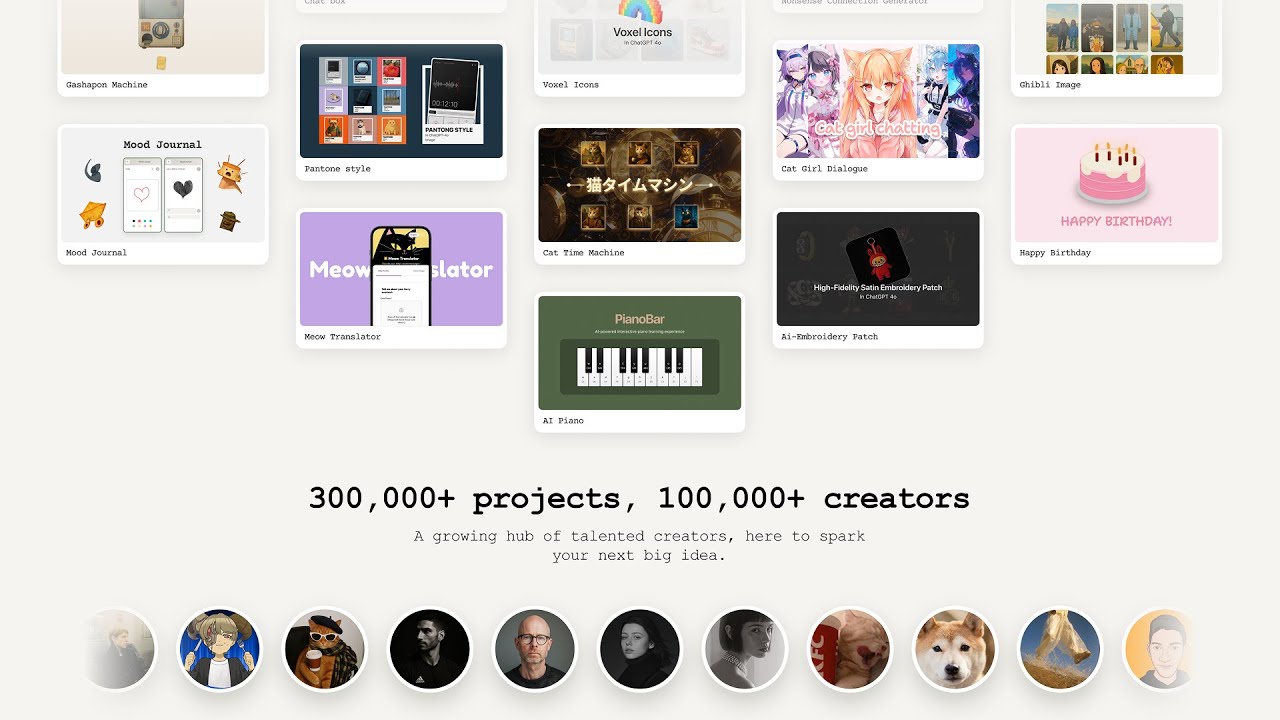
Youware is a visual app builder that combines drag-and-drop interface design with AI intelligent generation capabilities. Users can build app interfaces through simple drag-and-drop operations while using natural language to describe complex functions, with AI automatically generating corresponding code and logic. Youware is particularly suitable for product managers, designers, and entrepreneurs, enabling rapid transformation of ideas into runnable app prototypes. The platform's core advantages lie in its ease of use and intelligence, greatly lowering the barrier to app development and allowing non-technical personnel to build professional-grade applications.
7. Anything: Universal AI Development Tool
Anything is a comprehensive AI development tool that integrates code generation, interface design, database management, API integration, and multiple functions. Users can complete the entire development process from concept design to product launch through a unified interface. Anything is particularly suitable for developers needing to build complex applications, providing rich AI auxiliary functions capable of automatically generating high-quality code and designs. The platform's core advantages lie in its comprehensiveness and intelligence, meeting development needs of different types and complexities, making it an ideal tool for professional developers to improve efficiency.
Vibe Coding Tools Comparison
Here's a detailed comparison of the top Vibe Coding tools to help you choose the best solution for your needs:
| Tool Name | Core Features | Best For | Pricing |
|---|---|---|---|
| Lovable | AI full-stack app development, natural language interaction, one-click deployment | Rapid prototyping, full-stack app building, multiple app scenarios | Paid subscription |
| Bolt | AI full-stack development, rapid prototyping, real-time editing | Quick idea validation, prototyping, web and mobile apps | Free to use |
| Antigravity | Agent-first IDE, multi-agent collaboration, full-chain recording | Complex project development, multi-agent collaboration, VS Code integration | Free to use |
| Trickle | All-in-one platform, built-in database, rapid deployment | Quick app building, non-developers, complete solutions | Paid subscription |
| Medo | AI collaborative programming, multi-person editing, real-time collaboration | Team collaboration projects, software development teams | Paid subscription |
| Youware | Visual app builder, drag-and-drop interface, AI code generation | Product managers, designers, entrepreneurs | Paid subscription |
| Anything | Universal AI development, multi-functional integration, intelligent generation | Complex app development, professional developers | Paid subscription |
Use Cases
Rapid Prototyping
Vibe coding tools quickly generate app prototypes based on natural language descriptions, helping users validate ideas and concepts rapidly. These tools enable rapid iteration by building and modifying applications through simple descriptions, suitable for projects needing quick development cycles and fast time-to-market.
Personal Projects & Small Apps
Vibe coding tools help non-programmers quickly build personal websites, portfolios, and small applications without learning programming. For entrepreneurs and small businesses, these tools quickly build MVPs (minimum viable products), validating business models efficiently and reducing development costs significantly.
Startup Applications
Startups can use vibe coding tools to quickly build product prototypes, validate market demand and user feedback. These tools enable rapid market entry by quickly launching products to seize market opportunities, accelerating time-to-market significantly and reducing initial development investment.
Learning Assistance
Vibe coding tools help beginners understand programming concepts by seeing how natural language descriptions are converted to code. These tools provide practical coding experience without getting stuck in syntax details, making programming education more accessible and reducing the learning curve for new developers.
Tech Stack Migration
Vibe coding tools help users migrate existing apps from traditional platforms to modern tech stacks without manual code rewriting. These tools enable tech upgrades by helping users upgrade apps to latest tech stacks, improving performance and user experience while maintaining existing functionality.
How to Choose Vibe Coding Tool
Complete guide to choosing the right Vibe Coding tool for your natural language app development needs.
1. Evaluate App Type
Identify the app type you want to build: web apps require frontend and backend capabilities; apps needing databases require data management features; complex projects need advanced architecture support. Different tools excel at different app types, so match tool capabilities to your primary development goals.
2. Assess Feature Needs
Evaluate full-stack development capabilities, database support, deployment features, and collaboration features. Choose tools providing required features based on feature needs: rapid prototyping benefits from quick iteration tools; full-stack apps require comprehensive development platforms; complex projects need advanced architecture and scalability.
3. Evaluate Ease of Use
Evaluate natural language interaction quality, interface friendliness, learning curve, and documentation support. For non-programmers, ease of use is the most important factor. Choose tools with intuitive interfaces, comprehensive documentation, and strong community support to facilitate learning and adoption.
4. Consider Budget and Pricing
Pricing models vary: free tiers enable testing and basic use; paid subscriptions provide advanced features and support. Choose appropriate plans based on usage frequency and budget constraints. Consider total cost of ownership including development time and feature requirements.
5. Evaluate Tech Stack Preferences
Evaluate frontend frameworks, backend technologies, and database types supported by tools. Choose tools matching tech stack preferences to ensure compatibility with your existing knowledge and infrastructure. Consider integration capabilities with existing tools and workflows. Try multiple tools first, compare features and ease of use, then choose the best fit.
Conclusion
Vibe Coding tools are lowering app development barriers, providing substantial development capabilities for non-programmers. From AI full-stack app platforms like Lovable to rapid prototyping tools like Bolt, to agent-first IDEs like Antigravity, to collaborative platforms like Medo, these tools cover development workflows from rapid prototyping to complete applications, enabling users to build applications without traditional programming skills.
Choose the right tool based on your needs: Lovable for full-stack app development, Bolt for rapid prototyping, Antigravity for agent-first development, Trickle for all-in-one platforms, Medo for team collaboration. Evaluate app type, feature requirements, collaboration needs, and technical complexity to select the most suitable Vibe Coding solution for your projects.
Vibe Coding tools serve as powerful development assistants that enable non-programmers to build applications, but they complement rather than replace traditional development for complex projects. The best approach is combining AI efficiency with human oversight: AI handles code generation and routine tasks, while humans provide strategic direction, quality assurance, and creative problem-solving, maximizing both development speed and application quality.