What Are AI Presentation Tools
AI presentation tools use artificial intelligence to automatically create presentations. These tools generate visually appealing, well-structured slides from user-provided topics, text, and images, enabling quick creation of professional presentations. Compared to traditional AI design tools, AI presentation tools are optimized for presentation creation, understanding presentation logic, generating content structure, optimizing layouts, and supporting various presentation scenarios.
AI presentation tools excel at auto-generating content, optimizing layouts, providing templates, and supporting multiple output formats. They can create complete presentations from scratch or intelligently edit existing slides, add animations, and optimize color schemes. Modern AI presentation tools produce professional-quality presentations in content structure, visual design, and presentation effects.
These tools serve diverse scenarios from business presentations and education to product launches and academic reports. They suit users needing quick creation, lacking design experience, or exploring multiple styles. AI tools should serve as collaborative partners, handling technical and repetitive tasks so users can focus on content and presentation strategy.
AI Presentation Technology Overview
Modern AI presentation technology uses deep learning and natural language processing to understand text, learn presentation logic, and generate content following presentation principles. Compared to traditional methods, AI presentation technology significantly improves creation efficiency, quality consistency, and feature diversity.
Core advantages include understanding (natural language descriptions, themes, content structure), generation (content, layouts, visual elements), learning (presentation logic and design patterns from data), and optimization (automatic quality improvement based on feedback). Different tools use various architectures: content generation tools rely on NLP and text generation, layout tools use image recognition and typography algorithms, template tools combine libraries with recommendation systems, while general agent tools integrate multimodal AI and automated workflows.
As AI advances, presentation tools continue improving. Larger models, more training data, and algorithm optimization drive quality improvements. Multimodal AI enables single tools to handle text, images, and layouts simultaneously, further simplifying presentation creation. These advances elevate AI tools from assistants to creative partners.
Best AI Presentation Tools 2025
These professional AI presentation tools are designed for presentation creation, generating professional-quality content, supporting various scenarios and output formats, ideal for users needing quick, high-quality presentations.
1. Canva
Canva is a powerful online design tool supporting various slide and presentation types. With over 1 million professionally designed templates covering business, education, marketing, and product launches, users can quickly create professional presentations through simple drag-and-drop operations.
Canva features extensive template libraries, powerful editing, and multiple output formats. AI-assisted design automatically recommends color schemes, font combinations, and layout styles. Team collaboration allows multiple users to edit simultaneously, significantly improving team efficiency.
Canva offers free and paid versions. The free version includes basic features and limited templates, while Canva Pro provides advanced features, unlimited template access, and brand toolkits. Canva offers complete solutions for both individual users and enterprise teams.
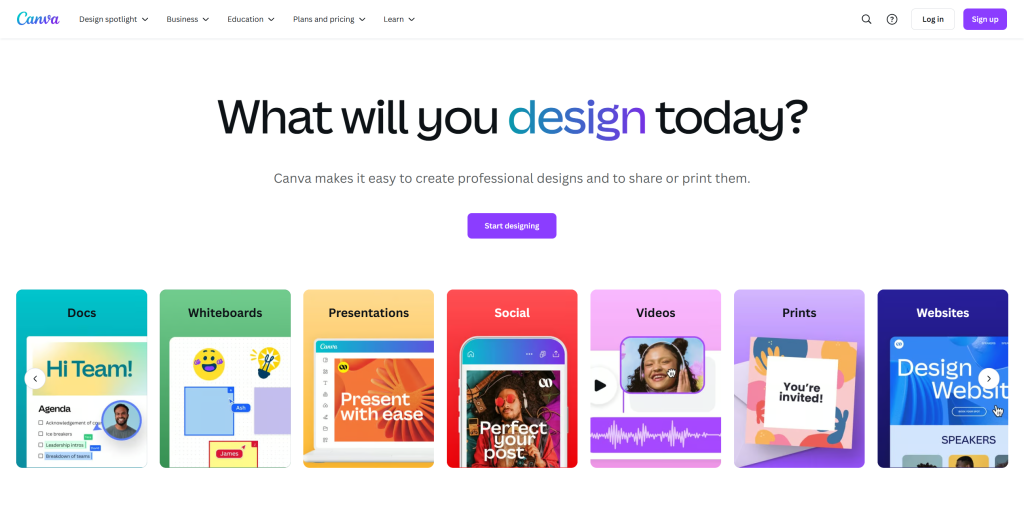
Canva suits users needing quick professional presentations for business, education, or marketing. Its extensive templates and powerful editing enable users without design experience to create high-quality presentations.
2. Gamma
Gamma is an innovative AI presentation tool focused on quickly generating professional presentations through AI. Its core strength is automatically generating complete presentation structures from user inputs, including titles, content, charts, and visual elements, dramatically reducing creation time.
Gamma offers multiple templates and design options for quick professional slides. It supports text-to-slides, document-to-slides, and other generation modes. Users input topics or upload documents, and Gamma automatically generates well-structured, visually appealing presentations. Real-time editing allows immediate content adjustments, layout modifications, and visual optimizations.
Gamma suits users needing quick presentations for business, product launches, or academic reports. Free and paid versions are available, with paid versions offering more advanced features and templates. For frequent users, Gamma provides powerful AI assistance to significantly improve efficiency.
Gamma's AI generation makes it ideal for quick presentation creation. Its automatic content structure generation and intelligent design recommendations let users focus on content while the tool handles design and layout.

3. Tome
Tome is an innovative AI presentation tool supporting AI-generated content and visual elements. It understands user presentation intent, automatically generates content following presentation logic, and provides rich visual elements and animations for engaging presentations.
Tome offers multiple generation modes including text-to-slides, image-to-slides, and document-to-slides. Real-time collaboration enables multiple users to edit simultaneously, improving team efficiency. Tome's AI capabilities extend beyond content generation to visual element recommendations, layout optimization, and animation effects.
Tome suits users creating dynamic presentations for product demos, storytelling, or creative showcases. Free and paid versions are available, with paid versions offering more advanced features and templates. Tome provides complete solutions for creating engaging presentations.

Tome's AI generation and dynamic presentation features make it ideal for creating engaging presentations. Its understanding of presentation intent and automatic content generation lets users focus on storytelling and creative expression.
4. Beautiful.ai
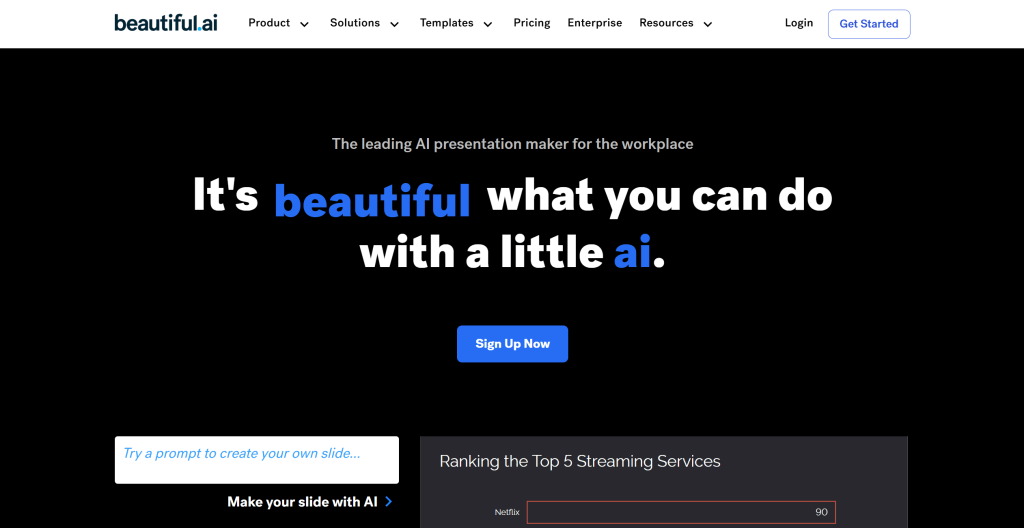
Beautiful.ai is renowned for its intelligent design features, automatically adjusting slide layouts, optimizing visuals, and recommending design elements. Its core strength is an intelligent design engine that automatically adjusts layouts, colors, and fonts based on content, ensuring each slide follows design principles and visual aesthetics.
Beautiful.ai offers intelligent templates and design options. Users input content, and the tool automatically generates visually appealing slides. Real-time design suggestions appear when users add or modify content, helping optimize visuals. The design engine follows design principles and best practices, ensuring beautiful and professional slides.
Beautiful.ai suits users creating professional presentations for business, product launches, or investor pitches. Free and paid versions are available, with paid versions offering more advanced features and templates. Beautiful.ai provides ideal solutions for users prioritizing design quality and professional image.
Beautiful.ai's intelligent design engine makes it ideal for creating professional presentations. Its automatic layout adjustment and visual optimization let users focus on content while the tool handles design.
5. Slidesgo
Slidesgo offers extensive template selection for various presentation needs. With over 1,000 professionally designed templates covering business, education, marketing, healthcare, and technology, users can quickly find suitable templates.
Slidesgo provides AI-driven template recommendations based on user inputs, automatically suggesting the most suitable templates and design elements. Online editing allows direct browser editing without software downloads. The template library continuously updates with the latest design trends and styles.
Slidesgo suits users needing quick template selection for business, education, or marketing. Free and paid versions are available, with paid versions offering more advanced templates and features. Slidesgo provides diverse options for users needing varied presentation styles.
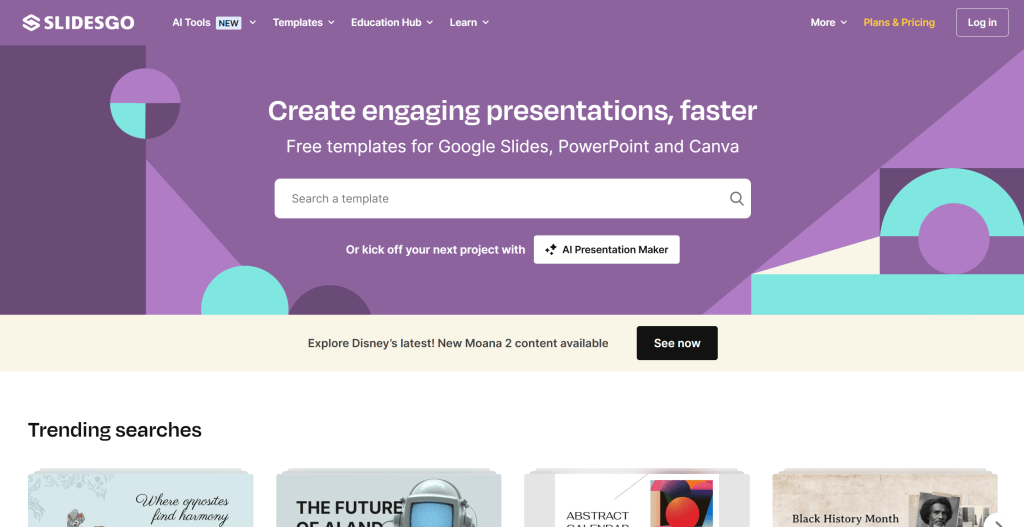
Slidesgo's extensive template library makes it ideal for quickly finding suitable presentation templates. Its AI-driven recommendations help users quickly find the most suitable templates and design elements, significantly reducing creation time.
6. Fotor
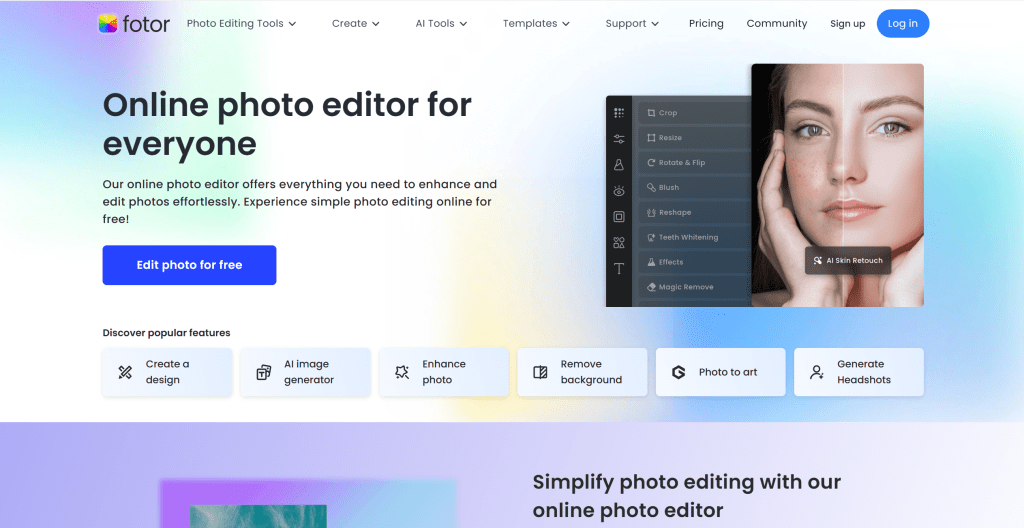
Fotor is an online design tool supporting slide and other visual content creation. It provides powerful image editing and design tools for creating visually appealing slides. Fotor's core strength is image processing, helping users optimize images and visual elements in slides.
Fotor offers multiple design templates and tools for quick professional presentations. AI image enhancement automatically optimizes image quality, adjusts colors and contrast, ensuring visual elements reach optimal levels. Design tools include text editing, graphics, and filter effects, providing a complete creative toolkit.
Fotor suits users handling many images and visual elements for product demos, image showcases, or visual reports. Free and paid versions are available, with paid versions offering more advanced features and templates. Fotor provides ideal solutions for users creating visually rich presentations.
Fotor's image processing makes it ideal for creating visually rich presentations. Its AI image enhancement and powerful design tools help optimize visual elements, ensuring presentations reach optimal visual levels.
7. Prezi
Prezi provides dynamic presentation features for creative showcases. Its core strength is dynamic presentation effects, creating non-linear presentation experiences where audiences explore content through zooming and panning, providing more interactive and engaging experiences.
Prezi offers multiple dynamic templates and design options for unique presentations. AI-assisted content generation automatically creates presentation content structures from user inputs. Dynamic features suit scenarios displaying complex information, storytelling, or creative showcases.
Prezi suits users creating innovative presentation experiences for product launches, storytelling, or creative showcases. Free and paid versions are available, with paid versions offering more advanced features and templates. Prezi provides ideal solutions for users breaking traditional slide limitations.
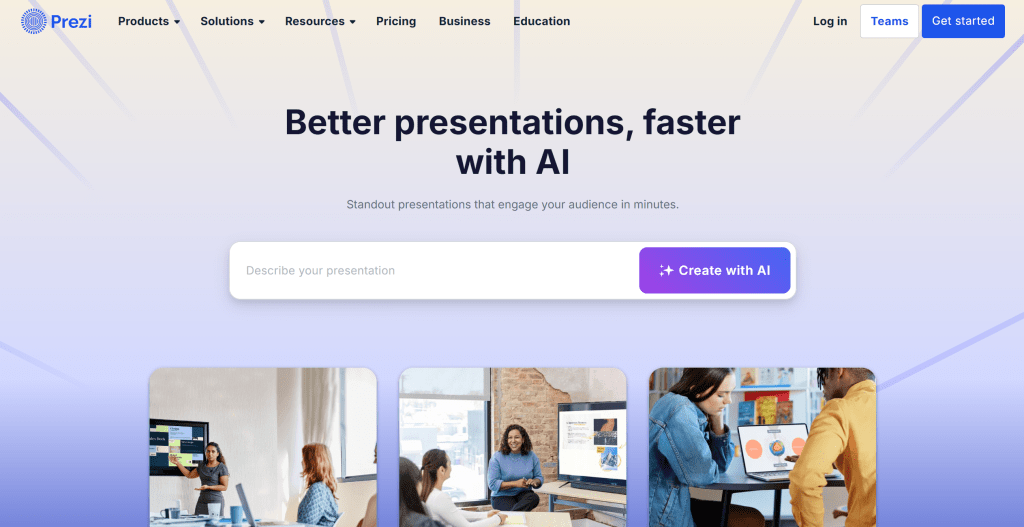
Prezi's dynamic presentation features make it ideal for creating innovative experiences. Its non-linear presentation and interactive exploration provide engaging experiences, especially for displaying complex information or storytelling.
8. Presentations AI
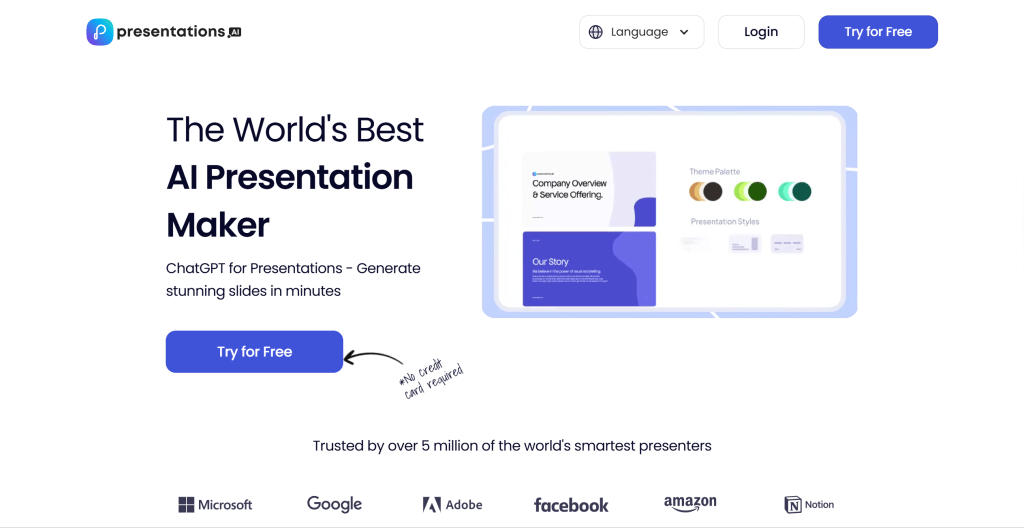
Presentations AI uses AI to help users quickly generate slides. Its core strength is AI-driven content generation and design optimization, automatically generating complete presentations including content structure, visual elements, and design layouts from user inputs.
Presentations AI offers multiple generation modes including text-to-slides, document-to-slides, and topic-to-slides. Real-time editing and optimization allow immediate content adjustments, layout modifications, and visual optimizations. The AI engine, trained on extensive presentation data, understands presentation logic and design principles, generating professional-standard presentations.
Presentations AI suits users needing quick presentation generation for business, education, or product launches. Free and paid versions are available, with paid versions offering more advanced features and templates. Presentations AI provides powerful AI assistance for frequent users.
Presentations AI's AI-driven capabilities make it ideal for quick presentation generation. Its automatic content structure generation and design optimization let users focus on content and presentation strategy.
General AI Agent Tools
Beyond tools designed specifically for presentations, general AI agent tools also excel at creating presentations. These tools use multi-agent architectures handling various specialized tasks, including presentation creation. While not specifically designed for presentations, they provide strong support in content generation, structure optimization, and automated workflows.
General AI agent tools excel at multi-task processing and automated workflows. They understand complex user needs, automatically decompose tasks, call different AI agents for different work, and ultimately generate complete presentations. Compared to specialized presentation tools, general agent tools better suit scenarios needing multiple tasks, tool integration, or high customization.
1. Genspark
Genspark is a powerful multi-agent AI tool handling various specialized tasks, including creating presentations. Genspark uses a multi-agent architecture where different AI agents handle different tasks like content generation, structure optimization, and visual design, collaboratively completing presentation creation.
Genspark's core strength is multi-agent collaboration and automated workflows. Users input topics or requirements, and Genspark automatically decomposes tasks, calls different AI agents for content generation, structure optimization, and visual design, ultimately generating complete presentations. The tool supports multiple input methods including text, documents, and links, extracting information from various sources to generate presentations.
Genspark suits users handling complex tasks, integrating different tools, or needing high customization. Its multi-agent architecture handles various specialized tasks beyond presentations, including content creation, data analysis, and automated workflows. Genspark provides strong support for users needing one-stop AI solutions.
Genspark AI Agent tool interface
(Screenshot needed)
Genspark's multi-agent architecture makes it ideal for handling complex presentation creation tasks. Its automated workflows and multiple input methods help users quickly generate high-quality presentations, especially for scenarios needing multiple tasks or high customization.
2. Manus
Manus is an AI agent tool specializing in generating complete PowerPoint presentations. Its core strength is extracting information from multiple sources including emails, Slack conversations, and documents to automatically generate presentations. Users describe topics or provide documents, and Manus generates presentation-ready slides within minutes.
Manus combines AI intelligence with powerful automation tools, transforming any idea into impressive presentations. The tool provides over 100 professional templates covering business, education, and marketing. Manus's AI engine understands content structure, extracts key information, optimizes presentation logic, and automatically generates professional-standard slides.
Manus suits users needing quick presentation generation from existing documents or conversations. Its multi-source information extraction enables extracting information from emails, Slack conversations, documents, and other sources to automatically generate presentations. Manus provides efficient solutions for users quickly transforming ideas into presentations.
Manus's multi-source information extraction makes it ideal for quick presentation generation. Its ability to extract information from emails, Slack conversations, documents, and generate presentations helps users quickly transform ideas into professional presentations, significantly improving efficiency.
Manus AI Agent tool interface
(Screenshot needed)
AI Presentation Tools Comparison
Compare leading AI presentation tools to quickly understand their features, use cases, and suitability:
| Tool | Key Features | Use Cases | Pricing |
|---|---|---|---|
| Canva | Extensive templates, powerful editing, team collaboration | Business, education, marketing | Free + Pro |
| Gamma | AI auto-generation, multiple modes, real-time editing | Quick creation, product launches, academic reports | Free + Paid |
| Tome | AI content generation, dynamic presentations, real-time collaboration | Product demos, storytelling, creative showcases | Free + Paid |
| Beautiful.ai | Intelligent design engine, auto layout optimization, design suggestions | Business, product launches, investor pitches | Free + Paid |
| Slidesgo | Extensive templates, AI recommendations, online editing | Diverse styles, quick template selection | Free + Paid |
| Fotor | Image processing, AI enhancement, design tools | Product demos, image showcases, visual reports | Free + Paid |
| Prezi | Dynamic presentations, non-linear showcases, interactive exploration | Product launches, storytelling, creative showcases | Free + Paid |
| Presentations AI | AI-driven generation, multiple input modes, real-time optimization | Business, education, product launches | Free + Paid |
| Genspark | Multi-agent architecture, automated workflows, multi-task processing | Complex tasks, tool integration, high customization | Subscription |
| Manus | Multi-source extraction, professional templates, quick generation | Document generation, quick idea transformation | Subscription |
Use Cases
AI presentation tools serve multiple fields from business presentations to education, product launches to academic reports, significantly improving creation efficiency and creative possibilities.
Business Presentations
- Product Launches: AI tools quickly generate product launch presentations including introductions, features, and market positioning, helping teams quickly prepare launch activities.
- Investor Pitches: AI tools generate professional investor pitch presentations including business models, market analysis, and financial forecasts, helping entrepreneurs better showcase project value.
- Business Reports: AI tools quickly generate business report presentations including work summaries, data analysis, and future plans, improving report efficiency and quality.
Education & Training
- Course Teaching: AI tools quickly generate course teaching presentations including outlines, explanations, and case studies, helping teachers improve teaching efficiency.
- Training Materials: AI tools generate corporate training presentations including content, guides, and case studies, helping trainers quickly prepare materials.
- Academic Reports: AI tools generate academic report presentations including research background, methods, and results, helping researchers better showcase findings.
Marketing & Promotion
- Marketing Plans: AI tools quickly generate marketing plan presentations including market analysis, strategies, and execution plans, helping marketing teams quickly develop plans.
- Brand Showcases: AI tools generate brand showcase presentations including brand stories, values, and product introductions, helping brands better showcase brand image.
- Event Promotion: AI tools generate event promotion presentations including introductions, highlights, and participation methods, helping organizers better promote events.
How to Choose AI Presentation Tools
When choosing AI presentation tools, consider multiple factors including use cases, feature needs, design styles, and budget. Key factors to consider:
1. Use Cases
First clarify use cases: Business presentations need professional templates and design, suitable for Canva, Beautiful.ai; Quick creation needs AI auto-generation, suitable for Gamma, Tome, Presentations AI; Creative showcases need dynamic effects, suitable for Prezi; Document generation needs multi-source extraction, suitable for Manus. Different tools suit different scenarios.
2. Feature Needs
Evaluate if tools provide all needed features: Content generation (AI auto-generation), Template library (extensive selection), Design optimization (auto optimization), Collaboration (team collaboration), Output formats (multiple formats), Integration (workflow integration). Choose tools providing corresponding features.
3. Design Style
Different tools offer different design styles: Professional business suits Canva, Beautiful.ai; Modern minimalist suits Gamma, Tome; Dynamic creative suits Prezi; Diverse suits Slidesgo. Choose appropriate styles based on brand image and presentation needs.
4. Budget
Pricing models vary: Free versions (many tools offer free trials with limitations), Subscriptions (monthly or annual payments with more features), Pay-per-use (usage-based pricing for occasional users). Choose appropriate plans based on frequency and budget.
5. Ease of Use
Evaluate ease of use: Learning curve (difficulty level), Interface friendliness (intuitive interface), Documentation (comprehensive docs and tutorials), Community support (active user community). For beginners, choose user-friendly tools like Canva, Gamma.
Try 2-3 tools and compare before choosing. Different scenarios may need different tools. For example, business presentations may suit Canva, Beautiful.ai better; quick creation may suit Gamma, Tome better; document generation may suit Manus better. Understand that AI tools should serve as collaborative partners, not replacements for human creativity, handling technical and repetitive work so users can focus on content and presentation strategy.
Conclusion
AI presentation tools are revolutionizing presentation creation, providing unprecedented creative possibilities and efficiency improvements. From specialized tools like Canva, Gamma, Tome to general agent tools like Genspark, Manus, these tools cover the complete workflow from content generation to design optimization.
For professional presentation creation, specialized AI presentation tools understand presentation logic, automatically generate content structures, optimize visual layouts, and generate professional-quality presentations. For scenarios needing multiple tasks or high customization, general AI agent tools provide powerful multi-task processing and automated workflows.
Understand that AI tools should serve as collaborative partners, not replacements for human creativity. They handle technical and repetitive work, letting users focus on content creation, presentation strategy, and creative expression. As AI technology advances, these tools will continue improving, bringing more innovation and possibilities to presentation creation.
Whether you're a business professional, educator, content creator, or enterprise user, choosing the right AI presentation tool can significantly improve your efficiency and creation quality. Consider specific needs, budget, and use cases, fully utilize free trials, and make the most suitable choice after actual experience.