Marketing Skills for Cursor, Claude Code, OpenClaw — Install 160+ skills

3D Modeling Tools: From Concept to Professional Creation

Master professional 3D modeling skills, from simple geometry to complex organic shapes. Transform your creative ideas into tangible digital reality, helping you apply advanced technical tools to boost work efficiency and creativity.

Updated on 2026-05-13
20 min read
Share
TL;DR

Key Takeaways

This guide explores the best 3D modeling tools for 2026, helping designers and creators choose the right solution. It also covers selection criteria, comparisons, and practical tips for implementation. The sections below compare options, use cases, and practical selection criteria.

  • 3D modeling tools support polygon modeling, sculpting, and procedural generation for game development, film production, and industrial design.
  • Compare SketchUp, Blender, 3ds Max, Maya, Rhinoceros, and ZBrush for modeling paradigms, industry fit, and rendering capabilities for informed selection and deployment.
  • Consider modeling type, industry fit, learning curve, and extensibility for your team skill level and project project requirements.
  • Learn technical principles and workflows, then pair with 3D generators and scanners for a complete content creation pipeline.

What are 3D Modelling Tools

3D modelling tools are software applications for creating, sculpting, texturing, and rigging three-dimensional digital assets through manual and procedural workflows. Their core value lies in giving artists precise control over every vertex, edge, and material property—enabling the production of film-quality characters, architectural visualizations, and game-ready assets. Modern 3D modelling suites combine traditional polygonal modeling with AI-assisted features like auto-retopology, smart materials, and procedural generation. They serve character artists in film and gaming, industrial designers prototyping products, architects creating building visualizations, and VR developers building immersive environments.

In the 3D creation workflow, 3D model creation tools rapidly produce initial asset concepts from text prompts or reference images, which are then imported into modeling tools for refinement, retopology, UV unwrapping, and rigging. For capturing physical objects as digital models, 3D scanners provide the real-world input, while 3D modeling tools handle the creative, precision-oriented sculpting and editing that follows—together forming a complete capture-to-production pipeline.

How 3D Modeling Works

AI 3D modelling tools augment traditional 3D workflows with AI-driven geometry processing, texture generation, and scene composition. The technical stack includes: procedural generation with learned parameters for terrain and architecture, diffusion-based PBR material generation from text prompts, automatic UV unwrapping using learned seam placement, LOD (level of detail) generation for game assets, and inverse rendering for material capture from photographs.

  • Fine control: 3D modeling tools provide precise adjustment of every detail, allowing users to create highly detailed and accurate models for professional applications.
  • Professional features: Modern tools offer rich features and functions including advanced materials, lighting, and rendering capabilities for professional-quality results.
  • Industry standards: Tools comply with industry standards for file formats and workflows, enabling collaboration and export to various platforms and applications.
  • Complete workflows: Many tools integrate modeling, rendering, and animation capabilities, providing complete 3D creation workflows in a single platform.
  • Multiple techniques: Tools support multiple modeling techniques, allowing users to choose the most appropriate method for their specific project needs.

Modelling tools differ by their integration model: some operate as plugins within existing DCC tools (Blender, Maya), others are standalone web applications. Specialization varies from hard-surface modelling (products, vehicles) to organic sculpting (characters, creatures). For generating base 3D meshes from text or images, For generating base geometry from text prompts, AI 3D model generators produce meshes from text or images; AI 3D scanners capture real-world references as geometry for modelling refinement. 3D model creation tools provide the starting geometry that modelling tools then refine.

3D Modeling Types

Based on modeling methods and applications, 3D modeling can be divided into multiple types, each with unique advantages and application areas.

Polygon Modeling

Manipulating vertices, edges, and faces to create 3D models, the most common and fundamental method. Suitable for creating regular geometry and complex surfaces, widely used in game development, architectural design, and product design. Representative tools include Blender, Autodesk 3ds Max, Maya.

NURBS Modeling

Creating precise curves and surfaces using mathematical curves and surfaces, capable of generating smooth curves and complex surfaces. Particularly suitable for industrial design and architectural fields requiring precision, such as automotive design, furniture design, etc. Representative tools include Rhinoceros, Autodesk Maya.

Sculpting Modeling

Using sculpture-like methods to shape 3D models by adding or removing virtual material. Suitable for creating organic shapes, characters, and creatures, with high artistic expressiveness. Representative tools include ZBrush, Blender sculpting mode.

Procedural Modeling

Using algorithms and parameters to automatically generate 3D models, suitable for creating repetitive elements, complex scenes, and large-scale environments. Representative tools include Blender's geometry nodes, Houdini.

Choosing the Right Type

When choosing modeling types, consider project requirements, personal skills, and tool characteristics. Polygon modeling suits most scenarios, NURBS modeling suits precision design, sculpting modeling suits artistic creation, procedural modeling suits batch generation. Most modern 3D modeling tools support multiple modeling types for flexible selection based on specific needs.

2026 Best 3D Modeling Tools: Professional Creation & Design

Top 8 3D modeling tools for 2026, covering architecture design, industrial design, game development, animation film, and character sculpting to help you choose the best professional solution.

1. SketchUp: 3D Architecture

SketchUp 3D modeling viewport showing geometry with tool palette and material editor — 3D Architecture

SketchUp excels with its intuitive ease of use and powerful architectural modeling capabilities, making it the preferred tool for architects and designers. Its signature "push-pull" modeling method makes 3D modeling feel like building with blocks, allowing users to quickly create architectural models, interior scenes, and product prototypes. The tool comes with a comprehensive building component library covering walls, doors, windows, furniture, and appliances, greatly improving modeling efficiency. SketchUp offers a complete ecosystem including free, professional, and Studio versions. Rich plugin libraries cover rendering, animation, and import/export functions.

2. Autodesk 3ds Max: Film Animation Professional

Autodesk 3ds Max 3D modeling viewport showing geometry with tool palette and material editor — Film Animation Professional

Autodesk 3ds Max is the professional standard for film and animation industries, powering most Hollywood blockbusters. The tool offers powerful modeling, rendering, and animation capabilities, supporting polygon modeling, NURBS modeling, and procedural modeling to handle everything from simple geometry to complex character models. Built-in Arnold renderer delivers cinema-quality results, perfectly capturing materials, lighting, and atmosphere. 3ds Max's animation system is extremely powerful, supporting keyframe animation, skeletal binding, morph keys, and physics simulation, enabling realistic character animations and effects. Rich plugin ecosystem covers character binding, effects creation, game export, etc.

3. Blender: Free Open-Source All-Rounder

Blender 3D modeling viewport showing geometry with tool palette and material editor — Free Open-Source All-Rounder

Blender is a completely free and open-source 3D creation platform with no restrictions, providing a complete toolset from modeling to rendering. The tool supports polygon modeling, sculpting modeling, NURBS modeling, and procedural modeling, allowing users to complete everything from initial sketches to final products in one software. Cycles rendering engine delivers high-quality results with GPU acceleration and multiple rendering techniques. Blender's animation system is extremely comprehensive, supporting keyframe animation, skeletal binding, non-linear animation editing, physics simulation, and particle systems for creating complex character animations and effects.

4. Rhinoceros: Industrial Design Precision

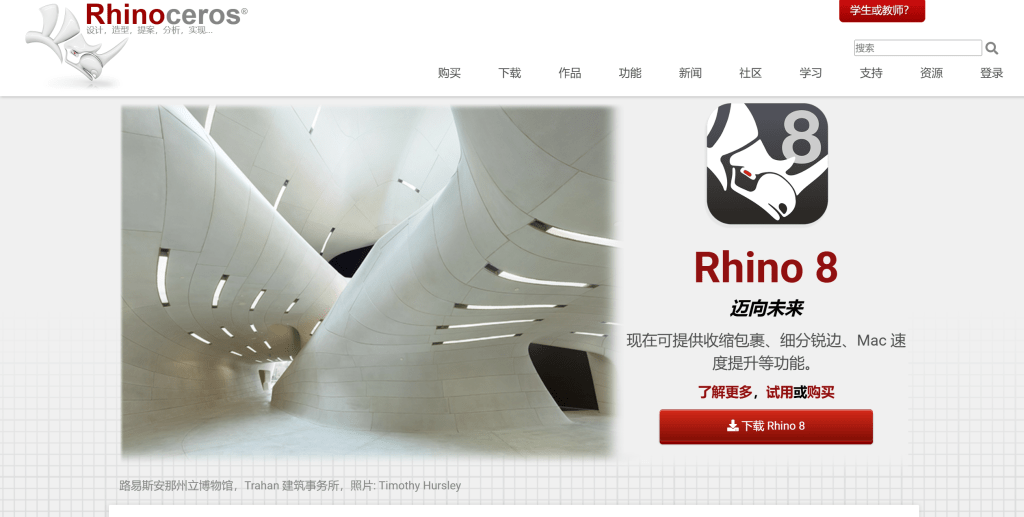
Rhinoceros 3D modeling viewport showing geometry with tool palette and material editor — Industrial Design Precision

Rhinoceros (Rhino) is the precision expert for industrial design and architecture, specializing in NURBS (Non-Uniform Rational B-Spline) modeling technology for mathematically precise curves and surfaces. Perfect for aerospace, automotive, furniture, and architectural fields requiring precision, Rhino provides complete NURBS toolset for complex curves and surfaces with mathematical precision. Rhino's plugin ecosystem is extremely rich: Grasshopper parametric modeling makes design programmable and automated, V-Ray rendering provides professional-quality results. Supports STEP, IGES engineering standard formats for seamless industrial manufacturing integration. For precise 3D model needs in industrial design, architecture, and product design, Rhino delivers complete solutions.

5. Shapr3D: Mobile Modeling Convenient

Shapr3D 3D modeling viewport showing geometry with tool palette and material editor — Mobile Modeling Convenient

Shapr3D is an iPad-optimized 3D modeling tool that brings professional modeling capabilities to mobile devices. Using touch screens and Apple Pencil, users can create precise 3D models just like using traditional mouse and keyboard. Provides complete CAD functionality including precise dimensioning, constraint relationships, and engineering drawing output, making it ideal for mobile work. Shapr3D supports cloud sync for accessing and editing 3D models across devices, perfect for mobile work and collaboration. Offers multiple subscription plans from free basic to professional enterprise. For engineers in field work or designers in coffee shops creating product prototypes, Shapr3D provides efficient mobile modeling experience.

6. Autodesk Maya: Animation Film Benchmark

Autodesk Maya 3D modeling viewport showing geometry with tool palette and material editor — Animation Film Benchmark

Autodesk Maya is the absolute monarch of animation and film industries, powering nearly all Hollywood blockbusters. Offers industry-leading character animation and effects creation capabilities, supporting complex skeletal binding, morph keys, and dynamics simulation for creating pore-level realistic character animations. Maya modeling is equally outstanding, supporting polygon modeling, NURBS modeling, and subdivision surfaces. Maya's rendering and compositing capabilities are extremely powerful: built-in Arnold renderer generates cinema-quality images, Universal Scene Description (USD) support makes Maya the core of film production pipelines. Rich plugin ecosystem covers hair rendering, cloth simulation, particle effects, etc.

7. FreeCAD: Open-Source Engineering Design

FreeCAD 3D modeling viewport showing geometry with tool palette and material editor — Open-Source Engineering Design

FreeCAD is a completely free open-source 3D modeling tool dedicated to engineering design and mechanical modeling. Provides complete parametric modeling functionality supporting part design, assembly creation, and technical drawing generation, compliant with engineering standards. Supports entity modeling, surface modeling, and mesh modeling for handling complex engineering parts and mechanical components. FreeCAD's modular architecture allows installing different workbenches as needed, from mechanical design to architecture, electronics to robotics. Supports STEP, IGES engineering standard formats for seamless industrial manufacturing integration.

8. ZBrush: Digital Sculpting Master

ZBrush 3D modeling viewport showing geometry with tool palette and material editor — Digital Sculpting Master

ZBrush is the absolute authority in digital sculpting, revolutionizing 3D modeling with its innovative sculpting technology. Discards traditional polygon modeling, adopting sculpture-like dynamic subdivision for users to shape 3D models like sculptors. ZBrush's brush system is extremely rich, from basic sculpting tools to complex texture generation, each brush finely tuned to create realistic pores, wrinkles, muscles, and details. ZBrush excels in character sculpting and organic modeling, ideal for game character design and film special effects. Dynamesh and ZRemesher technologies enable real-time topology reconstruction, maintaining sculpting fluidity.

3D Modelling Tools Comparison

Here's a detailed comparison of the top 3D modelling tools to help you choose the best solution for your needs:

Comparison table of 3D Modelling tools showing tool name, core features, best use cases, and pricing
Tool NameCore FeaturesBest ForPricing
SketchUpEase of use, rapid modelling, rich plugin ecosystemArchitecture, interior design, product designFree + subscription
Autodesk 3ds MaxProfessional features, powerful rendering, complete animationGame development, film production, architectureSubscription
BlenderFree open-source, complete toolkit, active communityPersonal creation, education, commercial projectsCompletely free
RhinocerosPrecise NURBS modelling, rich plugins, parametric designIndustrial design, architecture, product designOne-time purchase
Shapr3DMobile modeling, touch operation, cloud syncProduct design, industrial design, architectureFree + subscription
Autodesk MayaFilm animation professional, character binding, effectsFilm effects, animation production, game charactersSubscription
FreeCADOpen-source free, parametric modeling, engineeringMechanical design, engineering drawings, open projectsCompletely free
ZBrushDigital sculpting, character modeling, organic shapesGame characters, film effects, artistic sculptureOne-time purchase

What You Can Do with AI 3D Modeling: 5 Key Use Cases

AI 3D modeling tools serve a wide range of industries and skill levels. Here are the most common scenarios where they deliver real value:

Architectural Visualization

Turn floor plans and sketches into detailed 3D building models in minutes. Architects use AI modeling to rapidly iterate facade designs, test lighting scenarios, and generate client presentations — cutting the concept-to-render cycle from days to hours. SketchUp and Rhino are the go-to tools here.

Game Asset Creation

Generate 3D props, environments, and character models from text descriptions or reference images. Indie game studios leverage AI modeling to build asset libraries at a fraction of traditional cost. Blender's open-source ecosystem makes it the preferred starting point for most game developers.

Product Design & Prototyping

Create manufacturable 3D models for consumer products, packaging, and industrial components. AI-assisted CAD tools like Shapr3D let designers sketch on tablets and get dimensionally accurate models ready for 3D printing or CNC machining.

Film & Animation Pre-Visualization

Block out 3D scenes, props, and environments for film pre-vis and animation storyboards. Tools like Autodesk Maya and 3ds Max integrate AI features for faster scene layout and automatic rigging, letting artists focus on creative direction instead of technical setup.

AR/VR & Digital Twin Creation

Build immersive 3D experiences for augmented reality apps, virtual showrooms, and industrial digital twins. AI accelerates the modeling of real-world spaces and objects, making it practical to create detailed virtual replicas of factories, retail stores, or event venues.

How to Choose 3D Modelling Tools

Follow these 5 steps to select the perfect 3D modelling tool for your needs. Evaluate application field, feature requirements, learning curve, budget, and platform support to make an informed decision.

1. Evaluate Application Field

Determine primary use: architecture requires tools with building design features and precision modeling; industrial design needs parametric modeling and technical drawing capabilities; game development benefits from real-time rendering and asset optimization; film production requires advanced animation and rendering; product design needs surface modeling and visualization. Different tools excel in different fields, so match tool capabilities to your primary application area.

2. Assess Feature Requirements

Assess if tools provide needed features: modeling capabilities for creating 3D geometry; rendering for realistic visualization and presentation; animation for dynamic content creation. Different tools offer different feature sets with varying depth and specialization. Choose tools providing features matching your project requirements and workflow needs.

3. Evaluate Learning Curve

Consider learning difficulty and onboarding time: some tools have gentle learning curves suitable for beginners with intuitive interfaces; others require more time to master but offer advanced capabilities for professionals. Choose tools matching your skill level and available learning time. Evaluate available tutorials, documentation, and community support to facilitate learning.

4. Consider Budget and Platform Support

Choose plans based on budget: some tools offer free versions with basic features for learning and small projects; paid plans provide advanced capabilities and professional support. Select tools supporting your primary devices (Windows, macOS, Linux) to ensure compatibility. Consider community and support: choose tools with active communities, complete documentation, and good customer support.

5. Assess Workflow Integration

Consider if tools integrate with existing workflows and support required file formats: evaluate export capabilities for compatibility with other tools; assess collaboration features for team work; check compatibility with other tools in your pipeline. Try several tools first, then choose the best fit based on integration requirements and workflow efficiency.

Conclusion

3D modeling tools are the core of digital creation, from architectural design to film effects, from game development to industrial manufacturing. SketchUp excels with intuitive ease of use for architects, Autodesk Maya and 3ds Max stand as film animation benchmarks, Blender provides completely free professional tools, Rhinoceros delivers precision for industrial design, ZBrush revolutionizes digital sculpting.

Choose the right tool based on your modeling needs: SketchUp and Blender for beginners and architectural design, Maya and 3ds Max for professional film animation, ZBrush for digital sculpting, Rhinoceros for industrial design precision. Evaluate application fields, skill levels, feature requirements, and budget constraints to select the most suitable 3D modeling solution.

3D modeling tools serve as powerful instruments for digital creation, but they complement rather than replace human creativity and artistic vision. The best approach is combining tool capabilities with creative expertise: tools handle technical modeling and rendering, while artists provide creative direction, artistic vision, and quality control, maximizing both modeling efficiency and artistic quality If you're exploring AI 3D Modelling Tools, you may also be interested in AI 3D model generators for prompt-based asset creation, AI world models for environment generation, and AI 3D scanners for real-world object capture..

Frequently Asked Questions

What is professional 3D modeling software?
Professional 3D modeling software lets you author meshes, curves, and scenes for film, games, product design, and visualization. Packages differ by modeling paradigm, renderer integration, and pipeline plugins. Choose based on industry norms, file exchange needs, and whether you require CAD-level precision or organic sculpting.
Blender versus paid suites for beginners?
Blender is free, full-featured, and widely used for indie and studio work, with a steeper early learning curve. Paid suites often ship with certified support, enterprise licensing, and studio-specific integrations. Beginners can start in Blender for fundamentals, then evaluate paid tools if a target employer mandates them.
How do polygon modeling and sculpting differ?
Polygon modeling edits vertices, edges, and faces for predictable topology suited to rigging and games. Sculpting pushes virtual clay for organic shapes, then usually retopologizes for animation. Many artists block in polygons, sculpt detail, and finish with clean edge flow for deformation.
Which tool fits architectural visualization?
Architectural teams often favor SketchUp or Rhino for fast massing and precision, then export to renderers like V-Ray or Enscape. BIM-centric studios may prefer Revit-first workflows. Match the tool to drawing standards, client deliverables, and whether you need parametric constraints or freeform massing.
What should game artists prioritize in a DCC?
Game artists need efficient retopology, UV tools, LOD workflows, and reliable FBX or glTF export. Check engine documentation for scale units, tangent bases, and naming conventions. Keep materials simple or bake textures when targeting mobile budgets and strict draw-call limits.
How important are file formats and interoperability?
Interoperability decides how painful handoffs are between modeling, texturing, rigging, and engine import. FBX and glTF are common bridges; USD is growing for large scenes. Agree on scale, forward axis, and naming early so automated pipelines do not break on every export.
Can one person master every major 3D package?
Concepts transfer, but deep muscle memory differs by UI and tool stack. Most specialists master one primary DCC and stay literate in a second for collaboration. Depth beats breadth when deadlines are tight and production standards are non-negotiable.
How do learning resources affect tool choice?
Strong communities, official docs, and course libraries shorten onboarding. Open tools often have broad tutorials but scattered quality, while commercial tools may offer certified training paths. Pick a stack where you can sustain learning alongside project delivery.

Also Interested In

    This site uses cookies and similar technologies for analytics, personalized ads (via Google AdSense), and essential functions. By clicking “Accept All”, you consent to our use of cookies. You can reject non-essential cookies by clicking “Reject All”.

    Privacy Policy

    Best 3D Modeling Tools (2026): Architecture, Design, CAD | Alignify