Marketing Skills for Cursor, Claude Code, OpenClaw — Install 160+ skills

AI Presentation Tools: Smart Design and Auto-Generation

Make presentations more engaging and eliminate boring slides. AI presentation tools provide intelligent design recommendations, content structure optimization, and visual enhancement, helping you create professional and captivating slideshows.

Updated on February 11, 2026
15 min read
Share
TL;DR

Key Takeaways

This guide explores the best AI presentation tools for 2026, helping professionals and educators choose the right solution. M The sections below compare options, use cases, and practical selection criteria. The sections below compare options, use cases, and practical selection criteria.

  • AI presentation tools support slide creation and smart design automation for business reports, pitch decks, and educational presentations.
  • Compare Canva, Gamma, Tome, Beautiful.ai, Slidesgo, Fotor, Prezi, Presentations AI, plus agent tools Genspark and Manus for features and use cases.
  • Consider template variety, content structure, visual quality, and ease of use for your presentation format and audience requirements.
  • Learn technical principles and workflows, then pair with text and image generators for complete and scalable presentation content development.

What Are AI Presentation Tools

AI presentation makers turn outlines, documents, or natural-language prompts into structured slide decks with coherent narratives, on-brand styling, and auto-generated data visualizations. They handle slide sequencing, speaker notes, layout consistency, and font pairing—so you spend time refining the story and rehearsing delivery rather than aligning text boxes pixel by pixel. Built for consultants preparing client-facing decks, educators building semester-long course materials, and founders pitching investors on tight timelines.

Presentations sit at the final output stage of the content pipeline: AI text generators supply the narrative structure and talking points, AI-powered image generation produce custom hero visuals and diagrams, and AI spreadsheet tools provide chart-ready data tables. For live-delivery rehearsal and refinement, pair with AI voice cloning or AI talking avatar tools.

How AI Presentation Technology Works

AI presentation makers combine layout generation, content creation, and visual design into a unified pipeline. The architecture involves: outline generation from a topic description using LLMs trained on presentation structures, slide-by-slide content generation balancing text and visual elements, and layout engines that arrange content on slides using spatial reasoning models. Image generation or selection complements the text, with some tools using diffusion models for custom visuals and others curating stock imagery. The technical challenge is maintaining design consistency—color schemes, typography, spacing—across slides while producing varied, engaging layouts.

  • Understanding capability: The technology understands natural language descriptions, themes, and content structure, translating user input into well-structured presentation outlines automatically.
  • Generation capability: AI can generate complete presentation content, layouts, and visual elements from text prompts, creating professional slides without manual design work.
  • Learning capability: The technology learns presentation logic and design patterns from data, improving output quality and ensuring presentations follow best practices.
  • Optimization capability: Advanced tools automatically improve presentation quality based on feedback, refining layouts, content, and visual elements to enhance effectiveness.
  • Multimodal processing: Some tools can handle text, images, and layouts simultaneously, enabling comprehensive presentation creation workflows that combine multiple input types.

Presentation tools differ in their output format and control: template-based tools offer brand consistency with limited creative freedom, while generative tools create unique designs per presentation. Export formats range from editable PowerPoint/Google Slides files to static PDFs. For creating the visual assets used within presentations, AI-powered design provide broader creative capabilities. For drafting speaker notes and slide copy, AI essay writing tools produce structured outlines and talking points; AI text generators condense lengthy reports into slide-ready bullets.

2026 Best AI Presentation Tools: Smart Design & Professional Slideshows

These professional AI presentation tools are designed for presentation creation, generating professional-quality content, supporting various scenarios and output formats, ideal for users needing quick, high-quality presentations.

1. Canva: All-in-One Design Suite

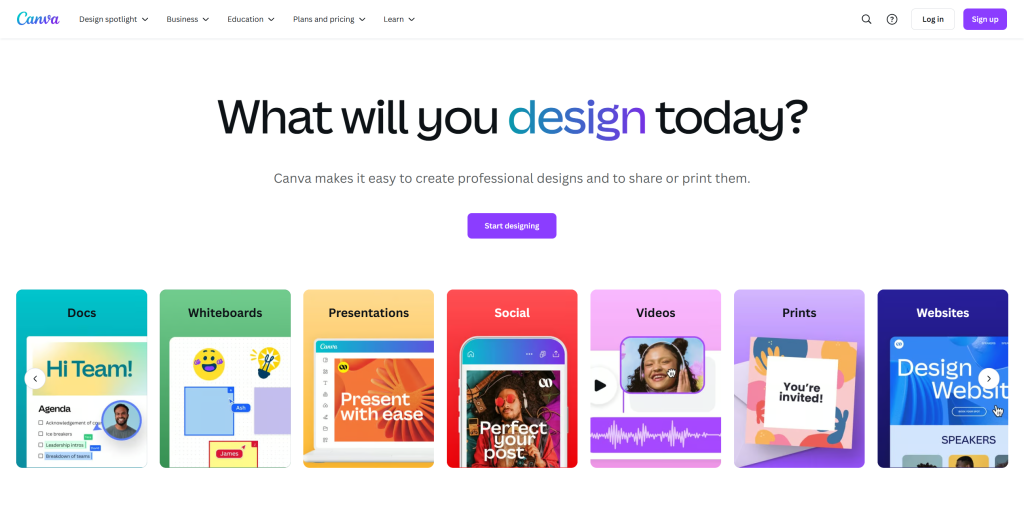
Canva presentation editor with slide thumbnails, content canvas, and AI design suggestions — All-in-One Design Suite

Canva is a powerful online design tool supporting various slide and presentation types. With over 1 million professionally designed templates covering business, education, marketing, and product launches, users can quickly create professional presentations through simple drag-and-drop operations. Canva features extensive template libraries, powerful editing, and multiple output formats. AI-assisted design automatically recommends color schemes, font combinations, and layout styles. Team collaboration allows multiple users to edit simultaneously, significantly improving team efficiency. Canva offers free and paid versions.

2. Gamma: AI Slide Generation

Gamma presentation editor with slide thumbnails, content canvas, and AI design suggestions — AI Slide Generation

Gamma is an innovative AI presentation tool focused on quickly generating professional presentations through AI. Its core strength is automatically generating complete presentation structures from user inputs, including titles, content, charts, and visual elements, dramatically reducing creation time. Gamma offers multiple templates and design options for quick professional slides. It supports text-to-slides, document-to-slides, and other generation modes. Users input topics or upload documents, and Gamma automatically generates well-structured, visually appealing presentations. Real-time editing allows immediate content adjustments, layout modifications, and visual optimizations.

3. Beautiful.ai: Auto-Designed Presentations

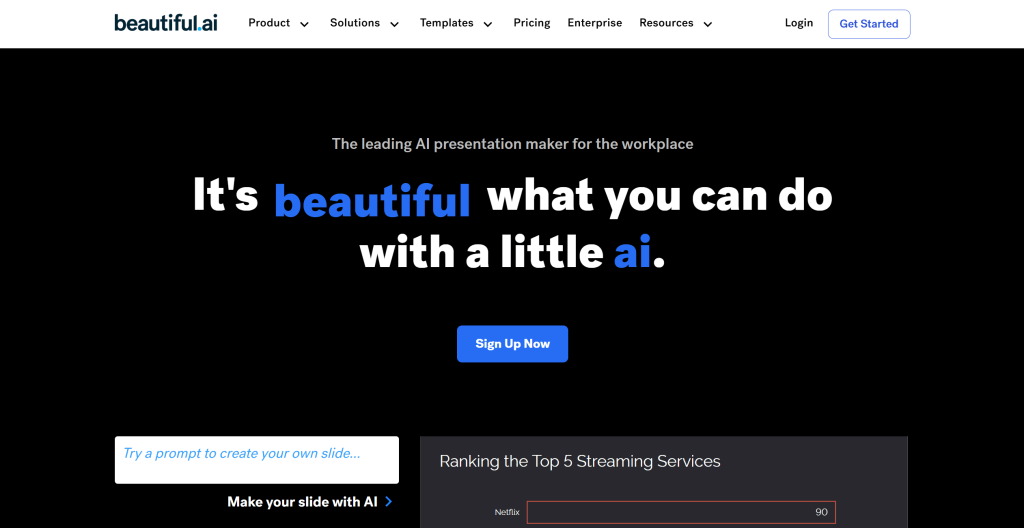
Beautiful.ai presentation editor with slide thumbnails, content canvas, and AI design suggestions...

Beautiful.ai is renowned for its intelligent design features, automatically adjusting slide layouts, optimizing visuals, and recommending design elements. Its core strength is an intelligent design engine that automatically adjusts layouts, colors, and fonts based on content, ensuring each slide follows design principles and visual aesthetics. Beautiful.ai offers intelligent templates and design options. Users input content, and the tool automatically generates visually appealing slides. Real-time design suggestions appear when users add or modify content, helping optimize visuals. The design engine follows design principles and best practices, ensuring consistent, professional presentations.

4. Slidesgo: Free Template Library

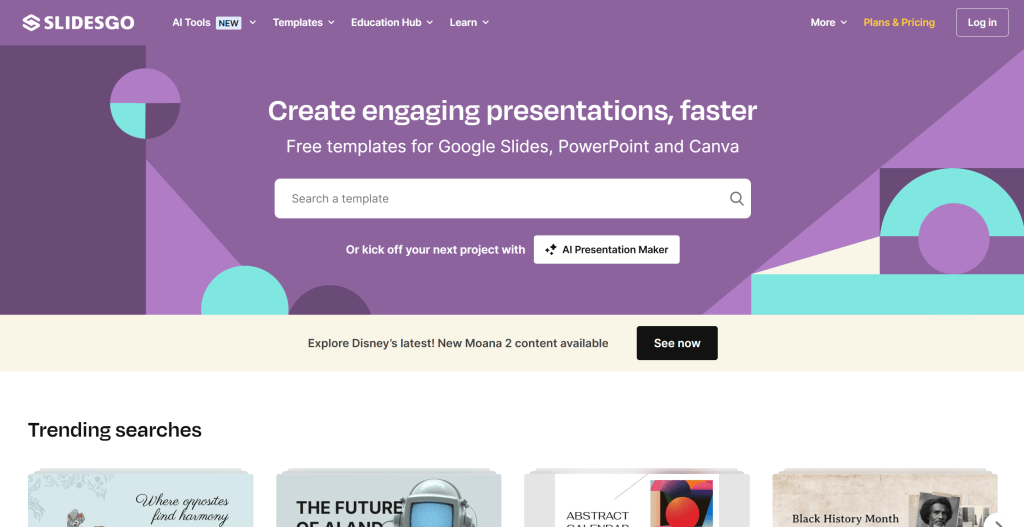
Slidesgo presentation editor with slide thumbnails, content canvas, and AI design suggestions — Free Template Library

Slidesgo provides extensive template libraries for various presentation needs, supporting multiple languages and professional themes. Its core strength is offering thousands of professionally designed templates covering business, education, marketing, and creative fields. Slidesgo offers free and premium templates with customization options. Users can search by theme, style, or occasion, then customize colors, fonts, and layouts. The platform supports multiple formats and provides design tips and tutorials. Slidesgo integrates with Google Slides, Canva, and PowerPoint for seamless workflow. Slidesgo suits users needing diverse templates for different presentation scenarios.

5. Fotor: Photo & Design Platform

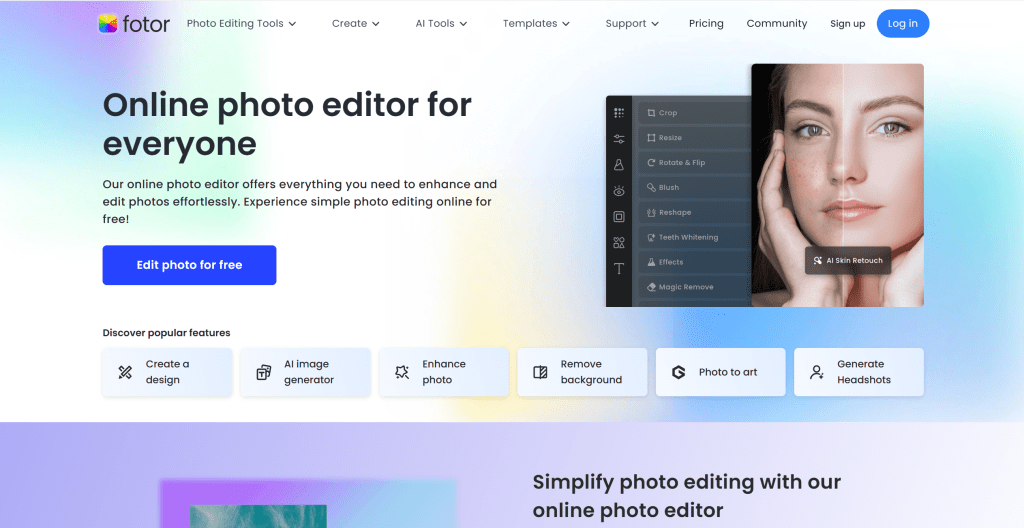
Fotor presentation editor with slide thumbnails, content canvas, and AI design suggestions — Photo & Design Platform

Fotor provides comprehensive image processing and presentation creation capabilities, combining AI-powered design tools with presentation features. Its core strength is powerful image editing and enhancement, supporting photo retouching, background removal, and creative effects. Fotor offers presentation templates, design tools, and photo editing features. Users can create presentations with enhanced images and professional layouts. The platform supports multiple formats and provides design recommendations. Fotor integrates AI for automatic image optimization and layout suggestions. Fotor suits users needing image-heavy presentations or combining photo editing with presentation creation.

6. Prezi: Interactive Presentations

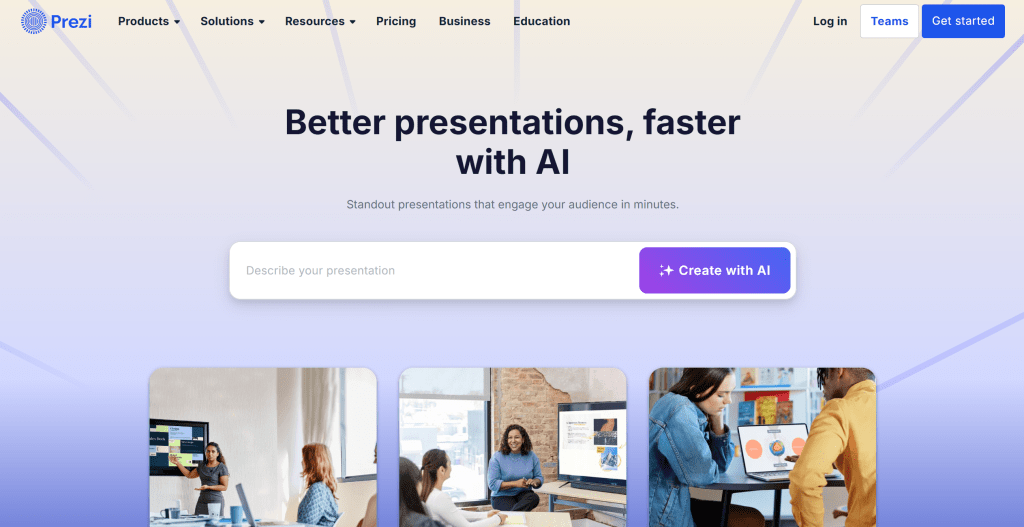
Prezi presentation editor with slide thumbnails, content canvas, and AI design suggestions — Interactive Presentations

Prezi revolutionizes presentations with dynamic, non-linear formats replacing traditional slide-based presentations. Its core strength is creating engaging, interactive presentations with zoomable canvases and smooth transitions. Prezi offers templates, design tools, and collaboration features. Users create presentations on large canvases, zooming between topics for dynamic storytelling. The platform supports multimedia integration, real-time collaboration, and web/mobile viewing. Prezi provides AI-powered design suggestions and content organization. Prezi suits users wanting to break traditional presentation formats and create engaging experiences. Free and premium versions are available, with premium offering advanced features and storage.

7. Presentations AI: AI Presentation Builder

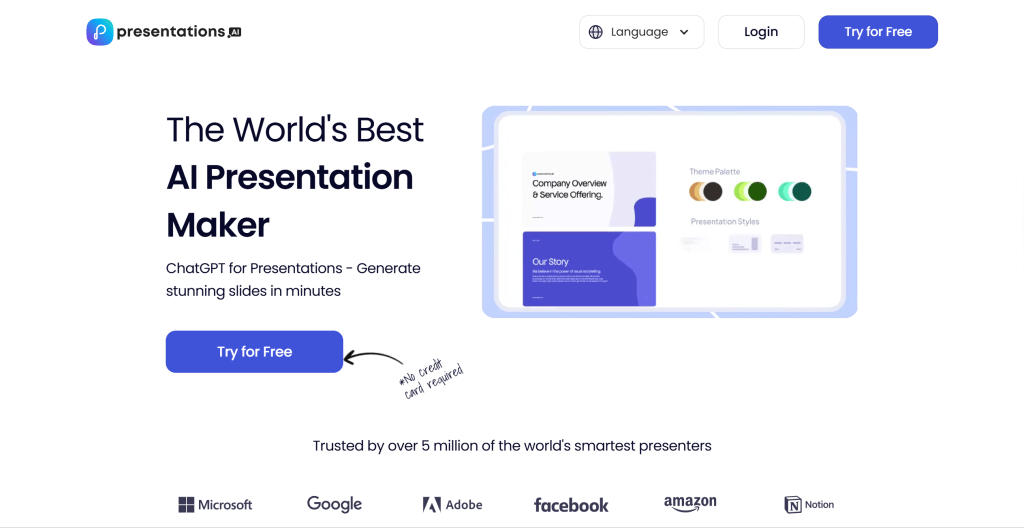
Presentations AI presentation editor with slide thumbnails, content canvas, and AI design suggestions...

Presentations AI provides AI-powered presentation creation, automatically generating complete presentations from topics or documents. Its core strength is understanding content and creating coherent, visually appealing presentations. Presentations AI offers text-to-presentation, document-to-presentation, and topic-based generation. Users input content, and AI creates structured presentations with relevant visuals and layouts. The platform supports customization, multiple formats, and collaboration features. Presentations AI suits users needing quick presentation creation from existing content. Subscription-based pricing offers different plans for various needs. Presentations AI provides complete solutions for AI-assisted presentation creation.

General AI Agent Tools

Beyond tools built specifically for slides, several general AI agent platforms also excel at presentation work. They use multi-agent or automation architectures to handle specialized tasks, including deck creation. While not slide-only products, they offer strong support for content generation, structure, and workflows. Compared with dedicated presentation tools, general agent tools fit better when you need multi-step tasks, tool integrations, or highly customized outputs.

1. Genspark: AI Agent for Presentations

Genspark presentation editor with slide thumbnails, content canvas, and AI design suggestions — AI Agent for Presentations

Genspark is an AI agent platform supporting multi-agent collaboration for complex tasks. Its core strength is coordinating multiple AI agents to handle complex workflows, including research, content creation, and automation. Genspark provides agent marketplace, workflow automation, and integration capabilities. Users create custom agents for specific tasks or use pre-built agents. The platform supports API integration and custom workflows for enterprise automation needs. Genspark suits users needing complex task automation and multi-step processes. Subscription-based pricing offers different plans for individual and enterprise users. Genspark provides complete solutions for AI-powered automation. Genspark's multi-agent architecture makes it ideal for complex workflows.

2. Manus: General AI Agent

Manus presentation editor with slide thumbnails, content canvas, and AI design suggestions — General AI Agent

Manus is an AI agent platform strong at producing full PowerPoint decks, extracting information from multiple sources including email, Slack, and documents to build presentation-ready slides in minutes. Users describe a topic or provide relevant files, and Manus structures content, pulls key points, and optimizes narrative flow across 100+ professional templates for business, education, and marketing. It combines automation with content understanding for users who need to turn existing conversations or documents into polished decks quickly.

AI Presentation Tools Comparison

Here's a detailed comparison of the top AI presentation tools to help you choose the best solution for your needs:

Comparison table of AI Presentation tools showing tool name, core features, best use cases, and pricing
Tool NameCore FeaturesBest ForPricing
CanvaRich templates, AI design, collaborationBusiness, education, marketingFree + subscription
GammaAI auto-generation, quick creationBusiness, product launches, reportsFree + subscription
TomeAI content generation, dynamic effectsProduct demos, storytelling, creativeFree + subscription
Beautiful.aiIntelligent design engine, auto-optimizationProfessional presentations, brandingSubscription
SlidesgoExtensive templates, customizationDiverse presentation needsFree + premium
FotorImage processing, design toolsImage-heavy presentationsFree + premium
PreziDynamic format, zoomable canvasEngaging presentations, storytellingFree + premium
Presentations AIAI-driven generation, content understandingQuick creation from contentSubscription
GensparkMulti-agent collaboration, complex tasksAutomation, research, content creationSubscription
ManusMulti-source extraction, templates, fast decksTurning docs and chats into slidesSubscription

Use Cases: Business and Educational Applications

AI presentation tools have wide applications from business presentations and education to marketing and promotion.

Business Presentations

Business presentations require professional appearance and clear content structure. AI tools generate business plans, market analysis, and financial reports with intelligent design recommendations and content optimization, enabling professionals to create compelling presentations efficiently.

Education & Training

Education and training benefit greatly from AI presentation tools. Teachers quickly generate course materials, explanations, and case studies with structured content and visual enhancements, improving learning outcomes and student engagement across diverse educational contexts.

Marketing & Promotion

Marketing and promotion use AI tools to create compelling presentations. Marketing teams generate marketing plans including market analysis, strategies, and execution plans. Brand teams create brand showcases with stories, values, and product introductions, maximizing marketing impact.

Sales Pitches and Investor Presentations

Sales teams leverage AI presentation tools to create persuasive pitches and investor presentations. These tools generate professional slideshows with compelling narratives, data visualizations, and product demonstrations, optimizing content for different audiences and improving conversion rates.

Training Materials and Workshops

Training departments use AI presentation tools to create comprehensive training materials and workshop presentations. These tools generate structured content with learning objectives and step-by-step guides, ensuring consistency across different training programs while reducing preparation time.

How to Choose AI Presentation Tool

When choosing AI presentation tools, consider multiple factors including use cases, feature needs, design styles, and budget. Key factors to consider:

1. Evaluate Use Cases

Clarify use cases: business presentations need professional templates and design consistency; quick creation requires AI auto-generation with minimal input; creative showcases benefit from dynamic effects and animations; document generation needs multi-source extraction and content synthesis. Different tools suit different scenarios, so match tool capabilities to your primary use case.

2. Assess Feature Needs

Evaluate if tools provide all needed features: content generation enables AI-powered slide creation from topics; template library offers extensive selection for various industries; design optimization automatically improves layouts and visual appeal; collaboration supports team editing and feedback; output formats ensure compatibility with your workflow; integration connects with existing tools. Choose tools providing corresponding features.

3. Evaluate Design Style Requirements

Different tools offer different design styles: professional business styles suit corporate presentations with formal aesthetics; modern minimalist styles provide clean, contemporary designs; dynamic creative styles enable engaging visual effects; diverse style libraries offer flexibility across different presentation types. Choose appropriate styles based on brand image and presentation needs.

4. Consider Budget and Pricing

Pricing models vary: free versions enable testing and basic use with limitations; subscriptions provide predictable costs for regular work with full feature access; pay-per-use models offer flexibility for occasional users. Choose appropriate plans based on frequency and budget constraints.

5. Assess Ease of Use

Select user-friendly tools, especially for beginners: evaluate interface simplicity and intuitive navigation; consider learning curve and time to productivity; review documentation quality and available tutorials. Try multiple tools first, then choose the best fit based on your specific needs and technical capabilities.

Conclusion

AI presentation tools are streamlining presentation workflows, providing remarkable creative possibilities and efficiency improvements. From specialized tools like Canva, Gamma, and Tome to general agent tools like Genspark and Manus, these tools cover the complete workflow from content generation to design optimization, enabling users to create professional-quality presentations with minimal effort.

Choose the right tool based on your needs: specialized AI presentation tools for professional presentation creation with automatic content structures and visual layouts, general AI agent tools for scenarios needing multiple tasks or high customization. Evaluate presentation requirements, customization needs, collaboration features, and budget constraints to select the most suitable solution for your presentation projects.

AI presentation tools serve as collaborative partners, not replacements for human creativity. They handle technical and repetitive work, letting users focus on content creation, presentation strategy, and creative expression. The best approach is human-AI collaboration: AI manages content generation and design optimization, while humans provide strategic direction, quality control, and creative vision, maximizing both efficiency and presentation quality.

Frequently Asked Questions

What Are AI Presentation Tools and How Do They Work?
AI presentation tools use artificial intelligence to automatically create presentations from user-provided topics, text, and images. They generate visually appealing, well-structured slides, enabling quick creation of professional presentations. These tools understand presentation logic, generate content structures, optimize layouts, and support various presentation scenarios. Leading platforms include Canva, Gamma, Tome, Beautiful.ai, and Prezi, which offer various capabilities for different presentation needs.
What's the Difference Between AI Presentation and General Agent Tools?
AI presentation tools specialize in presentation creation, focusing on content generation, layout optimization, and visual design for presentations. Examples include Canva, Gamma, and Tome. General AI agent tools like Genspark and Manus handle broader tasks including research, content synthesis, deck building from documents or chats, and workflow automation, using multi-agent or automation architectures for complex processes. Choose presentation tools for dedicated presentation creation; choose agent tools for multi-task workflows and research.
Are AI Presentation Tools Suitable for Beginners to Use?
Yes, many AI presentation tools are designed to be beginner-friendly. Tools like Canva, Gamma, and Tome offer intuitive interfaces with AI assistance that make presentation creation accessible without design experience. For beginners, start with simple projects using provided templates, follow platform tutorials and guides, experiment with different design styles gradually, and use AI assistance features to generate content. While tools are accessible, achieving professional results requires understanding presentation principles and design basics.
How Good Is the Quality of AI-Generated Presentations Today?
AI-generated presentation quality varies by tool and input, but professional tools like Canva, Gamma, and Tome produce high-quality results suitable for business and education. Quality depends on multiple factors: tool selection (premium tools produce superior results), input clarity (clear, specific prompts improve outputs), tool capabilities (advanced features enhance quality), and post-editing (human refinement improves final quality). AI tools provide excellent starting points, with human editing improving final quality. However, truly unique or highly specialized presentations may still benefit from human designers.
Are AI Presentation Tools Free to Use or Paid Only?
AI presentation tools offer diverse pricing models, with most providing free versions but requiring subscription or payment for advanced features. Common models include free tiers with limited slides, watermarks, or basic features (e.g., Canva provides extensive free features, Gamma offers free basic usage); subscription plans with monthly or yearly fees for unlimited usage and premium templates; and enterprise plans with custom pricing for teams. Free versions suit basic needs, paid versions suit professional or frequent users. Evaluate usage frequency and required features to choose the most cost-effective plan.
How to Choose the Right AI Presentation Tool for My Needs?
Choose the right tool by evaluating multiple factors: define use cases (business presentations, quick creation, creative showcases, or document generation), assess feature needs (content generation, template library, design optimization, collaboration), evaluate design style requirements (professional business, modern minimalist, dynamic creative), consider budget and pricing models based on usage frequency, check ease of use especially for beginners, and test thoroughly by trying multiple tools to compare results. For business presentations, choose Canva or Beautiful.ai; for quick creation, choose Gamma or Tome; for creative presentations, choose Prezi. Start with 2-3 tools that match your needs, then choose based on actual experience.
What file formats do AI presentation tools support for export?
Most AI presentation tools support multiple export formats including PDF, PowerPoint (PPTX), and sometimes HTML or video formats. PDF enables print-ready and universal sharing; PPTX allows editing in Microsoft PowerPoint; HTML provides web-based viewing; video formats enable animated presentations. Professional platforms typically provide all formats, while basic tools may offer fewer options. Check format availability and quality settings before selecting tools. Some platforms offer high-resolution exports for premium users, suitable for large-screen presentations.
Can AI presentation tools integrate with collaboration platforms and workflows?
Yes, most professional AI presentation tools offer integration capabilities with popular collaboration platforms including Google Workspace, Microsoft 365, Slack, and project management tools. Common integration features include real-time collaboration, version control, comment systems, and sharing capabilities. Some platforms offer API access for custom integrations. Enterprise tools typically provide more comprehensive integration options. Check integration capabilities before selecting tools, especially if you need seamless workflow integration with existing business systems.

Also Interested In

    This site uses cookies and similar technologies for analytics, personalized ads (via Google AdSense), and essential functions. By clicking “Accept All”, you consent to our use of cookies. You can reject non-essential cookies by clicking “Reject All”.

    Privacy Policy

    Best Presentation Tools (2026): Slides, PPT, AI Design | Alignify