Marketing Skills for Cursor, Claude Code, OpenClaw — Install 160+ skills

Meta Tag Configuration: SEO & User Experience

Master the correct Meta Tag configuration methods to make your website stand out in search engines. This guide details 18 core Meta tag usage methods, from basic Title tags and Meta Description to advanced Robots directives, Viewport settings and

Updated on January 6, 2026
15 min read
Share
TL;DR

Key Takeaways

This guide covers Meta Tag role in SEO and optimization: Title, Description, Robots, Viewport, Open Graph, and 18 tag types. It also covers selection criteria, comparisons, and practical tips for implementation. The sections below compare options, use cases, and practical selection criteria.

  • Meta tags provide search engines with page metadata—title tags, meta descriptions, and robots directives directly impact SERP appearance.
  • Learn optimal title and description lengths, keyword placement strategies, and which meta tags still matter for modern search engines.
  • Consider SERP preview tools, dynamic templating approaches, schema markup integration, and whether your CMS supports per-page meta customization.
  • Learn technical principles and workflows, then pair with schema markup and HTML optimization guides for complete on-page SEO.

Use Cursor / OpenClaw to optimize title & meta

npx skills add kostja94/marketing-skills --skill meta-description title-tag

Star or fork on GitHub for 160+ skills

What are Meta Tags

Meta Tags (元标签) are <meta> elements in the HTML document's <head> section, used to provide metadata information about web pages to search engines and browsers. These tags do not display directly in web page content, but are crucial for search engines to understand page content and decide how to index and display pages. Please note that the <title> tag, although also located in the head section, does not belong to the Meta Tag category.

It's important to note that while Meta Title (title tag) is often discussed together with Meta Tags, it is actually an independent <title> element, not a <meta> tag. However, since they both provide metadata in the page head and are closely related in SEO optimization, they are often discussed together. Similarly, Hreflang is used for multilingual website targeting—it's a <link> element, not strictly a Meta Tag. Google stopped using the <meta name="keywords"> tag as a ranking factor in 2009, to prevent keyword stuffing and provide better search quality.

Meta Tags play an important role in SEO. They help search engines understand page topics, content, and intent, affecting how pages appear in Search Engine Results Pages (SERP), which in turn affects click-through rates and ranking performance. While not all Meta Tags are direct ranking factors, they indirectly affect SEO performance by influencing user experience and search result display. This article focuses on two of the most important metadata elements: Meta Title (title tag) and Meta Description (description tag). These two elements directly affect search result display and are core SEO optimization elements.

Core SEO Tags

Core SEO tags directly affect search rankings, indexing, and search result display. These tags contain the most important page description and crawl control functions, forming the foundation of SEO optimization. Meta Tags play a crucial role in modern SEO—they are not only key bridges for search engines to understand web pages, but also core elements affecting user experience and website performance. Although Meta Tags are generally not considered direct ranking factors, they indirectly affect website SEO performance and user conversion in multiple ways.

Meta Tags directly affect search result display. Search engines like Google use Meta Title and Meta Description as the title and snippet in search results, which directly determines whether users will click on your link. A well-optimized Meta Description can significantly improve click-through rate (CTR), which in turn indirectly affects ranking performance. Technical Meta Tags like Robots tags ensure search engines can correctly crawl, index, and display your website content.

Description: Page Description

This tag is used to provide a brief description of the web page. In some cases, this description will be used in the snippet displayed in search results. Meta Description is one of the most important Meta Tags, officially supported by Google for generating search result snippets. Google typically displays about 160 characters as the description, helping users quickly understand page content. A good Meta Description should include a call-to-action and core value proposition to improve click-through rate. Although Meta Description is not a direct ranking factor, it indirectly affects SEO performance by influencing click-through rate.

Well-optimized descriptions can significantly improve search result click-through rates, and high CTR may signal positive user behavior to search engines. Meta Description length should be controlled between 120-160 characters. Exceeding this length, Google may truncate the description in search results, preventing important information from being fully displayed. When writing Meta Description, you should: accurately describe page content so users know what they'll see after clicking; include target keywords but integrate them naturally; be attractive and encourage clicks; include a call-to-action; create unique descriptions for each page.

<meta name="description" content="A description of the page">

Robots: Crawl Control

These meta tags can control search engine crawling and indexing behavior. The meta name="robots" tag applies to all search engines, while the meta name="googlebot" tag is specific to Google. If there are conflicts between robots (or googlebot) meta tags, the more restrictive tag will be applied. For example, if a page contains both max-snippet:50 and nosnippet tags, the nosnippet tag will be applied. The default value is index, follow, which doesn't need to be specified.

To view the complete list of values supported by Google, refer to the valid rules list. You can also use X-Robots-Tag HTTP header rules to specify this information in the page header. This method is particularly useful if you want to restrict indexing of non-HTML files (such as images or other types of documents). Learn more about robots meta tags. Robots is a Google-supported indexing control tag that can set parameters like max-snippet:-1 (allow full snippet), max-image-preview:large (large image preview), max-video-preview:-1 (full video preview) to optimize search result display.

<meta name="robots" content="..., ...">

<meta name="googlebot" content="..., ...">

Content Control Tags

Content control tags are used to manage core functions such as page language display, character encoding, and content updates, ensuring page content is presented to users correctly. These tags are crucial for website indexing and presentation—missing or improper configuration may lead to indexing issues, mobile display abnormalities, and even affect overall SEO performance.

Notranslate: Prevent Translation

If Google detects that the language used in the web page content is not the language the user might want to read, it may provide translated title links and snippets in search results. If users click on translated title links, all subsequent interactions between users and the web page are conducted through Google Translate, which automatically translates links that users subsequently visit. This usually gives you the opportunity to provide unique and attractive content to more users. However, in some cases, you may not want us to do this. This meta tag tells Google that you do not want us to provide translation of the web page.

This tag is very important for protecting specific language content and avoiding semantic deviations caused by automatic translation. Especially for professional terms, brand names, or specific cultural expressions, notranslate ensures content is presented to users in its original form, avoiding misunderstandings or inappropriate expressions that translation services might bring.

<meta name="googlebot" content="notranslate">

Nopagereadaloud: Prevent Voice Reading

Prevents various Google text-to-speech services from using text-to-speech (TTS) functionality to read web page content. This tag is very important for protecting copyrighted content and avoiding improper use of page content by voice services. Especially for websites with paid content or copyright-sensitive content, this tag can prevent automatic voice reading functionality.

Although Google's text-to-speech service can help visually impaired users better access web page content, in some cases (such as paid content, specific business needs), website owners may want to limit this functionality. The nopagereadaloud tag provides precise control capabilities.

<meta name="google" content="nopagereadaloud">

Content-Type and Charset: Content Type and Character Set

These tags are used to define the web page's content type and character set respectively. Be sure to use quotes around the content attribute value in the http-equiv meta tag, otherwise the charset attribute may be incorrectly interpreted. We recommend using Unicode/UTF-8 whenever possible. Charset is a Google-recommended technical tag for ensuring Unicode/UTF-8 encoding, supporting correct display of multilingual content, and avoiding character encoding issues. This is an important component of website technical foundation.

Correct character encoding settings are crucial for website accessibility and SEO. UTF-8 supports characters from various languages worldwide, ensuring search engines can correctly understand and index page content, avoiding content display abnormalities caused by encoding issues. Content type declarations help browsers and search engines correctly parse page formats.

<meta http-equiv="Content-Type" content="...; charset=...">

<meta charset="...">

Refresh: Page Refresh

This tag, often called meta refresh, redirects users to a new URL after a period of time, and is sometimes used as a simple form of redirection. However, not all browsers support using this meta tag, which may confuse users. We recommend using server-side 301 redirects instead. Although this tag has a long history, it is not recommended in modern web development because it affects user experience and SEO.

Meta refresh may cause search engines to consider this manipulative behavior, affecting website credibility. Modern websites should use appropriate HTTP redirects (such as 301, 302) to implement page jumps, rather than relying on client-side redirection mechanisms.

<meta http-equiv="refresh" content="...;url=...">

Rating: Content Rating

Marks the web page as containing explicit adult content to indicate that the page should be filtered by safe search. Learn more about how to mark safe search web pages. This tag is mainly used for content rating, helping search engines understand the page's content type and appropriate audience.

For websites containing adult content, correct rating tags ensure content is only displayed under appropriate search settings, avoiding inappropriate content appearing in regular searches. It also helps search engines better understand the website's content positioning.

<meta name="rating" content="adult">

<meta name="rating" content="RTA-5042-1996-1400-1577-RTA">

Mobile Optimization Tags

Mobile optimization tags are specifically optimized for mobile device user experience, including viewport control, automatic detection, and theme customization. In the mobile-first era, the importance of Meta Tags is further highlighted. Google's mobile-first indexing requires websites to perform well on mobile devices, and these tags are key to achieving this goal.

Viewport: Mobile Viewport

This tag tells the browser how to render the web page on mobile devices. The presence of this tag indicates to Google that the page is mobile-friendly. Learn more about how to configure the viewport meta tag. Viewport is a Google-recommended mobile-first tag for telling browsers how to render on mobile devices, indicating that the website is mobile-friendly, and is a core requirement for mobile-first indexing.

In an era where mobile search dominates, the Viewport tag directly affects a website's mobile-friendliness score. Although it doesn't directly affect rankings, it's a necessary condition for Google's mobile-first indexing, ensuring pages display correctly on mobile devices. Properly configured viewport tags can significantly improve mobile users' browsing experience.

<meta name="viewport" content="...">

Format-Detection: Format Detection

Format-Detection Meta Tag is used to control mobile browsers' automatic format detection and conversion of page content, such as automatic linking of phone numbers, dates, addresses, etc. This tag is mainly used for mobile web development, helping developers precisely control page interaction behavior. Although it's not an SEO tag, it affects mobile user experience.

On mobile devices, browsers automatically detect and convert certain text formats (such as phone numbers into clickable links). Format-Detection allows developers to control this behavior, avoiding unwanted automatic conversions. Although it has no direct impact on SEO, it can optimize mobile user interaction experience.

<meta name="format-detection" content="telephone=no">

Theme-Color: Theme Color

Theme-Color Meta Tag is used to specify the website's theme color on mobile devices, mainly affecting browser UI element colors such as address bars and status bars. This tag is supported by modern browsers like Google Chrome for improving mobile visual experience. Although it's not an SEO ranking factor, it's an important component of user experience optimization.

Theme-Color can enhance website brand consistency and visual appeal. When users visit the website, browser UI elements adopt the specified theme color, creating a more immersive browsing experience. Although it has no direct impact on SEO, good visual experience can indirectly improve user satisfaction and dwell time.

<meta name="theme-color" content="#ffffff">

Social Media Tags

Social media tags are used to optimize web page sharing display effects on social platforms like Facebook and Twitter, improving sharing appeal and click-through rates. Meta Tags affect social media sharing experience. When users share your web pages on platforms like Facebook and Twitter, Open Graph and Twitter Cards tags determine the appearance and information display of share cards. A well-configured social media Meta Tag can significantly improve sharing appeal and click-through rates.

Open Graph: Social Sharing Optimization

Open Graph is a meta tag protocol developed by Facebook for controlling how web pages are displayed on social media platforms. Although it's not a Google-specific Meta Tag, it's an indispensable social media optimization tool for modern websites. Open Graph tags can customize title, description, images, and other information when sharing, significantly improving social sharing appeal and click-through rates.

Although Open Graph is mainly used for social platforms like Facebook, it also has indirect effects on overall SEO. Well-designed Open Graph tags can make shared links more attractive, provide rich visual previews, encourage users to click and visit, thereby bringing more social media traffic. According to Backlinko research, optimized social sharing can significantly improve overall website traffic.

<!-- Open Graph / Facebook -->

<meta property="og:type" content="website" />
<meta property="og:url" content="https://example.com/page" />
<meta property="og:title" content="Page Title" />
<meta property="og:description" content="Page description" />
<meta property="og:image" content="https://example.com/image.jpg" />
<meta property="og:image:width" content="1200" />
<meta property="og:image:height" content="630" />
<meta property="og:site_name" content="Site Name" />

Twitter Cards: Twitter Sharing Optimization

Twitter Cards are Twitter-specific meta tags for controlling how tweet link previews are displayed. Similar to Open Graph, Twitter Cards allow websites to customize title, description, and images when sharing. Although mainly used for the Twitter platform, it's also an important component of a complete social media SEO strategy.

Twitter Cards support multiple formats including summary, summary_large_image, photo, etc. Among them, summary_large_image is the most commonly used format, displaying large image previews. According to Twitter official data, tweets with images receive 150% higher engagement rates than text-only tweets. Optimizing Twitter Cards can significantly improve sharing effects and click-through rates on Twitter.

<!-- Twitter Cards -->

<meta name="twitter:card" content="summary_large_image" />
<meta name="twitter:url" content="https://example.com/page" />
<meta name="twitter:title" content="Page Title" />
<meta name="twitter:description" content="Page description" />
<meta name="twitter:image" content="https://example.com/image.jpg" />
<meta name="twitter:site" content="@username" />
<meta name="twitter:creator" content="@username" />

Site Verification Tags

Site verification tags are used to prove website ownership to major search engines and webmaster tools, unlocking advanced SEO analysis and management features. These tags are usually placed on the website's homepage (typically the top-level domain page). After successful verification, you can access corresponding management tools to monitor and optimize your website's performance across various search engines. Website verification is a fundamental step for effective SEO management.

Different search engines and tools use different verification tags. Although these tags themselves don't directly affect rankings, they provide access to important SEO tools, including indexing monitoring, search query analysis, ranking tracking, and other functions. It's recommended to verify at least the major search engines: Google, Bing, and Baidu (if it's a Chinese website).

Site Verification: Website Verification

Site verification tags are used to verify website ownership to major search engines, unlocking advanced analysis and management features. Including Google Search Console, Bing Webmaster Tools, Baidu Search Resource Platform, Yandex Webmaster, and Pinterest website verification, etc.

Verification codes are unique—each website and tool generates different codes. When copying and pasting, ensure the code matches exactly, including case sensitivity. After successful verification, you can access the corresponding management dashboard to monitor and optimize website performance.

<meta name="google-site-verification" content="your-google-code">

<meta name="msvalidate.01" content="your-bing-code">
<meta name="baidu-site-verification" content="your-baidu-code">
<meta name="yandex-verification" content="your-yandex-code">
<meta name="p:domain_verify" content="your-pinterest-code">

Metadata Tags

Metadata tags provide basic information and attributes about pages, helping search engines and browsers better understand and process web page content. Although these tags don't directly affect SEO rankings, they provide important metadata information for websites, helping with content management and attribution tracking.

Author: Page Author

Author Meta Tag is used to specify author information for web page content. Although Google no longer uses this tag to determine author identity (now mainly through structured data like JSON-LD's author attribute), it's still used by some content management systems and analytics tools. Author tags can help establish content creators' brand image and authority.

In some cases, Author tags still have value, especially for multi-author websites or scenarios requiring clear content attribution. Although Google no longer directly uses this tag, it can provide author information to other search engines and tools, helping with content management and attribution tracking.

<meta name="author" content="Author Name">

Generator: Generation Tool

Generator Meta Tag is used to identify the tool or platform that generated the web page, such as content management systems (CMS), website builders, or static site generators. This tag is mainly used for technical identification and debugging purposes, helping developers understand the website's build environment. Although it has no direct impact on SEO, it's part of website technology stack transparency.

Generator tags are usually automatically added by CMS or website building tools to identify the generation platform. Although search engines won't directly use this information to affect rankings, it can provide useful information for website maintenance and debugging, helping developers understand the website's underlying technical implementation.

<meta name="generator" content="WordPress 6.0">

Application-Name: Application Name

Application-Name Meta Tag is used to specify the name of web applications, mainly for Progressive Web Apps (PWA) or mobile web applications. This tag helps browsers identify and display application names, used when adding to home screens. Although it's not a traditional SEO tag, it's an important component of modern web application development.

For PWAs and mobile web applications, Application-Name tags ensure applications display the correct name on device home screens. It's used together with manifest.json files to provide complete application identification information. Although it has no direct impact on search engine rankings, it's a necessary element for good web application experience.

<meta name="application-name" content="My Web App">

Referrer: Referral Source

Referrer Meta Tag is used to control referral source information sent by browsers when jumping to external links. This tag affects website analytics and privacy protection, balancing analytics needs and user privacy by controlling the extent of referrer information sent. Although it's not an SEO ranking factor, it affects website analytics accuracy and user privacy.

Referrer tags have different strategies, such as no-referrer, strict-origin-when-cross-origin, etc. Each strategy has different control levels for sending referrer information. Website owners can choose appropriate strategies based on privacy policies and analytics needs.

<meta name="referrer" content="strict-origin-when-cross-origin">

Unsupported Tags

The following tags and attributes are not supported by Google Search and will be ignored. We list them here because they are either common in HTML or we once provided support for them. Although these tags won't have negative effects on SEO, using them won't bring any benefits—it's recommended to avoid using them to simplify code.

Meta Keywords: Keywords (Deprecated)

This meta keywords tag is not used for Google Search and will not affect indexing and ranking at all. Although it was popular in early SEO, Google stopped using meta keywords tags in 2009. The reason was to prevent keyword stuffing and provide better search quality. Nevertheless, many old websites and CMS systems still automatically generate this tag.

<meta name="keywords" content="keyword1, keyword2, keyword3">

HTML lang Attribute

Google Search detects web page language based on the text content of the web page. It does not rely on code annotations like lang. Although the lang attribute is important for accessibility (screen readers use it), it has no impact on Google's language detection. Google uses advanced algorithms to analyze web page content to determine language, rather than relying on HTML attributes.

<html lang="en-US">

next and prev rel Attribute Values

Google will no longer use these HTML link tags—they have no impact on indexing. These tags were once used to indicate the order of paginated content (such as article pagination), helping search engines understand content relationships. Now Google can discover and understand paginated content through other methods, and these tags are outdated.

<link rel="next" href="https://example.com/page/2">

<link rel="prev" href="https://example.com/page/1">

nositelinkssearchbox

Google Search no longer uses the nositelinkssearchbox rule to control whether to display site link search boxes for given web pages, because this feature no longer exists. Site link search boxes were once a feature in Google search results, allowing users to search specific websites directly in search results. Now this feature has been removed, and this meta tag has lost its meaning.

<meta name="google" content="nositelinkssearchbox">

Important Reminder: Although these tags won't cause negative effects, it's recommended to clean up unused meta tags. This not only reduces HTML code complexity but also makes code clearer and easier to maintain. Focus on meta tags that truly have value for SEO and user experience.

How to Use Meta Tags: Complete Configuration Guide

Mastering the correct Meta Tag configuration methods is key to improving website SEO effectiveness. This guide will provide systematic Meta Tag configuration strategies from basic configuration to advanced optimization. Whether you're a beginner or an experienced SEO optimization specialist, you can gain practical configuration tips from this guide.

1. Analyze Page Type and Target Audience

Before configuring Meta Tags, first clarify the page type and target audience. Different page types require different Meta Tag strategies: e-commerce product pages need to highlight prices and purchase guidance, blog articles need to emphasize content value, and service pages need to showcase professional capabilities. Analyze target audience search intent, choose appropriate keywords and value propositions, ensuring Meta Tags accurately match user needs.

2. Configure Core SEO Tags

Start configuring with the most important Meta Title and Meta Description. Meta Title should include core keywords, length controlled within 50-60 characters, prioritizing the most important information. Meta Description needs to include call-to-action and value proposition, length between 120-160 characters. Also configure Robots tags to control search engine crawling behavior, ensuring important pages can be correctly indexed.

3. Add Technical Optimization Tags

Configure corresponding Meta Tags according to website technical needs. For mobile websites, Viewport tags are crucial, ensuring pages display correctly on mobile devices. Charset tags ensure correct character encoding, supporting multilingual content. Tags like Refresh and Content-Type handle page technical display needs. Social media tags like Open Graph and Twitter Cards can optimize sharing effects and improve social communication value.

4. Use Tools to Verify Configuration

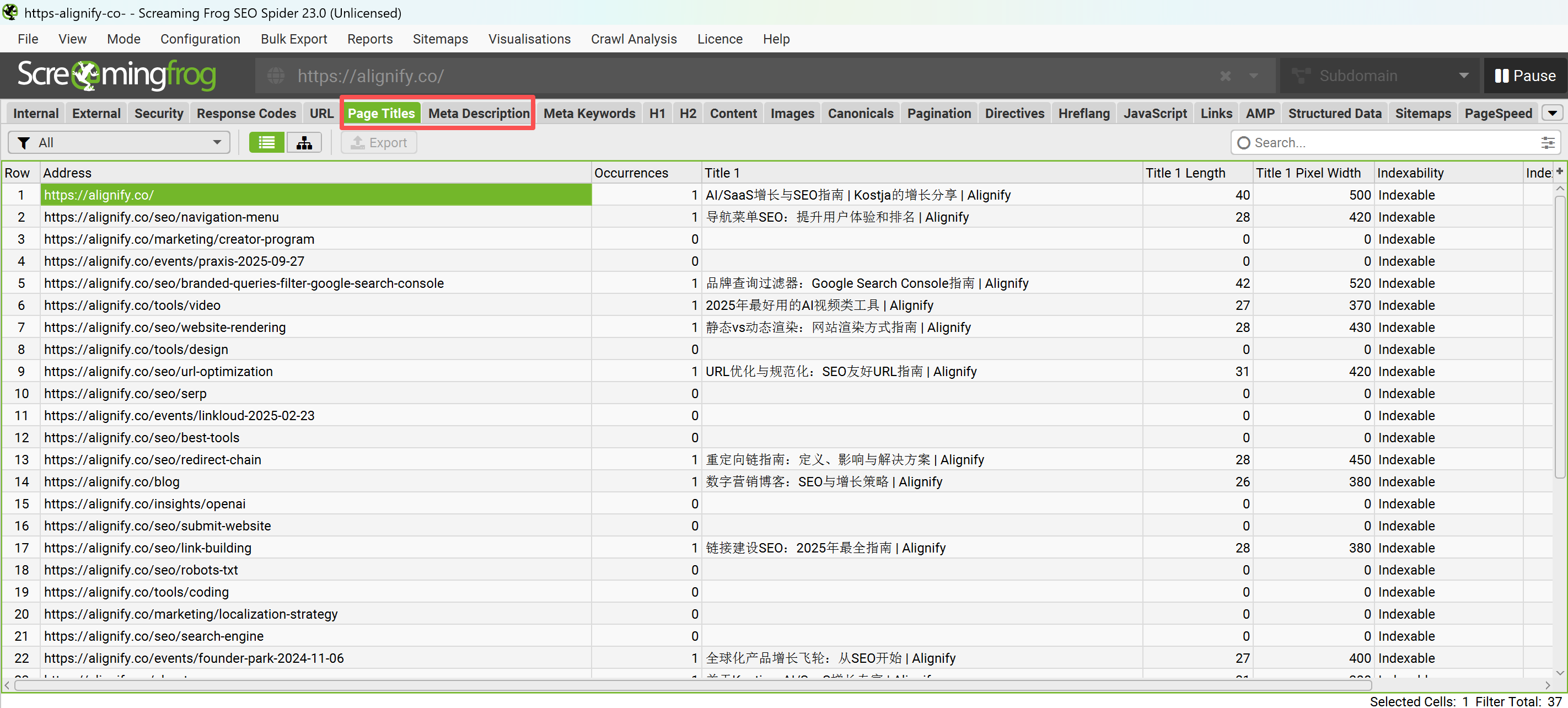
After configuration, use professional SEO tools to verify Meta Tag effectiveness. Google Search Console can check whether Meta Tags are correctly read, browser developer tools can directly view page header information. Third-party SEO tools like Screaming Frog can batch check Meta Tag configuration across entire websites, ensuring no omissions or configuration errors.

5. Monitor Effects and Continuously Optimize

Meta Tag configuration is not a one-time task—it requires continuous monitoring and optimization. Through Google Analytics and Search Console data, analyze Meta Tag click-through rate performance. Regularly check actual display effects in search results, adjust Meta Description content based on A/B test results. Pay attention to search engine algorithm updates, timely adjust Meta Tag strategies to adapt to new SEO environments.

Following this systematic configuration process, you will be able to create high-quality Meta Tag configurations for your website. Remember, good Meta Tags not only improve search engine performance but also provide clear value guidance for users, forming an important foundation for website SEO optimization.

Meta Tag Best Practices

Below is a complete Meta Tag configuration example from this page, demonstrating the practical application of 18 core tags required by modern websites. This configuration covers all aspects including SEO optimization, mobile adaptation, social media sharing, and website verification, serving as a complete production environment configuration template.

If you want to quickly generate complete Meta Tag configurations for your website, it's recommended to provide this document as reference material to AI coding assistants . You can use it like this: use this article as context material, let AI tools generate customized Meta Tag configurations based on your website type and needs.

<!DOCTYPE html>

<html lang="en-US">
<head>
  <meta charset="UTF-8">
  <meta name="viewport" content="width=device-width, initial-scale=1.0">
  <title>Meta Tag Complete Guide (2026): Title, Description, Robots, Open Graph & 18 Tag Types Configuration | Alignify</title>
  <meta name="description" content="Master 2026 Meta Tag configuration methods: Title tags, Meta Description, Robots directives, Viewport settings, Open Graph and 18 core tag types complete guide. Improve search engine rankings, social media sharing and mobile experience, including best practices and code examples.">

  <!-- Core SEO Tags -->

  <meta name="robots" content="index, follow, max-snippet:-1, max-image-preview:large, max-video-preview:-1">

  <!-- Content Control Tags -->

  <meta name="googlebot" content="notranslate">
  <meta name="google" content="nopagereadaloud">
  <meta http-equiv="Content-Type" content="text/html; charset=UTF-8">
  <meta name="referrer" content="strict-origin-when-cross-origin">
  <meta http-equiv="refresh" content="3600">
  <meta name="rating" content="general">

  <!-- Mobile Optimization Tags -->

  <meta name="theme-color" content="#0f172a">
  <meta name="format-detection" content="telephone=no, email=no, address=no">

  <!-- Social Media Tags (Open Graph) -->

  <meta property="og:type" content="article">
  <meta property="og:url" content="https://alignify.co/seo/meta-tag">
  <meta property="og:title" content="Meta Tag Complete Guide (2026): Title, Description, Robots, Open Graph & 18 Tag Types Configuration | Alignify">
  <meta property="og:description" content="Master 2026 Meta Tag configuration methods: Title tags, Meta Description, Robots directives, Viewport settings, Open Graph and 18 core tag types complete guide. Improve search engine rankings, social media sharing and mobile experience, including best practices and code examples.">
  <meta property="og:image" content="https://img.youtube.com/vi/RBTBEfd7z_Y/maxresdefault.jpg">
  <meta property="og:image:width" content="1280">
  <meta property="og:image:height" content="720">
  <meta property="og:site_name" content="Alignify">
  <meta property="og:locale" content="en_US">
  <meta property="og:published_time" content="2025-12-06T00:00:00+08:00">
  <meta property="og:modified_time" content="2026-01-06T00:00:00+08:00">

  <!-- Social Media Tags (Twitter Cards) -->

  <meta name="twitter:card" content="summary_large_image">
  <meta name="twitter:url" content="https://alignify.co/seo/meta-tag">
  <meta name="twitter:title" content="Meta Tag Complete Guide (2026): Title, Description, Robots, Open Graph & 18 Tag Types Configuration | Alignify">
  <meta name="twitter:description" content="Master 2026 Meta Tag configuration methods: Title tags, Meta Description, Robots directives and 18 core tag types complete guide, improve search engine rankings and social sharing experience.">
  <meta name="twitter:image" content="https://img.youtube.com/vi/RBTBEfd7z_Y/maxresdefault.jpg">
  <meta name="twitter:site" content="@alignify_co">
  <meta name="twitter:creator" content="@alignify_co">

  <!-- Site Verification Tags -->

  <meta name="google-site-verification" content="your-google-verification-code">
  <meta name="msvalidate.01" content="your-bing-verification-code">
  <meta name="baidu-site-verification" content="your-baidu-verification-code">
  <meta name="yandex-verification" content="your-yandex-verification-code">
  <meta name="p:domain_verify" content="your-pinterest-verification-code">

  <!-- Metadata Tags -->

  <meta name="author" content="Alignify Team">
  <meta name="generator" content="Next.js 15.5.7">
  <meta name="application-name" content="Alignify">

  <!-- Link Tags -->

  <link rel="canonical" href="https://alignify.co/seo/meta-tag">
  <link rel="alternate" hreflang="zh" href="https://alignify.co/zh/seo/meta-tag">
  <link rel="alternate" hreflang="en" href="https://alignify.co/seo/meta-tag">
  <link rel="alternate" hreflang="x-default" href="https://alignify.co/seo/meta-tag">

  <!-- Other Head Tags -->
  <link rel="icon" href="/favicon.ico">
  <link rel="apple-touch-icon" href="/apple-touch-icon.png">
</head>
<body>
  <!-- Page content -->
</body>
</html>

This configuration example includes complete settings for 18 core Meta tags, covering all key needs of modern websites. Please adjust corresponding values according to your specific website type, content, and target audience, especially verification codes, URLs, image links, and description content.

Conclusion

Meta Tags, as important metadata elements in HTML document headers, play an indispensable role in modern SEO optimization. Although they are generally not considered direct ranking factors, they indirectly have profound impacts on website search engine performance by affecting click-through rates, indexing efficiency, and user experience. This article systematically introduces the usage methods of 18 core Meta tags, from basic SEO optimization to advanced technical configuration, providing a complete toolkit for website optimization.

From core SEO tags to mobile optimization, social media, and website verification, each Meta Tag plays a unique role in specific scenarios. This classification method not only facilitates understanding but also helps optimization specialists choose appropriate tag combinations based on specific website needs. Although Google no longer supports some traditional Meta tags, the era of Meta Tags is far from over—as search engine algorithms continue to evolve, their role will become even more important.

It's recommended that website owners incorporate Meta Tag configuration as an important component of daily SEO maintenance. Regularly check and update Meta tags, use professional tools to verify configuration effectiveness, and continuously optimize tag quality through data analysis. In today's rapid AI technology development, Meta Tags, as bridges connecting content creators and search engines, will increasingly highlight their importance, helping achieve better search rankings and user experience.

Frequently Asked Questions

What are Meta Tags? Why are they important?
Meta Tags are important metadata elements in HTML document headers, used to provide page information to search engines and browsers. Although most Meta Tags don't directly affect search engine rankings, they indirectly improve SEO effectiveness by affecting click-through rates, indexing efficiency, and user experience. The 18 core Meta tags introduced in this article cover SEO optimization, mobile adaptation, social media sharing, and website verification. Correctly configuring these tags can significantly improve website professionalism and user experience.
What does the Robots Meta Tag do?
Robots Meta Tag is used to control search engine crawler indexing behavior for pages. Common directives include: index/follow (allow indexing and following links), noindex (prevent indexing), nofollow (prevent following links), noarchive (prevent cached snapshots). Correctly setting Robots tags can avoid unnecessary pages being indexed, improve crawler efficiency, and protect sensitive content from being indexed by search engines.
What impact does Viewport Meta Tag have on mobile SEO?
Viewport Meta Tag defines page viewport properties and is the foundation of mobile SEO. Correctly setting meta name=viewport content=width=device-width, initial-scale=1.0 ensures pages display and scale correctly on mobile devices. Google's mobile-first indexing algorithm prioritizes mobile user experience—pages without proper Viewport settings may perform poorly in mobile search results.
What's the difference between Open Graph and Twitter Cards tags?
Open Graph and Twitter Cards are both social media sharing optimization tags, but target different platforms: Open Graph is mainly used for platforms like Facebook and LinkedIn, supporting richer media types and structured data; Twitter Cards are specifically optimized for Twitter, providing summary cards, large image cards, and other display formats. Both can be set simultaneously to jointly improve page sharing effects and click-through rates on social media.
Which site verification Meta Tags need to be configured?
Site verification Meta Tags are used to verify website ownership to major search engines, mainly including: google-site-verification (Google Search Console), msvalidate.01 (Bing Webmaster Tools), baidu-site-verification (Baidu Search Resource Platform), yandex-verification (Yandex Webmaster), p:domain_verify (Pinterest). After successful verification, you can access corresponding platform analytics tools and reports.
How to quickly configure complete Meta Tags?
It's recommended to configure according to this article's best practices: start with core SEO tags (Title, Description, Robots), then add mobile optimization (Viewport, Theme-color), social media tags (Open Graph, Twitter Cards), site verification tags, and finally add metadata tags. You can use the complete code example provided in this article as a template and adjust according to specific website needs.
How long after Meta Tag configuration can effects be seen?
Meta Tag effects usually appear after search engines re-crawl pages, approximately 1-2 weeks. Changes to Title and Description are usually visible in search results within a few days, while changes to Robots directives may take longer to take effect. It's recommended to use Google Search Console's request indexing feature to speed up updates, or wait for natural crawl cycles.
Which Meta Tags are outdated?
Some traditional Meta Tags have been deprecated or are no longer recommended by search engines: keywords (keyword tags, no SEO value), author (Google no longer uses), language (should use HTML lang attribute). This article's Unsupported Tags section details these outdated tags and their alternatives. It's recommended to remove ineffective Meta Tags and focus on tag configurations that still have value.

References

  1. Meta Tags: What They Are & How to Use Them for SEO (Semrush · 2024)Semrush guide on using Meta tags for SEO.
  2. Special tags that Google understands (Google Search Central · 2024)Google official documentation on special tags Google understands.
  3. SEO meta descriptions: Everything to know (Search Engine Land · 2024)Complete guide to SEO meta descriptions.
  4. SEO Meta Tags: The Ultimate Guide (Ahrefs · 2024)Ahrefs ultimate guide to SEO Meta tags.
  5. HTML Living Standard: The meta element (WHATWG · 2024)WHATWG HTML standard: meta element specification.
  6. <meta>: The metadata element (MDN Web Docs · 2024)MDN Web Docs: meta element documentation.
  7. HTML 5.1: Document metadata (W3C · 2016)W3C HTML 5.1 standard: document metadata specification.
  8. Referrer Policy (W3C · 2023)W3C Referrer Policy specification.

    This site uses cookies and similar technologies for analytics, personalized ads (via Google AdSense), and essential functions. By clicking “Accept All”, you consent to our use of cookies. You can reject non-essential cookies by clicking “Reject All”.

    Privacy Policy

    Meta Tag: Title, Description & Other Tags | Alignify